Entrepreneurship
How to Stop Overselling: Stop Selling What You Don’t Have (With a POS)
Entrepreneurship



Not on Bumpa yet? Stop making the “sorry, it’s finished” call. Start your 14-day free trial and see how Bumpa keeps your shop, website, and DM orders on one stock count. 💚
If you sell in a shop and online at the same time, there's a good chance you've had to make this call before: "Hello, I'm so sorry, the item you paid for is finished."
Maybe you sold the last gown to a customer who walked into your shop. An hour later, someone who had already paid for that same gown on your website sends a message asking, "Has my order been sent out?" Now you have one gown, two customers, and a very awkward conversation ahead of you.
This is called overselling, and it happens to a lot of business owners in Nigeria. Not because they're careless, but because they're selling from one shelf through many different doors: the shop, the website, WhatsApp, Instagram. Each door takes orders, but they don't always talk to each other.
In this article, we'll explain what overselling is in plain terms, why it keeps happening, and how to stop selling what you don't have by using one stock count and a POS that keeps up with every sale.
Quick answer: To stop overselling, keep one stock count for your shop, website and social media orders, and record every sale where it happens. On Bumpa, your website and Bumpa POS share the same inventory, every sale updates your stock, and orders for items that may have sold out are flagged as Attention Orders for you to review before they're fulfilled.
What is overselling, and why does it keep happening?
Overselling is simply selling more of a product than you actually have. Say you have 5 pairs of a particular sneaker, but 7 people end up paying for it. Those last 2 orders can't be filled, because the shoes don't exist.
It's different from running out of stock. When you run out of stock, you stop selling the item until you restock. When you oversell, you keep selling it, and only find out there's a problem when it's time to pack the order.
So why does it happen? Here are the most common reasons we see:
Two counts for one shelf: You keep track of shop sales in a notebook, and your website has its own stock number that nobody remembers to update. So the website still says "5 left" when the shelf is empty.
WhatsApp and Instagram orders that never get recorded: A customer pays you on WhatsApp, you send the item, and that's it. The sale is real, but your stock count never hears about it.
Network and NEPA wahala: When the network or the light goes off, many shops write sales down by hand and promise to enter them "later". And it's not a small problem: over 8 in 10 Nigerian firms experience frequent power outages, according to the World Bank's 2025 Enterprise Survey, and NCC data shows that
fibre cuts caused more than half of mobile network outages between April and July 2025.
Rush hour: Two people sell the last unit at the same time, one at the counter and one online.
Staff selling straight from the shelf: A sale that never goes through the system is a sale your stock count can't see. (If this one worries you, here's how to stop staff theft in your DMs and physical store.)
Pay-later orders: You take an order and promise to hold the item, but nothing actually holds it, so it gets sold to someone else.
Notice something? Almost every one of these comes down to the same thing: your stock count isn't seeing every sale. That's the real problem, and it's the one we're going to fix. (For more on why this matters, here are 5 reasons your business needs an inventory management system.)
What does overselling cost you?
It's easy to think, "It's just one order, I'll refund them." But overselling costs you more than the money you send back:
The refund itself: You give back money you had already counted as made.
Your time: Calling the customer, apologising, sorting out the refund, explaining to your staff what happened.
The customer: Someone who paid for something and didn't get it is far less likely to buy from you again.
Your reputation: In Nigeria, a bad experience doesn't stay private. It ends up on someone's WhatsApp status, in your Instagram comments or in a group chat, and the next person thinks twice before paying you.
The good news is that overselling is one of the easiest business problems to fix once you can see it clearly. So let's fix it.
How do I stop accidentally selling items that are already out of stock?
The short answer: make sure every sale, wherever it happens, comes out of one stock count. Your stock count (or inventory) is simply the number of each product you have left. If that number is always correct, you can't sell what you don't have.
Here are five habits that keep it correct, and how Bumpa helps with each one:
Keep one stock count: Instead of a notebook for the shop and a separate number on your website, keep one count for everything. On Bumpa, your website and Bumpa POS share the same inventory, so when something sells in your shop, your website knows, and the other way round.
Record every sale where it happens: Shop sales go through the POS. WhatsApp and Instagram orders get recorded as orders on your Bumpa dashboard, tagged with the sales channel they came from. That way, a DM sale reduces your stock just like a website sale does.
See your stock at the till: The Bumpa POS product grid shows how many of each item are left, with badges like "25 Left" or "Out of stock". You can also use My View to hide out-of-stock items, so your staff aren't tempted to sell them.
Hold items for people who haven't paid yet: It also comes with something called Reserve Inventory (under Settings, then Inventory), which holds items in a customer's cart for a set time. So an item someone is about to pay for doesn't get sold to someone else in the meantime, and if they don't pay in time, it goes back on sale.
Restock before you hit zero: Add your stock count to every product and turn on low-stock alerts, so Bumpa can tell you when an item is running low. Not sure when to reorder? Our reorder point guide shows you how to work it out.
If you sell clothes or shoes, this matters even more, because every size and colour is its own stock count. Our guide to inventory management for fashion businesses goes into that in detail.
How to sync your physical shop POS and online store inventory in real time in Nigeria
First, what does "sync" even mean here? It simply means that your shop and your website are looking at the same stock count, and when one changes, the other changes too. Sell a bag in your shop, and your website shows one less bag. Sell one online, and your shop sees it too.
A lot of businesses try to do this by hand, with a spreadsheet or by updating the website at the end of each day. The problem is that it depends on someone remembering to do it, and on the network being up when they do. Miss one update, and you're back to overselling.
This is where using one platform for both helps. On Bumpa, your website and Bumpa POS share one inventory. Once a product is on your website, it automatically shows up in the POS, so you never upload it twice. Every sale updates your stock, and if your shop loses network, the Bumpa POS app saves your sales on the device and syncs them back once you're online again.
Here's how to set it up:
Add your products and their stock count: Log in to your Bumpa dashboard at app.getbumpa.com and make sure every product has an accurate quantity.
Set up Bumpa POS: Open it from your dashboard, or download the free app on the App Store or Google Play. The app is the one that keeps working when the network goes off.
Turn on low-stock alerts: So you know when to restock before an item hits zero.
Turn on Reserve Inventory: So items in a customer's cart are held while they pay.
Give your staff POS access: Go to Staff Account, then Add new staff, and turn on the Point of Sale permission. Every counter sale should go through the POS, not just the cash box.
Record your WhatsApp and Instagram orders on Bumpa: Tag each one with its sales channel, so it comes out of the same stock count.
That's it. One count, every door. If you want the full walkthrough, here's how to sell in your shop and online at the same time with one POS. And if you have more than one branch, our guide to managing multiple stores covers how locations work.
How to prevent overselling on Bumpa between your physical store and website
Now, let's talk about the trickiest case of all: the last item.
You have one black handbag left. A customer in your shop picks it up and pays. At almost the same moment, someone else buys the same bag on your website. Or maybe your shop was offline when the sale happened, so your website didn't know about it yet. Who gets the bag?
No system can make two bags out of one. What a good system does is make sure the clash doesn't slip past you. Here's how Bumpa handles it:
Stock only goes down when payment is confirmed: On Bumpa, "stock is only reduced when payment is confirmed". So your stock count reflects what has actually been paid for, not just what's sitting in someone's cart.
Clashes get flagged as Attention Orders: If an item may be out of stock because "multiple customers placed orders for the same item around the same time", the order becomes an
Attention Order. In Bumpa's words, it "needs your review before it can be fulfilled". So instead of finding out when you're packing the order, you find out straight away.
Offline sales catch up: Sales you make on the Bumpa POS app while offline are saved on your device and sync automatically once you're back online. If one of them clashes with an online sale, it gets flagged the same way. (Our guide to Bumpa POS Offline Mode explains this in detail.)
Why holding items matters: Because stock only goes down once payment is confirmed, an item in an unpaid cart is still available to other buyers. That's exactly why Reserve Inventory is worth turning on: it holds the item for a set time, so the person who's about to pay doesn't lose it to someone faster.
In other words, Bumpa won't quietly let you sell the same bag twice and leave you to discover it later. It shows you the problem while there's still time to do something about it.
Already oversold? Here's how to fix it
It happens, even to the most organised businesses. What matters is how quickly and how kindly you handle it.
On Bumpa, go to Orders, then View & Resolve, to see any Attention Orders. For each one, you have three options:
Fulfil the order: If you can still get the item, from another branch or your supplier, go ahead and fulfil it.
Refund the excess items: If the customer ordered more than one item and only some are unavailable, refund just those.
Refund the whole order: If none of it can be fulfilled.
If the customer paid through Paystack or Nomba, the refund goes through automatically, so you're not waiting on a manual transfer.
Then comes the human side. Reach out to the customer before they reach out to you. A quick, honest message goes a long way. Here are a few you can copy:
"Hi Tolu, I'm really sorry. The black handbag you ordered sold out in our shop just before your order came in. I've refunded you in full, and I'd love to send you a picture of a similar style we have in stock if you're interested."
"Hi Chidi, quick update on your order: one of the two items you paid for is out of stock. I've refunded that item, and the other one is on its way to you today."
"Hi Amaka, your size is sold out at the moment, but we're restocking next week. Would you like me to hold one for you, or would you prefer a refund now?"
Customers understand that things sell out. What they don't forgive is silence.
Your anti-overselling checklist for Black Friday
Black Friday is when overselling is most likely to happen: more customers, faster sales and a lot more pressure. Before the sales start, run through this list:
Do a physical stock count, and make sure the numbers on Bumpa match what's actually on your shelves.
Give every staff member their own login with the Point of Sale permission.
Tell your team: every sale goes through the POS, no exceptions.
Record every WhatsApp and Instagram order on Bumpa, with its sales channel.
Turn on Reserve Inventory, so carts are held while customers pay.
Turn on low-stock alerts for your best-sellers.
Install the Bumpa POS app on your shop phone or tablet, in case the network goes off.
Check your Orders page for Attention Orders at least twice a day.
You can't stop people wanting the last one
But you can stop selling it twice.
Overselling isn't really a stock problem. It's a visibility problem: your stock count can't protect you from sales it never sees. Once every sale, from your shop, your website, WhatsApp and Instagram, comes out of one count, the "Sorry, it's finished" calls start to disappear.
If you're already on Bumpa, take 30 minutes this week to do a stock count, turn on Reserve Inventory and low-stock alerts, and get your staff selling through the POS. (While you're at it, here are 3 Bumpa inventory features your business needs.) Not on Bumpa yet? You can create your store at getbumpa.com and get your shop and website running on one stock count before Black Friday.
Frequently Asked Questions
1. What is overselling?
Overselling is when you sell more units of a product than you actually have, so some orders can't be fulfilled. It usually happens when your shop, website and social media sales aren't drawing from the same stock count.
2. Does Bumpa sync stock between my shop and my website automatically?
Yes. Your Bumpa website and Bumpa POS share one inventory, so a sale in one place updates your stock everywhere.
3. What happens to my stock when I sell offline on Bumpa POS?
Sales you make offline on the Bumpa POS app are saved on your device and sync automatically once you're back online. If one clashes with an online sale, it's flagged as an Attention Order.
4. Do WhatsApp and Instagram orders reduce my stock on Bumpa?
Yes, as long as you record them as orders on your Bumpa dashboard. Tag them with their sales channel, so you can also see where your sales come from.
5. What is an Attention Order on Bumpa?
It's an order that "needs your review before it can be fulfilled", usually because several customers ordered the same item around the same time. You can fulfil it, refund the excess items, or refund the whole order from Orders, then View & Resolve.
6. How do I stop customers holding items in their cart forever?
Turn on Reserve Inventory under Settings, then Inventory. It holds items in the cart for a set time and releases them if the customer doesn't pay.
Related Articles
View Related Articles Here

Features
B2B Store in Nigeria: Sell to Retail and Business Buyers From One Bumpa Store

Entrepreneurship
How to Stop Overselling: Stop Selling What You Don’t Have (With a POS)

Tips
Bumpa POS Offline Mode: How to Record Sales Without Internet

Tips
How to Serve Many Customers at Once With Bumpa POS Without Losing an Order

Features
How to Improve SEO for Your Bumpa Website in 14 Steps

Features
6 Bumpa Features That Make Your Online Store Look More Professional

Features
How to Set Up Wholesale Pricing for Your Business in Nigeria

Tips
How to Switch to Bumpa Before Black Friday (Without the Risk)

Tips
6 Ways to Use Bumpa to Get Paid Faster and Never Chase Payments Again

Entrepreneurship
How Bumpa POS Helps You Run a Physical Sale Without Losing Track of Stock or Money

Entrepreneurship
How to Sell in Your Shop and Online at the Same Time With One POS

Features
How to Use Advanced Settings on Bumpa Loyalty

Features
How to Activate Loyalty Points Feature on Bumpa

Features
Grow Your Revenue & Customer Retention With the New Loyalty Points Feature on Bumpa

Spotlight
Think Business Loans Are Stressful? Nineteenth Shoes Clears Up 5 Myths and Tells Us How Bumpa Capital Helped

Spotlight
Meet Tayo Adejumo, The Business Owner Paid 4 Years of Bumpa Upfront in 2022. Here's Why

Tips
5 Best Inventory Management Software for Small Businesses (Online & Physical Retail Stores)

Entrepreneurship
How to Separate Your Business and Personal Finances [2026 Guide]

Spotlight
The Extra Mile: Celebrating Customer Service Week 2026 at Bumpa

Features
8 Things You Can Automate on Bumpa So Your Business Runs While You Rest

Features
How to Set Up TikTok Pixel on Bumpa | Step-by-Step Guide

Features
Collect the Birthday & Gender Information of Your Customers Through Multiple Ways on Bumpa.

Entrepreneurship
How to Get Paid Faster: The Complete Guide to Business Payments in Nigeria & Kenya

Tips
How to Choose the Right Payment Options for Your Customers in 2026

Features
How to Set Up Facebook Pixel on Bumpa | Step-by-Step Guide

Entrepreneurship
How to Build a Good Inventory Management System (Step-by-Step)
Tips
How to Keep Daily Records of Sales for Your Business Easily
Tips
How to Detect, Deal with & Prevent Fake Bank Alerts for Your Business

Sales
How Gift Cards, Product Bundles, and Add-Ons Can Help You Make More Money Per Order on Bumpa

Entrepreneurship
Pezesha & Bumpa Partner to Empower Merchants with Digital Business Tools

Features
What Happens When My Bumpa Subscription Expires?

Entrepreneurship
How to Track Profit for Your Business in Nigeria in 2026

Tips
7 Signs You Need Inventory Management Software In 2026

Entrepreneurship
How to Prepare Your Business for Black Friday (2025): A Simple 10-Step Plan With Checklists and Templates

Entrepreneurship
Black Friday Marketing Strategy In 2026: 7-Day Plan for Small Businesses

Tips
When to Restock Inventory: Reorder Point Guide for Nigerian Businesses in 2026

Entrepreneurship
Inventory Management for Fashion & Clothing Business in Nigeria [2026]

Tips
6 Ways to Stop Staff From Stealing Your Stock (Without Losing Trust in Your Team)

Tips
Instagram Business Account Disabled? Here's Exactly What to Do in the Next 24 Hours (2026 Guide)

Entrepreneurship
From One Blender to 25 Branches and Counting: How FruityLife Manages Its Business with Bumpa

Features
New on Bumpa: The July Updates That Make Running Your Business Easier

Features
Create Emails That Drive Sales with Bumpa's Sales Email Template

Features
June Bumpa Product Update: Here's what's new!

Tips
8 Things To Do Before You Launch Your Online Store In 2026

Tips
10 Ways to Get more Customers & Increase Sales for your Business

Tips
Top 5 Online Selling Platforms & Sites in Nigeria (2026 Guide)

Tips
How to Optimise your Bumpa Website for more Visibility on Google in 2026!

Entrepreneurship
How To Start A Bag & Accessories Business In Nigeria In 2026

Tips
When to Upgrade Your Bumpa Plan And How to Know You're Ready

Entrepreneurship
10 Signs Your Business Needs Better Structure and Organization In 2026

Entrepreneurship
Bumpa vs WooCommerce: Is "Free and Powerful" Actually Free for Nigerian and Kenyan Businesses?

Entrepreneurship
Bumpa vs Shopify: Which Platform Actually Works Best For African Businesses?

Features
Is the Bumpa App Free? (2026 Update: What’s Free, What’s Paid & What You Get)

Entrepreneurship
How to Use Social Media to Drive Sales to Your Bumpa Store In 2026

Entrepreneurship
25 Small Business Ideas in Kenya with Low Capital (2026 Guide)

Features
Every Physical Store You Add on your Bumpa Account Now Has Its Own Terminal Account. Here's Why It Matters

Features
Grow Your Business Faster with Loans: Say Hello to Bumpa Capital!

Features
How to Stop Staff Theft in Your DMs and Your Physical Store Using Bumpa

Tips
Business Name Ideas - How to Generate One + 42 Examples

Entrepreneurship
Bumpa vs Wix: A Guide for Nigerian Business Owners

Entrepreneurship
Bumpa vs Paystack Storefront: Which Is Right for Your Business?

Entrepreneurship
Bumpa vs Flutterwave Store: What Nigerian Sellers Actually Need to Know

Entrepreneurship
7 Marketing Tools You Can Use on Bumpa To 5x Sales. (Free & Paid 2026)

Spotlight
From a Mom's Shop Floor to 10K Orders: How Harjoke Fabrics Automated Sales with Bumpa

Features
Bumpa Wallet Is Here: A Faster Way to Get Paid Instantly, Grow Your Money & Stay in Control

Spotlight
For our One of One, Teejay…

Entrepreneurship
8 Best Paystack Storefront Alternatives Nigeria (2026)

Sales
How to Start an Online Business in Kenya (2026 Complete Guide)

Features
Bumpa POS: A Simple Point of Sale System for Businesses in Nigeria

Entrepreneurship
How Bumpa Helps Business Owners Adapt To Nigeria’s New Tax Laws in 2026

Sales
5 Reasons Why Your Business Isn't Making Money (And How To Fix It)

Features
Selling Internationally: Start Collecting Foreign Payments with Bumpa’s Multi-currency Feature!

Features
How to Get Started on Bumpa: An Onboarding Guide.

Tips
10 Small Business Ideas you can start with 20,000 in Nigeria in 2026
Tips
How to Collect Customer Reviews and Boost Sales With Them In 2026

Tips
How to File CAC Annual Returns Online in 2026 as a Business Owner

Entrepreneurship
Happening Live: 30 Days of Bumpa with Kelvin! (Plus 3M Up for Grabs)!
Features
What’s New This Month for Your Business (November 2025)

Entrepreneurship
Share Your Story, Win ₦500,000: Bumpa Business Story 2025

Features
Bumpa Product Updates: What’s New This Month for Your Business (October 2025)
Features
Your Store, Your Way: Introducing Bumpa Website Extensions
Tips
Black Friday Coupon Code Ideas (2025): 27 Proven Promos + How to Name, Cap, and Track Them

Communities
"We Don't Do Impossible" - Celebrating CX Week at Bumpa

Tips
How to Create Professional Invoices for Small Businesses with an Online Invoice Generator
Tips
How to Create & Start an Online Store in Nigeria in 2024
Features
How to Use the Bumpa App: The Ultimate Guide For Small Business Management
Features
Recover More Sales With Bumpa’s New Automated Abandoned Order Reminders
Tips
Black Friday 2025: The Business Guide to Deals That Triple Your Sales

Spotlight
Ronbee Signature: The Entrepreneur who Ditched the Idea of Being A Professor to Become A Jewelry & Perfume Connoisseur.
Spotlight
How Melira Fits Started From A One-Bed Apartment to Doing Up To 15 Million in Revenue.
Features
Get Amazon-Level Delivery for your Business with Bumpa’s New Shipping Automation

Tips
How Businesses (Small and Big) Are Making Big Money with AI in 2025! (Here's How)

Tips
How to Make Money on the Internet in 2025 (12 Easy E-commerce Hustles That Actually Pay)

Tips
These 7 Business Finance Mistakes May Cost You Millions !
Tips
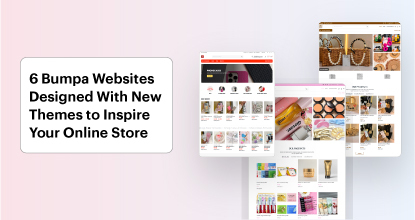
6 Bumpa Websites Designed With New Themes to Inspire Your Online Store
Features
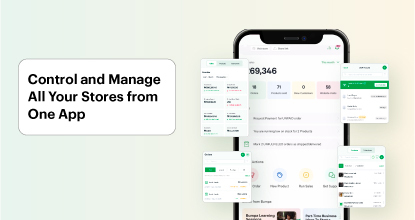
The Ultimate Guide to Managing Your Multiple Stores for Your Business with Bumpa

Features
How to Set Up Google Analytics for Your Bumpa Website

Tips
These 5 Urgent Fixes Will Save Your Dying Online Store!

Entrepreneurship
Be Part of Something Big: Join Our Partners' Program To Help Businesses Go Digital with Bumpa!
Tips