Features
How to Improve SEO for Your Bumpa Website in 14 Steps
Features



A custom domain is one of the easiest ways to boost your store's credibility and search ranking. Instead of mybrand.bumpa.shop, you get mybrand.com — and Google takes that seriously. You can connect or purchase yours directly from your Bumpa dashboard in minutes.
Not on Bumpa yet? Sign up for free today and see what your business has been missing.
One question we get all the time from business owners and maybe it’s on your mind too, is:
“How can I get more people to find my store on Google?”
Or even: “How do I show up when people use AI tools to search?”
It’s a fair question. Because no matter how great your products are, if customers can’t find your store online, they simply can’t buy from you.
That’s where SEO comes in. It stands for Search Engine Optimization, but don’t let the name scare you. All it means is setting up your website so that it’s easier for Google (and even AI tools) to recommend it when people are searching.
And you don’t need to be a tech wizard or marketing guru to get it right.
If you’re using Bumpa, you already have most of the pieces. You just need to know where to look, what to tweak, and how to write in a way that both your customers and search engines will understand.
This guide will walk you through 14 proven steps like:
the words you use on your homepage
how to write better product descriptions and more;
These are usually very small changes you can make that add up to big results.
Ready? Let’s start with the very first thing your customers (and Google) see: your store tagline.
1. Set Your Store Tagline & Description
When someone finds your store on Google (or even asks an AI tool for recommendations), the first thing they see is your store’s title and description (that’s your meta title and meta description).
On Bumpa, these come from your store tagline and store description.
These two small pieces of text have a big job:
They tell search engines what your store is about
They help customers decide whether to click on your site or keep scrolling
They also influence how your store shows up in AI-powered summaries
So how do you write a good one? Keep it short, clear, and packed with keywords your customers actually search for.
An example of a strong tagline is:
✅ Handmade Ankara Bags | Delivery in Lagos & Abuja
That’s better than something vague like: ❌ Welcome to our fashion store
Why? Because the first one tells Google:
What you sell
Who it’s for
Where you deliver
🛠️ Where to Set This in Bumpa:
Log into your Bumpa dashboard
Go to Settings → Website Settings
Fill in the Store Tagline and Store Description fields
Save changes — and boom, you’re already more searchable
2. Optimize Your Product Pages for Search
Every product you upload is a chance to show up on Google. That’s because each product page has its own link, and Google reads it like a mini-website.
So if you’re only using short descriptions or just uploading pictures with no details, you're leaving money on the table.
Here’s how to make your product pages work harder for you:
A. Write Detailed Product Descriptions
Don’t just say “Blue dress”. Instead tell Google what makes it special.
Use clear keywords like:
What it is (Blue Ankara Wrap Dress)
Who it’s for (Perfect for weddings, church, or date night)
Material (100% cotton, made in Nigeria)
Sizes, colours, styling tips, or anything buyers ask about
This helps you show up in specific searches like “cotton wrap dresses in Abuja” or “what to wear to a December wedding in Lagos.”
B. Use Product Collections
Collections help organize your store and boost SEO at the same time.
For example:
"New Arrivals"
"Skin Care for Dry Skin"
"Bridal Accessories"
Each collection gets its own link and description, so be sure to add a short intro. Google uses those to understand what the collection is about.
C. Add Reviews & Testimonials
When customers leave reviews, they naturally use words that matter for SEO. They might say things like “This lip gloss smells amazing and stays on all day”. that’s gold for Google and for other shoppers too.
Even 2–3 reviews per product can build trust and relevance.
3. Use Extra Website Pages to Help Customers (and Google) Understand Your Business
You might think pages like About Us or FAQs are just there for decoration but they actually help people find your store online.
When someone searches for things like:
“Where to buy skincare in Abuja”
“How long does Lagos delivery take for online orders?”.
Google looks at your full website, not just your product pages, so the more helpful info you have on your site, the better your chances of showing up.
Some extra pages you should definitely have on your website include:
A. An About Us Page
Your about us page tells google who you are. This is where you can say:
What your business does
Where you're located
Who your products are for
Why you started
Related: Read more about how to set up your "About Us Page" on Bumpa.
Example: “I started this skincare brand in Abuja to help people with sensitive skin find affordable, natural products.”
That one sentence alone helps your business appear when people search for “natural skincare Abuja.” See how that works?
B. FAQs Help You Answer Common Questions
Your customers are already typing these questions into Google every day:
“How fast is delivery to Port Harcourt?”
“Do you accept returns?”
“Is payment on delivery available?”
When you answer those questions on your FAQ page, you're giving both Google and your customers a reason to trust your site.
It’s like being helpful before they even ask.
These pages don’t need to be long or perfect. Just be honest, clear, and write like you’re talking to a real customer. That’s what Google likes and that’s what helps new people find your store.
4. Start a Blog with the Bumpa Blog Extension (Pro Feature)


If you really want more people to find your store on Google, a blog is one of the best ways to do it.
Think about it: When someone searches “best wigs for round face” or “how to care for sneakers in the rainy season”, Google will likely bring up articles that are relevant to this search and because your blog is attached to a fashion store, it automatically assumes that you’re an expert.
You can then add a CTA urging them to visit your store for sneakers that are easy to clean.
With the Bumpa Blog Extension, you can write simple blog posts that teach, guide, or answer questions and in the process, bring new people to your store.
Here are some blog ideas you could write:
How to Choose the Best Wig Type for You
3 Ways to Style Our Cargo Pants
How We Deliver Across Nigeria in 24 Hours
Our Skincare Picks for Harmattan Season
Top 5 Gifts Under ₦10,000 From Our Shop
These types of posts show up in search and give people a reason to visit your site, even if they weren’t shopping at first.
If you already have a store with Bumpa, the blog feature is can be purchased on the Pro plans and is available on the growth and scale plans.
Upgrade your plan to unlock the blog extension and start building traffic today.
5. Add Google Tag & Google Analytics
If you’ve ever wondered how people find your store, which products they’re clicking on or which page is getting the most attention, Google Tag Manager and Google Analytics are one of the best ways to get this done.
These tools help you understand:
Which pages people visit the most
Where your traffic is coming from (e.g. Google, Instagram, referrals)
What’s working and what you might need to improve
Now, you might be asking, what is the difference between the two:
Google Analytics shows you the big picture like how many visitors you’re getting, where they’re coming from, how long they stay, and which pages they visit the most.
Google Tag Manager helps you track specific actions like button clicks, checkout starts, or when someone views a product.
You don’t need both to get started, but having them gives you more insight into how your website is performing.
Once it’s set up, you’ll start seeing real data, like how many people visited your site this week, which pages they loved, and where your traffic is coming from. All of that helps you make better decisions about marketing, pricing, and what to post next.
6. Connect Your Custom Domain
If you want your store to look more professional, show up better in search results, and build real trust with customers, get yourself a custom domain.
Instead of something like: (❌ mybrand.bumpa.shop), you can have something like (✅ mybrand.com) or (✅ giftedgems.store)
This is a small upgrade that often makes customers take you more seriously and so does google.
Search engines tend to rank custom domains higher than subdomains. It shows you’ve taken the extra step to own your brand, and it helps your store stand out in a sea of lookalikes.
Here are some helpful tips you should know when choosing a good domain:
Use a name that matches your business or product category
Keep it short, easy to type, and easy to remember
Avoid unnecessary numbers or symbols (e.g. glam_shoes_124.com)
If the .com is taken, try .store, .shop, or your country’s extension (e.g. .ng or .ke)
It’s one of the best things you can do for your brand’s growth, trust, and search ranking, and once it’s done, you never have to think about it again.
7. Register Your Business on Google (It’s Free)
If you want people to find your store when they search things like “gift shop in Yaba” or “clothing stores near me,” you need to show up on Google Maps and Local Search.
That’s exactly what Google Business Profile (formerly Google My Business) does. It’s completely free and it helps your store appear where real buyers are already looking.
Here’s how to set it up:
Go to Google Business Profile
Click “Manage Now” and create an account
Add your store name, location, and category (e.g. fashion store, cosmetics, accessories)
Paste in your Bumpa website link
Upload photos, set your delivery or opening hours, and write a short business description
Once your profile is live, your store can appear in:
Google Maps
Local search results
Even AI-generated results when someone says “show me beauty stores in Nigeria”
It also gives you a profile customers can review, which builds trust and improves your chances of showing up more often.
8. Add Your Website to Google Search Console
This is one step that most small business owners miss and it makes a big difference.
Google Search Console tells Google that your website exists. It’s also what helps Google find, crawl, and index your site faster, so your pages can show up in search results and previews (even in AI tools).
Here’s how to do it:
Go to Google Search Console
Click “Start Now” and log in with your Google account
Choose “Domain” and enter your custom domain (e.g. mybrand.com)
Follow the steps to verify ownership
You can do this using your domain provider or your connected Google Tag
Once verified, go to the “Sitemaps” tab. Enter: sitemap.xml (Bumpa automatically generates this for your site)
Submit and that’s it!
Once you’re in, Search Console will:
Show you which keywords people use to find your store
Help you fix any issues that might block your site from ranking
Make sure new products or pages are discovered faster
And yes — it improves how your site shows up in AI-powered search previews too
9. Optimize Your Image Alt Text
Your product photos might be beautiful but Google doesn’t “see” images the way humans do. To understand your photos, it relies on something called alt text (short for alternative text). That’s basically a short description of what’s in the picture.
And it matters a lot.
When you describe your images properly, it helps:
Your products show up in Google Image search
People using screen readers (like visually impaired users) understand your site better
Google figure out what your page is about — which helps your SEO overall
So what should you do? When uploading product photos, don’t just leave the file name as: IMG_384.jpg or product_final_2.png
Instead, name it something like:
Black-leather-sling-bag.jpg
Red-polka-dot-wrap-dress.jpg
handmade-beaded-bracelet.jpg
Google reads that filename and uses it as a clue to understand your product and category.
10. Use Keyword-Friendly Product Names & URLs
Avoid using product names that look like warehouse labels. Some examples include: “Top 04,” “Bag B10,” “Product 003” — sound familiar?
Google doesn’t know what that means and neither do your customers.
So instead, give each product a name that:
Clearly says what it is
Uses keywords people might actually type when searching
Includes details like material, colour, style, or use case
Example:
✅ 3-Layer Waterproof Lunch Bag for Kids, rather than ❌ Lunch Bag B10
✅ Gold-Plated Bridal Earrings – Teardrop Style, instead of ❌ Earring Set 04
What about the URL?
Most product names automatically become the link (URL) to that product. So if your product is titled clearly, the URL becomes SEO-friendly too, like:
✅ bumpa.shop/[insert_brandname]/gold-bridal-earrings
11. Link Your Pages Together To Help Google Crawl It Better (Internal Linking)
Imagine someone walks into your physical store, looks at a nice top, and asks, "Do you have a matching skirt?"
If you nod and say nothing else, they might just leave. But if you say, "Yes! The skirts are right there, next shelf, and this style comes in three colours," chances are, they’ll buy more than one thing.
That’s exactly what internal linking does for your website.
What does “internal linking” mean?
It simply means connecting one part of your website to another part, like showing customers where to go next.
Google loves this because it helps search engines understand your store better. But more importantly, customers love it — because it keeps them exploring, clicking, and buying.
For example,
From your product page, link to your FAQ page:
Example: “Want to know how delivery works? Check our FAQs here.”
On your homepage, create a section for your Best Sellers, and link each one to the full product page. This helps visitors find your top items quickly.
Inside your blog posts, mention and link to relevant products.
For example: “Looking for a perfect gift? Our Velvet Durag Collection is a customer favourite, check it out here.”
12. Speed Up Your Website (Because Nobody Likes a Slow Store)
You know that feeling when a website takes forever to load? You wait… and wait… and then give up?
Your customers feel the same way. And so does Google.
If your website is slow, not only do you risk losing sales, but you also hurt your chances of showing up in search results. Google prefers websites that load quickly, especially on phones.
A few things can make your website slow but the most popular are heavy photo files as large as 5MB+ images straight from your phone camera. While they do look sharp, they tend to slow everything down.
What you should do instead:
Before uploading your product images to Bumpa:
Use small, clear versions of your photos (under 500KB is a great target)
Compress your photos using free tools like TinyPNG or ImageCompressor
Bumpa is already built to be mobile-friendly and fast. But you can help too by just taking a few extra seconds to shrink your image before upload, and you’ll be speeding up your store, helping your SEO, and improving the shopping experience for everyone who visits.
13. Social Profiles & Directory Links (Backlink Basics)
When other websites link to your store, Google sees that as a good sign. It’s like someone saying, “Hey, I trust this business. You should check it out too.”
These are called backlinks, and getting even a few, from the right places, can help your website rank better in Google search.
Where should you add your store link?
You don’t need a hundred links. Just a few trusted ones go a long way.
Start here:
Instagram bio: Paste your store link where it says “website”
TikTok profile: Add your link in the bio section
Facebook Page: Go to “Edit Page Info” → add your website
WhatsApp Business: Set your Bumpa store as your business website
Add your store to free business directories:
These are like online Yellow Pages — and they help Google recognize you as a legit business.
Start with:
Or any trusted local directories for your niche
Make sure to include your:
Business name
Location (if relevant)
Description
And of course, your Bumpa website link
14. Bonus: Be Featured on the Bumpa Blog
From time to time, we feature amazing merchants and their stories. If your store gets linked in one of our blog posts, that’s a high-quality backlink too!
Keep showing up, keep growing, and who knows, your business might be next 👀
In Conclusion, Your Store Deserves to Be Seen
You need to think of SEO as planting seeds. You’ll likely not see results overnight but if you do the right things today, your store will grow stronger, more visible, and easier to find over time.
And the best part is, if you’re already using Bumpa, you’re way ahead of most people at this point. We’ve built the tools you need to give you more visibility. You just need to start using them, one small step at a time, starting with the basics:
Set a clear store tagline and description
Write better product names and descriptions
Add a few extra pages like FAQs and About Us
Compress your images so your site loads faster
And if you’re ready to go further?
Upgrade to unlock premium features like the blog extension, analytics, customer review/testimonials and so much more that take your SEO to the next level.
You're closer to page one of the SERP than you think.
Need help with your SEO setup? Chat with our support team today, we’re always here to guide you.
Subscribe to our Blog
If you love tips & content like this that will help with your small business marketing and growth, then you’ll be excited to know we have more! We could always send you notifications when they are published if you share your email with us. We promise not to be a bother, and you can always unsubscribe anytime!
Want to Learn More about Bumpa & How to Grow Your Business with it?
You can sign up to Bumpa in 5 seconds as a small business owner and let us begin the journey of growing your business with you!
Related Articles
View Related Articles Here

Spotlight
The Extra Mile: Celebrating Customer Service Week 2026 at Bumpa

Features
8 Things You Can Automate on Bumpa So Your Business Runs While You Rest

Features
How to Set Up TikTok Pixel on Bumpa | Step-by-Step Guide

Features
Collect the Birthday & Gender Information of Your Customers Through Multiple Ways on Bumpa.

Entrepreneurship
How to Get Paid Faster: The Complete Guide to Business Payments in Nigeria & Kenya

Tips
How to Choose the Right Payment Options for Your Customers in 2026

Features
How to Set Up Facebook Pixel on Bumpa | Step-by-Step Guide

Entrepreneurship
How to Build a Good Inventory Management System (Step-by-Step)
Tips
How to Keep Daily Records of Sales for Your Business Easily
Tips
How to Detect, Deal with & Prevent Fake Bank Alerts for Your Business

Sales
How Gift Cards, Product Bundles, and Add-Ons Can Help You Make More Money Per Order on Bumpa

Entrepreneurship
Pezesha & Bumpa Partner to Empower Merchants with Digital Business Tools

Features
What Happens When My Bumpa Subscription Expires?

Entrepreneurship
How to Track Profit for Your Business in Nigeria in 2026

Tips
7 Signs You Need Inventory Management Software In 2026

Entrepreneurship
How to Prepare Your Business for Black Friday (2025): A Simple 10-Step Plan With Checklists and Templates

Entrepreneurship
Black Friday Marketing Strategy In 2026: 7-Day Plan for Small Businesses

Tips
When to Restock Inventory: Reorder Point Guide for Nigerian Businesses in 2026

Entrepreneurship
Inventory Management for Fashion & Clothing Business in Nigeria [2026]

Tips
6 Ways to Stop Staff From Stealing Your Stock (Without Losing Trust in Your Team)

Tips
Instagram Business Account Disabled? Here's Exactly What to Do in the Next 24 Hours (2026 Guide)

Entrepreneurship
From One Blender to 25 Branches and Counting: How FruityLife Manages Its Business with Bumpa

Features
New on Bumpa: The July Updates That Make Running Your Business Easier

Features
Create Emails That Drive Sales with Bumpa's Sales Email Template

Features
June Bumpa Product Update: Here's what's new!

Tips
8 Things To Do Before You Launch Your Online Store In 2026

Tips
10 Ways to Get more Customers & Increase Sales for your Business

Tips
Top 5 Online Selling Platforms & Sites in Nigeria (2026 Guide)
Tips
How to Optimise your Bumpa Website for more Visibility on Google in 2026!

Entrepreneurship
How To Start A Bag & Accessories Business In Nigeria In 2026

Tips
When to Upgrade Your Bumpa Plan And How to Know You're Ready

Entrepreneurship
10 Signs Your Business Needs Better Structure and Organization In 2026

Entrepreneurship
Bumpa vs WooCommerce: Is "Free and Powerful" Actually Free for Nigerian and Kenyan Businesses?

Entrepreneurship
Bumpa vs Shopify: Which Platform Actually Works Best For African Businesses?
Features
How to Improve SEO for Your Bumpa Website in 14 Steps

Features
Is the Bumpa App Free? (2026 Update: What’s Free, What’s Paid & What You Get)

Entrepreneurship
How to Use Social Media to Drive Sales to Your Bumpa Store In 2026

Entrepreneurship
25 Small Business Ideas in Kenya with Low Capital (2026 Guide)
Features
Every Physical Store You Add on your Bumpa Account Now Has Its Own Terminal Account. Here's Why It Matters

Features
Grow Your Business Faster with Loans: Say Hello to Bumpa Capital!

Features
How to Stop Staff Theft in Your DMs and Your Physical Store Using Bumpa

Tips
Business Name Ideas - How to Generate One + 42 Examples

Entrepreneurship
Bumpa vs Wix: A Guide for Nigerian Business Owners

Entrepreneurship
Bumpa vs Paystack Storefront: Which Is Right for Your Business?

Entrepreneurship
Bumpa vs Flutterwave Store: What Nigerian Sellers Actually Need to Know
Entrepreneurship
7 Marketing Tools You Can Use on Bumpa To 5x Sales. (Free & Paid 2026)

Spotlight
From a Mom's Shop Floor to 10K Orders: How Harjoke Fabrics Automated Sales with Bumpa
Features
Bumpa Wallet Is Here: A Faster Way to Get Paid Instantly, Grow Your Money & Stay in Control
Spotlight
For our One of One, Teejay…
Entrepreneurship
8 Best Paystack Storefront Alternatives Nigeria (2026)

Sales
How to Start an Online Business in Kenya (2026 Complete Guide)

Features
Bumpa POS: A Simple Point of Sale System for Businesses in Nigeria

Entrepreneurship
How Bumpa Helps Business Owners Adapt To Nigeria’s New Tax Laws in 2026

Sales
5 Reasons Why Your Business Isn't Making Money (And How To Fix It)

Features
Selling Internationally: Start Collecting Foreign Payments with Bumpa’s Multi-currency Feature!

Features
How to Get Started on Bumpa: An Onboarding Guide.
Tips
10 Small Business Ideas you can start with 20,000 in Nigeria in 2026
Tips
How to Collect Customer Reviews and Boost Sales With Them In 2026

Tips
How to File CAC Annual Returns Online in 2026 as a Business Owner

Entrepreneurship
Happening Live: 30 Days of Bumpa with Kelvin! (Plus 3M Up for Grabs)!
Features
What’s New This Month for Your Business (November 2025)

Entrepreneurship
Share Your Story, Win ₦500,000: Bumpa Business Story 2025
Features
Bumpa Product Updates: What’s New This Month for Your Business (October 2025)
Features
Your Store, Your Way: Introducing Bumpa Website Extensions
Tips
Black Friday Coupon Code Ideas (2025): 27 Proven Promos + How to Name, Cap, and Track Them
Communities
"We Don't Do Impossible" - Celebrating CX Week at Bumpa
Tips
How to Create Professional Invoices for Small Businesses with an Online Invoice Generator
Tips
How to Create & Start an Online Store in Nigeria in 2024
Features
How to Use the Bumpa App: The Ultimate Guide For Small Business Management
Features
Recover More Sales With Bumpa’s New Automated Abandoned Order Reminders
Tips
Black Friday 2025: The Business Guide to Deals That Triple Your Sales
Spotlight
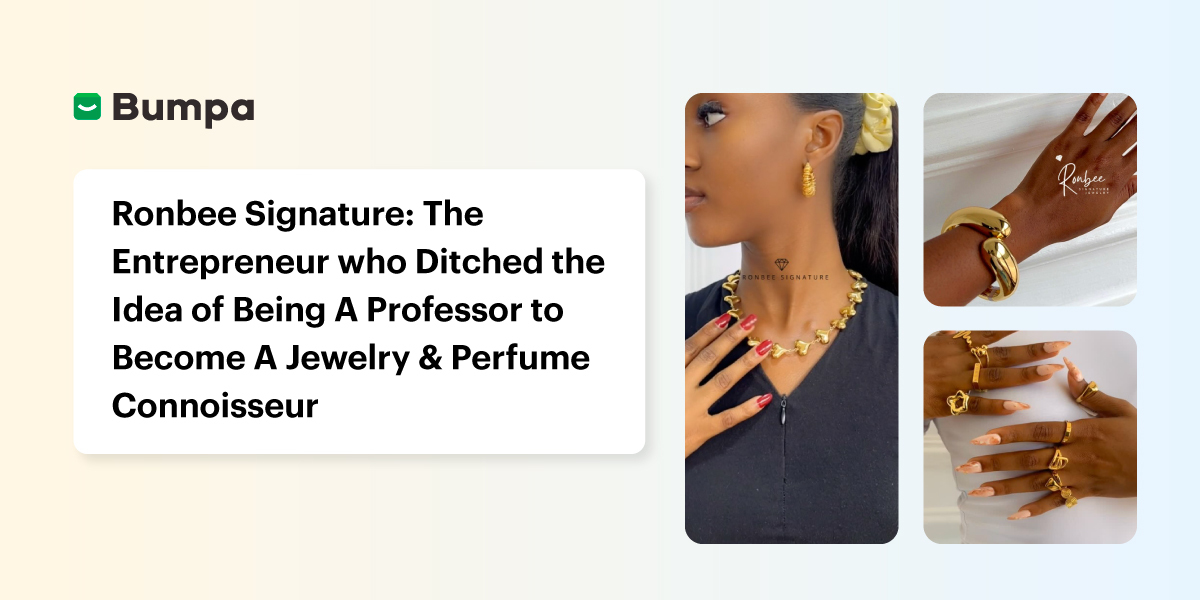
Ronbee Signature: The Entrepreneur who Ditched the Idea of Being A Professor to Become A Jewelry & Perfume Connoisseur.
Spotlight
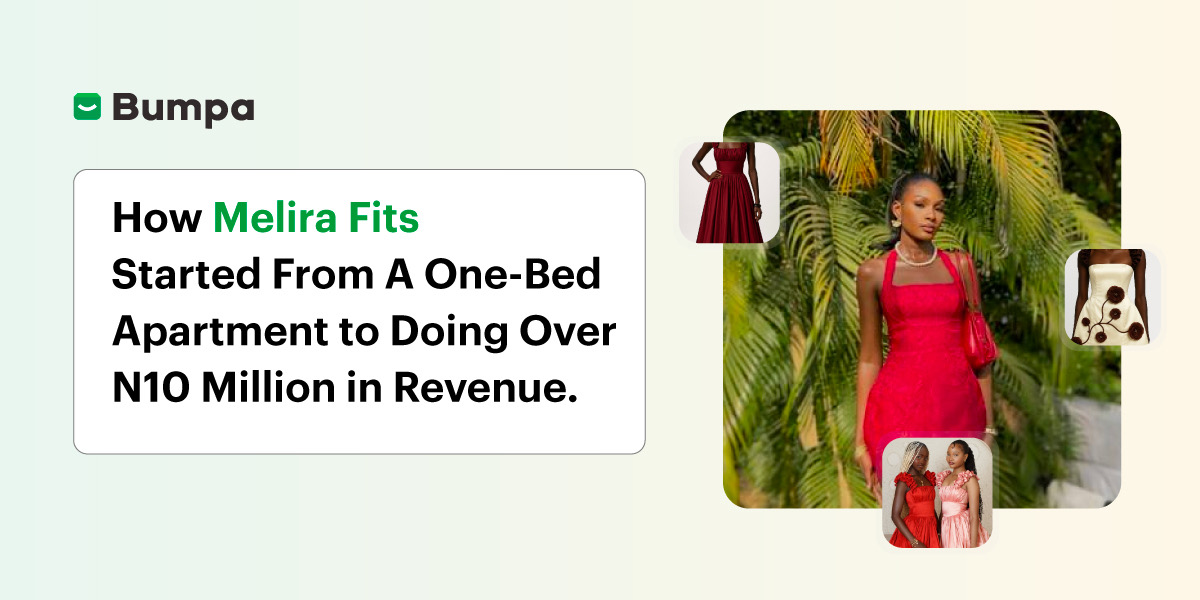
How Melira Fits Started From A One-Bed Apartment to Doing Up To 15 Million in Revenue.
Features
Get Amazon-Level Delivery for your Business with Bumpa’s New Shipping Automation

Tips
How Businesses (Small and Big) Are Making Big Money with AI in 2025! (Here's How)

Tips
How to Make Money on the Internet in 2025 (12 Easy E-commerce Hustles That Actually Pay)

Tips
These 7 Business Finance Mistakes May Cost You Millions !
Tips
6 Bumpa Websites Designed With New Themes to Inspire Your Online Store
Features
The Ultimate Guide to Managing Your Multiple Stores for Your Business with Bumpa
Features
How to Set Up Google Analytics for Your Bumpa Website
Tips
These 5 Urgent Fixes Will Save Your Dying Online Store!
Entrepreneurship
Be Part of Something Big: Join Our Partners' Program To Help Businesses Go Digital with Bumpa!
Tips
How to Write Product Descriptions that Convert Online Shoppers + Examples & Template
Features
Introducing Brand New Professional Website Themes & Templates For Your Bumpa Store!

Entrepreneurship
ShowUp #2: Love is in the Air! (And So Are Sales)
Tips
How to Turn your Products into Irresistible Valentine's Day Gifts
Features
How to Add Shipping Fees on Your Bumpa App
Features
How does Online Payment Work on Bumpa?
Entrepreneurship
The Biggest Business Growth Event (BBGW) of 2025 Is Here!

Tips
Top 8 Trending Products to Launch a Successful Online Business in 2025

Tips
4 Secret Growth Strategies Smart Businesses Are Stealing in 2025

Entrepreneurship
ShowUp #1: Thank You for 2024 and Welcome to 2025! 🎉
Features
What to Know about Bumpa’s KYC Verification & Fraud Prevention

Entrepreneurship
Shape Your 2025: 50 Motivational and Inspirational Quotes Every Business Owner Needs
TipsFeatures
25 Marketing Strategies for Increasing Sales to Implement on Day One of 2025!
Entrepreneurship
The Season of Sales - Lessons, Tips & Giveaways

EntrepreneurshipFeatures
A Good Time For Gifts: Celebrating Our Super Sellers with WiiCreate! 🎁

Entrepreneurship
How Lagos's Top Parfait Brand, Melony Pine Fruit Hub Manages Its Growing Success with Bumpa
Features
Bumpa's Invoice Generator 2.0: Now with Custom Notes & Upgraded Shipping Slips
Features