Entrepreneurship
7 Marketing Tools You Can Use on Bumpa To 5x Sales. (Free & Paid 2026)
Entrepreneurship


I had a conversation with a friend who sells bags last month. She's been on Bumpa for over a year, processes orders, tracks inventory, sends receipts, the whole nine yards. But when I asked her what marketing she does on the app, she looked at me like I'd spoken French.
"Bumpa can help me with marketing my product?" And honestly, I dont blame her because one I am the first person to tell Bumpreneurs that Bumpa will not market your products for you. However, this doesnt mean that Bumpa does not have simple marketing or automation tools you can use to increase your revenue or sales.
Bumpa has a very solid set of marketing tools built right into the same app you're already using every day. Tools that can help you get new customers, bring back old ones, and get people to spend more every single time they buy from you.
These tools range from ad tool integration, email marketing tools, SMS marketing, CRM and much more. This article will highlight 7 marketing tools you can use on Bumpa to boost your sales.
Let's get into it.
1. Bumpa Marketing Features To Turn Visitors Into Buyers
Getting traffic to your store is one thing, but getting that traffic actually to pull out their wallet to make a purchase is a whole different game.
Bumpa has quite a few features that were created specifically to help you convert both old and new visitors into actual buyers. Let’s look at a few of them:
Countdown Timers


Nothing moves people to action like a ticking clock. The Countdown extension that we created lets you add a visible timer to your store that counts down to a sale, a product launch, or the end of a promotion.
There are two types: a countdown to start (for product launches, customers can see the product but can't buy until the timer ends) and a countdown to end (for limited-time sales). Both create urgency, and urgency is what turns "I'll come back later" into "let me buy this now before it's gone."
Discounts & Coupons

You probably already know about this one, but it's worth mentioning how easy Bumpa makes it. You can create percentage-based or fixed-amount discounts, apply them to specific products or your entire store, set start and end dates, and have prices automatically revert when the sale is over.
Coupons work a little differently in the sense that you create a code that customers enter at checkout. Cart coupons take the discount off the total order, while product coupons apply to specific items. Either way, you set it up in under a minute and your customers feel like they're getting a deal.
Here’s the perfect guide on how you can sell more to your customers using Bumpa’s discounts and coupon feature.
Free Shipping Automation & Rules
On Bumpa, you can set a minimum spend amount for free shipping; something like "Spend ₦20,000 and get free shipping." Customers can actually see how close they are to qualifying, which nudges them to add one more item to their cart, so you make more money and more sales.
It is important to note that this is not a discount, and you are also not cutting or slashing your prices. It is simply a marketing tactic where you make your customer feel like they’re getting something for free, and they end up spending more. It’s a win-win for both parties involved.
Newsletter Sign-Ups


You can enable a newsletter pop-up on your Bumpa website that lets visitors subscribe to your mailing list. This is important because not everyone who visits your store is ready to buy right now. But if they sign up for your newsletter, you now have a way to reach them later — with new arrivals, discounts, or helpful content.
Think of it as planting a seed. They didn't buy today, but when you send that email about your Valentine's Day sale next month, they'll remember you.
Facebook Pixel & Google Analytics Integration
How to Run Ads from Facebook & Instagram to Your Bumpa Website
One of the biggest drivers of most businesses these days is ads, and every naira you spend on them is very important, so you cannot afford to mess this up.
When you connect Facebook Pixel to your Bumpa website, you can track what people do after clicking your Facebook or Instagram ad. Did they visit? Add to cart? Actually buy? That data helps you run better-converting ads over time because Facebook learns who your real customers are and shows your ads to more people like them.
Google Analytics does something similar but broader where it shows you where your traffic is coming from, what pages people visit, and where they drop off. If you're spending money on ads, these two integrations are non-negotiable.
Wishlists


The wishlist feature on Bumpa's premium themes lets customers save products they're interested in but aren't ready to buy. So how does this work:
Your customer simply needs to add a product to their wishlist
You get their email so you can contact and nurture them to close the sales
A customer who wishlists a product is telling you they want it. All they need is a reason to come back, and Bumpa provides you with the tools to do just that. Plus, when you send that email about a sale, you already know exactly what they want to buy, and it’s easier to convert them.
Single-Page Checkout
This isn't a "marketing feature" in the traditional sense, but it directly affects your sales. Bumpa's newer themes have a single-page checkout — meaning customers go from browsing to paying on one page, without being bounced through multiple steps.
With cart abandonment rates in Nigeria sitting around 76%, anything that reduces friction at checkout is basically marketing. Every extra step you remove is money you keep.
2. Bumpa Marketing Features To Bring Old Customers Back
If you’ve been in business long enough, you already know that it is way cheaper to get an existing customer to buy again than to find a brand new one, which is a lesson that every business owner has to learn eventually.
Because we’ve seen this process repeat itself over and over again, Bumpa created a set of features specifically designed to help bring your old customers back as many times as possible:
Email Campaigns


You can create and send email campaigns to your customers directly from the Bumpa app, without the need for external email marketing tools like Mailchimp or any third-party tool. You pick your audience (all customers, a specific group, or your newsletter subscribers), add your campaign image, write your message, and send.
This is how you announce new arrivals, share discounts, promote a sale, or simply remind people you exist. Each email costs 4 messaging credits, which you purchase in bulk on the app.
Speaking of email campaigns, here’s the perfect guide where you can learn everything you need to know about email marketing, how to optimise emails for open rates and so much more.
SMS Campaigns

Same idea as email, but via text message. For a Nigerian audience, this is huge because everyone checks their email regularly, but almost everyone reads their text messages.
Bumpa's bulk SMS automatically puts your business name as the first line of text so customers immediately recognise who's messaging them. You can send to individual customers, customer groups, or newsletter subscribers, and you can even duplicate old campaigns and resend to different lists.
The best time for SMS deliverability on Bumpa? Between 9 a.m. and 7 p.m.
We’ve created 2 perfect guides that can help you optimise SMS campaigns with or without Bumpa:
Automated Customer Segments
This is one of those features that quietly does the heavy lifting. Bumpa automatically sorts your customers into eight groups based on their buying behaviour, things like your top 10% spenders, customers with zero orders, repeat buyers, newsletter subscribers, and more.
You don't have to do any of this sorting yourself. It just happens in the background. So when you want to send a campaign to your best customers or re-engage people who haven't bought in a while, the segments are already there waiting for you.
You can also create your own custom groups on top of this, maybe "Valentine's Day Buyers" or "Wholesale Customers", and target them with specific campaigns like email or SMS campaigns.
Abandoned Cart Recovery

This one is automatic and, honestly, it's probably leaving money on the table if you haven't turned it on.
When a customer starts checkout but doesn't finish within 30 minutes, Bumpa marks the order as abandoned and sends follow-up reminders via email and SMS. The system is smart about it too, so it stops sending if the product goes out of stock, the order gets cancelled, or the customer eventually completes the purchase.
Studies show that abandoned cart emails can recover 10–30% of lost sales. Thai works very well, not because emails are pushy, but because most people simply get distracted and forget. A friendly "you left something behind" nudge is often all it takes.
Back-in-Stock Notifications
When a product sells out on your website, most customers leave and forget about it and that counts as a lost sale from someone who already wanted to buy.
The Back-in-Stock extension changes that. When a product is out of stock, a "Notify Me" button automatically appears. Customers enter their email and phone number, and when you restock, Bumpa sends them a notification automatically, and you don’t have to lift a finger to take any action.
You also get data on which out-of-stock products have the most sign-ups, which tells you exactly what to restock first.
Welcome Email Automation


What better way to market your product and provide stellar service than sending a very personalised welcome email to every customer who is added to your list or who signed up to your newsletter?
With Bumpa, you can easily automate this process and create a strong impression, introduce your business and set the tone for future communications.
With this feature, you can personalise your welcome message, share helpful information about your products or services, offer exclusive discounts, or simply express appreciation for their interest in your business. Once set up, the process runs automatically—ensuring that every new subscriber feels acknowledged and valued without requiring manual effort from you.
3. Bumpa Features To Help You Get Customers to Spend More Per Order
So now that we know how bring back your old customers, the next question is how can I get these people to spend more on every order before checkout? If this is what you’re thinking, you’re right on track.
Bumpa not only lets you invite or convert old customers, it’s also specifically designed to get your customers to spend more on every order every single time. Let’s look at some of the Bumpa features that can help with this:
Product Add-Ons

The Product Add-Ons extension lets you suggest extra items at checkout. Think of it like the "would you like fries with that?" of e-commerce. A customer buying a phone case might see a screen protector suggested. Someone buying a dress might see a matching bag, and they're more likely to purchase because it's directly related to something they’re purchasing.
This way, your customer feels understood, and it’s targeted marketing at its best.
Gift Box Extension
This one is especially powerful during gifting seasons like Valentine's Day, Christmas, Mother's Day, and birthdays. The Gift Box extension lets customers add gift wrapping or premium packaging to their order at checkout.
It's an upsell that doesn't feel like an upsell. The customer gets a better presentation for their gift, and you get a higher order value. Plus, it positions your brand as thoughtful and premium — which is a marketing win in itself.
Your customers can select if they want to add small notes, use branded or non-branded packaging, or even small extras like cards, ribbons or premium boxes.
Product Bundles

If you’ve ever wanted to create a product bundle for any season, say Ramadan bundles, or skincare bundles, this feature is perfect for you.
The product bundle extension lets you combine up to 10 products into a single bundle with custom pricing, and present it with a copy like "Buy the complete skincare set and save ₦5,000" rather than listing each product separately. Plus, you canan offer discounts for every bundle that you create.
Customers love getting more for their money, and bundles make buying decisions easier. Instead of choosing between individual products, they get a complete set that solves their problem or completes their look.
4. Bumpa Features To Help You Sell Smarter on Social Media
TO be fair, a huge chunk of Nigerian business owners like you still make most of their sales through Instagram DMs and WhatsApp. So Bumpa doesn't try to fight that, instead, we came up with a really cool way to make selling on social media way faster:
Instagram DM Integration (Meta)
When you connect your Instagram account to Bumpa, all your Instagram DMs flow directly into the Bumpa app. But here's where it gets powerful: inside those DMs, you get Quick Buttons that let you send products from your website, share invoices, request payment, and record the sale — all without leaving the app.
Your customer sees products and payment links in their Instagram DM. You see a completed sale recorded on Bumpa with inventory automatically updated.
There's a bonus too, your staff can manage Instagram orders through their Bumpa staff accounts without needing the password to your actual Instagram account.
If you already have a store on Bumpa, and you’re yet to activate this, here’s the full guide to walk you through the process. And if you’re yet to set up your store on Bumpa, what are you waiting for?
5. Bumpa Features To Help You Track What's Working (And What's Not)
After all is said and done, with driving targeted emails to your customers, running ads, and using the Bumpa extensions, how can you truly measure the impact of all the hard work you’ve been putting into everything? Where can you see which channels is helping you drive the most sales, what products are selling the best and which customers are your best buyers??
Well, Bumpa gives you a few ways to see what's actually driving results. Let’s look at some of them:
Sales Channel Analytics
Your Bumpa dashboard breaks down your sales by channel, like Instagram, WhatsApp, physical store, website, and so on, so you can see exactly where the bulk of your revenue is actually coming from in varying order.
If 60% of your revenue comes from Instagram but you're spending all your ad budget on Google, that data changes your strategy. If your website sales are growing month over month, maybe it's time to invest more in SEO.
Customer & Product Analytics
Here, you’ll be able to see the average spend per customer, best-selling products, least-performing products, profit margins, and so much more. This data is incredibly powerful because it'll form the foundation of every marketing campaign you’ll run for the next few months, like which products should you feature in your next email campaign? Which customers deserve a VIP discount?
So, Where Exactly Should Do You Start?
If you're reading this and feeling a bit overwhelmed by all these features, that's totally normal. Please don't try to use all of them at once.
Here's what I'd suggest:
Start with the basics like:
Make sure your product descriptions are detailed (that's free SEO).
Turn on abandoned cart recovery (that's automatic money).
Send one email or SMS campaign this week to your existing customers, even if it's just to say "hey, we have new products available."
Once that feels comfortable, explore the Bumpa extensions suite. We have amazing features like the blog, the countdown timer, or even the back-in-stock notifications. Just pick one that makes sense for your business and test it for a month, and watch the results roll in.
The goal isn't to become a marketing expert overnight. The goal is to use the tools you're already paying for to their full potential. Because right now, most of these features are sitting in your Bumpa app, waiting.
And the businesses that are using them? They're the ones hitting those 20,000-order milestones.
Frequently Asked Questions
1. Will Bumpa market my business for me?
No. Bumpa will not market your business for you, but it gives you marketing tools to increase sales, retain old customers & much more.
2. How much does it cost to send email and SMS campaigns on Bumpa?
Emails cost 4 credits each, while SMS credits vary. Every subscription plan comes with messaging credits & you can always purchase more.
3. Do I need a subscription to use the marketing features?
Yes. You have to be on a subscription plan to use Bumpa’s marketing features.
4. Can I run ads on Bumpa?
You can’t manage ads on your Bumpa app, you can, however, run ads, e.g., Facebook, Google, and Instagram ads to your website. Click here to learn how ti integrate Facebook Pixel on your website.
5. Can I use Bumpa's marketing tools if I mostly sell on Instagram?
Absolutely.
Related Articles
View Related Articles Here

Spotlight
The Extra Mile: Celebrating Customer Service Week 2026 at Bumpa

Features
8 Things You Can Automate on Bumpa So Your Business Runs While You Rest

Features
How to Set Up TikTok Pixel on Bumpa | Step-by-Step Guide

Features
Collect the Birthday & Gender Information of Your Customers Through Multiple Ways on Bumpa.

Entrepreneurship
How to Get Paid Faster: The Complete Guide to Business Payments in Nigeria & Kenya

Tips
How to Choose the Right Payment Options for Your Customers in 2026

Features
How to Set Up Facebook Pixel on Bumpa | Step-by-Step Guide

Entrepreneurship
How to Build a Good Inventory Management System (Step-by-Step)
Tips
How to Keep Daily Records of Sales for Your Business Easily
Tips
How to Detect, Deal with & Prevent Fake Bank Alerts for Your Business

Sales
How Gift Cards, Product Bundles, and Add-Ons Can Help You Make More Money Per Order on Bumpa

Entrepreneurship
Pezesha & Bumpa Partner to Empower Merchants with Digital Business Tools

Features
What Happens When My Bumpa Subscription Expires?

Entrepreneurship
How to Track Profit for Your Business in Nigeria in 2026

Tips
7 Signs You Need Inventory Management Software In 2026

Entrepreneurship
How to Prepare Your Business for Black Friday (2025): A Simple 10-Step Plan With Checklists and Templates

Entrepreneurship
Black Friday Marketing Strategy In 2026: 7-Day Plan for Small Businesses

Tips
When to Restock Inventory: Reorder Point Guide for Nigerian Businesses in 2026

Entrepreneurship
Inventory Management for Fashion & Clothing Business in Nigeria [2026]

Tips
6 Ways to Stop Staff From Stealing Your Stock (Without Losing Trust in Your Team)

Tips
Instagram Business Account Disabled? Here's Exactly What to Do in the Next 24 Hours (2026 Guide)

Entrepreneurship
From One Blender to 25 Branches and Counting: How FruityLife Manages Its Business with Bumpa

Features
New on Bumpa: The July Updates That Make Running Your Business Easier

Features
Create Emails That Drive Sales with Bumpa's Sales Email Template

Features
June Bumpa Product Update: Here's what's new!

Tips
8 Things To Do Before You Launch Your Online Store In 2026

Tips
10 Ways to Get more Customers & Increase Sales for your Business

Tips
Top 5 Online Selling Platforms & Sites in Nigeria (2026 Guide)
Tips
How to Optimise your Bumpa Website for more Visibility on Google in 2026!

Entrepreneurship
How To Start A Bag & Accessories Business In Nigeria In 2026

Tips
When to Upgrade Your Bumpa Plan And How to Know You're Ready

Entrepreneurship
10 Signs Your Business Needs Better Structure and Organization In 2026

Entrepreneurship
Bumpa vs WooCommerce: Is "Free and Powerful" Actually Free for Nigerian and Kenyan Businesses?

Entrepreneurship
Bumpa vs Shopify: Which Platform Actually Works Best For African Businesses?

Features
How to Improve SEO for Your Bumpa Website in 14 Steps

Features
Is the Bumpa App Free? (2026 Update: What’s Free, What’s Paid & What You Get)

Entrepreneurship
How to Use Social Media to Drive Sales to Your Bumpa Store In 2026

Entrepreneurship
25 Small Business Ideas in Kenya with Low Capital (2026 Guide)
Features
Every Physical Store You Add on your Bumpa Account Now Has Its Own Terminal Account. Here's Why It Matters

Features
Grow Your Business Faster with Loans: Say Hello to Bumpa Capital!

Features
How to Stop Staff Theft in Your DMs and Your Physical Store Using Bumpa
Tips
Business Name Ideas - How to Generate One + 42 Examples

Entrepreneurship
Bumpa vs Wix: A Guide for Nigerian Business Owners

Entrepreneurship
Bumpa vs Paystack Storefront: Which Is Right for Your Business?

Entrepreneurship
Bumpa vs Flutterwave Store: What Nigerian Sellers Actually Need to Know
Entrepreneurship
7 Marketing Tools You Can Use on Bumpa To 5x Sales. (Free & Paid 2026)

Spotlight
From a Mom's Shop Floor to 10K Orders: How Harjoke Fabrics Automated Sales with Bumpa
Features
Bumpa Wallet Is Here: A Faster Way to Get Paid Instantly, Grow Your Money & Stay in Control
Spotlight
For our One of One, Teejay…
Entrepreneurship
8 Best Paystack Storefront Alternatives Nigeria (2026)

Sales
How to Start an Online Business in Kenya (2026 Complete Guide)

Features
Bumpa POS: A Simple Point of Sale System for Businesses in Nigeria

Entrepreneurship
How Bumpa Helps Business Owners Adapt To Nigeria’s New Tax Laws in 2026
Sales
5 Reasons Why Your Business Isn't Making Money (And How To Fix It)
Features
Selling Internationally: Start Collecting Foreign Payments with Bumpa’s Multi-currency Feature!

Features
How to Get Started on Bumpa: An Onboarding Guide.
Tips
10 Small Business Ideas you can start with 20,000 in Nigeria in 2026
Tips
How to Collect Customer Reviews and Boost Sales With Them In 2026

Tips
How to File CAC Annual Returns Online in 2026 as a Business Owner
Entrepreneurship
Happening Live: 30 Days of Bumpa with Kelvin! (Plus 3M Up for Grabs)!
Features
What’s New This Month for Your Business (November 2025)

Entrepreneurship
Share Your Story, Win ₦500,000: Bumpa Business Story 2025
Features
Bumpa Product Updates: What’s New This Month for Your Business (October 2025)
Features
Your Store, Your Way: Introducing Bumpa Website Extensions
Tips
Black Friday Coupon Code Ideas (2025): 27 Proven Promos + How to Name, Cap, and Track Them

Communities
"We Don't Do Impossible" - Celebrating CX Week at Bumpa
Tips
How to Create Professional Invoices for Small Businesses with an Online Invoice Generator
Tips
How to Create & Start an Online Store in Nigeria in 2024
Features
How to Use the Bumpa App: The Ultimate Guide For Small Business Management
Features
Recover More Sales With Bumpa’s New Automated Abandoned Order Reminders
Tips
Black Friday 2025: The Business Guide to Deals That Triple Your Sales
Spotlight
Ronbee Signature: The Entrepreneur who Ditched the Idea of Being A Professor to Become A Jewelry & Perfume Connoisseur.
Spotlight
How Melira Fits Started From A One-Bed Apartment to Doing Up To 15 Million in Revenue.
Features
Get Amazon-Level Delivery for your Business with Bumpa’s New Shipping Automation
Tips
How Businesses (Small and Big) Are Making Big Money with AI in 2025! (Here's How)
Tips
How to Make Money on the Internet in 2025 (12 Easy E-commerce Hustles That Actually Pay)

Tips
These 7 Business Finance Mistakes May Cost You Millions !
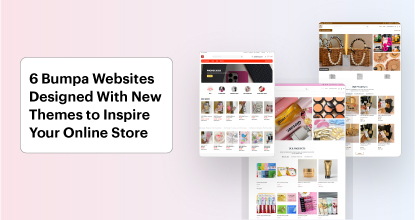
Tips
6 Bumpa Websites Designed With New Themes to Inspire Your Online Store
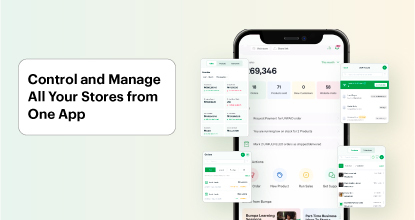
Features
The Ultimate Guide to Managing Your Multiple Stores for Your Business with Bumpa
Features
How to Set Up Google Analytics for Your Bumpa Website
Tips
These 5 Urgent Fixes Will Save Your Dying Online Store!
Entrepreneurship
Be Part of Something Big: Join Our Partners' Program To Help Businesses Go Digital with Bumpa!
Tips
How to Write Product Descriptions that Convert Online Shoppers + Examples & Template
Features
Introducing Brand New Professional Website Themes & Templates For Your Bumpa Store!

Entrepreneurship
ShowUp #2: Love is in the Air! (And So Are Sales)
Tips
How to Turn your Products into Irresistible Valentine's Day Gifts
Features
How to Add Shipping Fees on Your Bumpa App
Features
How does Online Payment Work on Bumpa?
Entrepreneurship
The Biggest Business Growth Event (BBGW) of 2025 Is Here!

Tips
Top 8 Trending Products to Launch a Successful Online Business in 2025
Tips
4 Secret Growth Strategies Smart Businesses Are Stealing in 2025

Entrepreneurship
ShowUp #1: Thank You for 2024 and Welcome to 2025! 🎉
Features
What to Know about Bumpa’s KYC Verification & Fraud Prevention

Entrepreneurship
Shape Your 2025: 50 Motivational and Inspirational Quotes Every Business Owner Needs
TipsFeatures
25 Marketing Strategies for Increasing Sales to Implement on Day One of 2025!
Entrepreneurship
The Season of Sales - Lessons, Tips & Giveaways

EntrepreneurshipFeatures
A Good Time For Gifts: Celebrating Our Super Sellers with WiiCreate! 🎁

Entrepreneurship
How Lagos's Top Parfait Brand, Melony Pine Fruit Hub Manages Its Growing Success with Bumpa
Features
Bumpa's Invoice Generator 2.0: Now with Custom Notes & Upgraded Shipping Slips
Features