Features
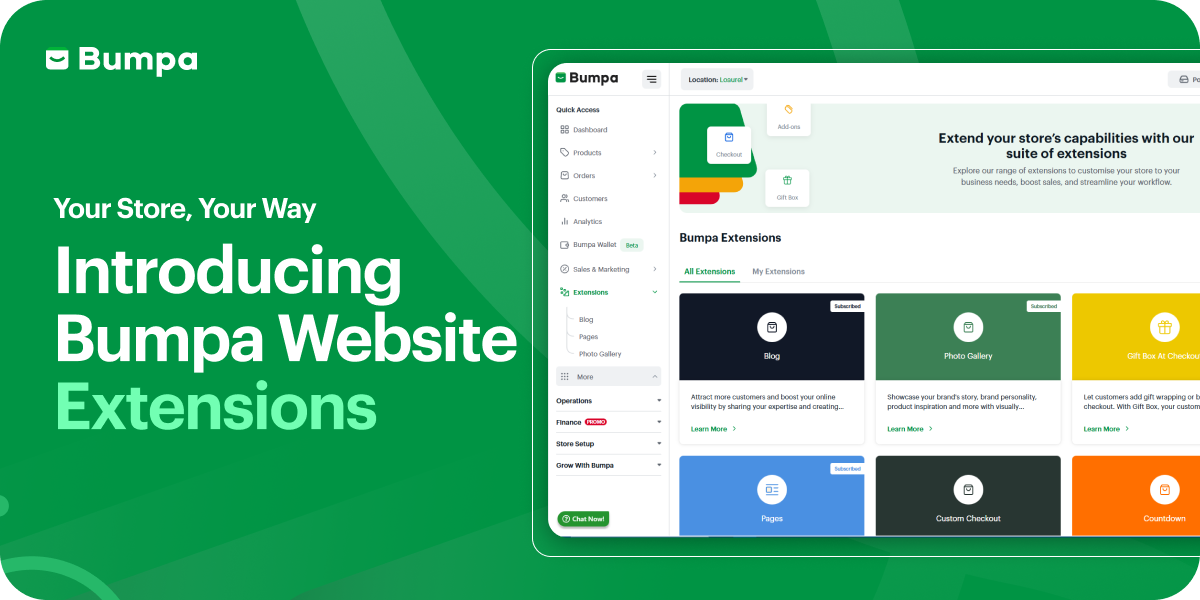
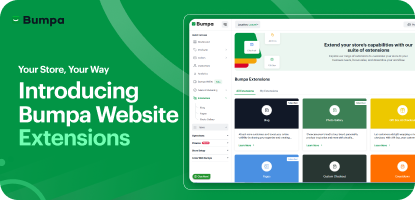
Your Store, Your Way: Introducing Bumpa Website Extensions
Features


Make Your Store Feel Like a Brand Experience
Blog. Countdown. Back-in-Stock Alerts. Product Add-Ons. Custom Checkout. Gift Box. Photo Gallery. Pages. Featured Brands. Product Bundles. Pick the tools that fit your business, activate them with one click, and make your store do exactly what you need it to do. Simple. Powerful. Ready now.
Go to Extensions or download the app and signup to get started.
What if your store could do more than just list products?
What if it could tell your brand story through blog posts? Show off your best work in a stunning photo gallery? Create urgency with countdown timers? Let customers add gift wrapping at checkout? Suggest complementary products without feeling pushy?
What if your store could feel less like a basic catalog and more like a brand experience?
That's exactly what Bumpa Extensions was built for.
We know every business is different. A wig vendor needs different tools than a yoghurt parfait business. A fashion boutique preparing for a launch has different priorities than an electronics store managing restocks.
So instead of giving everyone the same rigid setup, we created a toolkit. You pick the extensions that make sense for your business, activate them with a toggle, and instantly unlock new capabilities.
Here's what you can now add to your store.
Blog


Turn Your Store Into Content That Sells
With the Blog Extension, you can create, publish, and manage blog posts directly from your Bumpa app. It’s built to help you boost your SEO, drive more organic traffic, and keep your audience engaged with valuable content, whether it’s product tips, style guides, more details about your product, how-to guides, or any content that helps educate and engage your audience.
Once activated, a “Blog” section will appear on your storefront where all posts will be listed. Each post has its link for easy sharing on social media, email, or WhatsApp.
This extension gives you the power of content marketing in the simplest way possible.
Blog Features
Every part of the blog builder is designed to help you go from idea to post — fast.
Blog Title & Featured Image – Grab attention with eye-catching titles and visuals.
Rich text Editor – Easy-to-use editor to add text, links, formatting, and images.
Category & Tags – Keep your posts organised and searchable by topic.
Upsell Products – Show related collections at the bottom of your blog post for extra visibility and conversion.
Social Sharing – Toggle on to let customers spread the word directly to platforms like WhatsApp, Facebook, or Instagram.
Pin Blog Post – Want something always visible at the top? Pin your most important post.
Preview Mode – See your post before publishing
Excerpt – Set a quick summary to display on the blog homepage.
SEO Preview – Make sure your post looks great on Google and helps boost your ranking.
Meta Descriptions – Boost search rankings
Why you need it:
Google doesn't just rank stores that sell products—it ranks stores that answer questions. When someone searches "how to care for virgin hair" or "best outfit for Lagos heat," you want your store to show up.
That's what blogs do. They bring people to your store before they're ready to buy, build trust while they're deciding, and keep them coming back even after they've purchased.
Plus, customers always have questions. Blogs answer them before they even ask.
What you can do:
Write style guides, how-tos, product care tips, or brand stories
Boost your SEO so Google sends you free traffic
Link products directly in your posts to drive sales
Share posts on social media to bring people back to your store
Pin important posts so they're always visible
How It Works

Activate Blog from Extensions
Add your blog title, cover image, and an excerpt
Write your post using the rich text editor
Add tags, author, and SEO details
Hit publish, and your post will be live on your store! Check out this extension here.
Photo Gallery

Make customers fall in love with your brand
Photo Gallery lets you create beautiful albums that showcase your brand, products, or moments right on your website. It makes your website more engaging, more personal, and more professional.
Galleries give your customers more reasons to stay, scroll, and shop. It’s not just about looking good; it’s about turning browsers into buyers by helping them fall in love with your products visually.
Why you need it:
People don't just buy products—they buy the feeling your products give them. A good photo gallery helps customers imagine themselves in your brand.
Whether it's behind-the-scenes shots, customer photos, or a lookbook for your new collection, galleries make your store feel alive, premium, and trustworthy.
What you can do:
Showcase product collections by theme or drop
Highlight real customer photos (UGC builds massive trust)
Share behind-the-scenes moments from photoshoots or events
Create lookbooks or style inspiration albums
How It Works

Activate Photo Gallery from Extensions
Name your gallery (or go with “Gallery” by default)
Create albums and upload your images. You can upload multiple images at once into each album
Pick a layout for each album
Reorder Easily – Arrange photos the way you want them to appear.
Choose album layouts to match your store’s vibe
The gallery goes live on your store, beautifully displayed. Check out this extension here.
Gift Box at Checkout

Make every purchase gift-ready.
Gift Box lets your customers turn any order into a gift and is designed to make shopping with you more thoughtful and memorable. For you, it’s a way to delight buyers, win seasonal sales, and even increase order value with small upsells. It gives buyers the option to select gift wrapping or add-on items right before completing their order.
Why you need it:
Birthdays. Anniversaries. Holidays. "Just because" moments. Your customers are buying gifts all the time—but if you don't make gifting easy, they'll shop somewhere that does.
Gift Box lets customers add wrapping, premium packaging, or gift add-ons right at checkout. It's thoughtful for them, and it increases your Average Order Value (AOV) for you.
What you can do:
Offer gift wrapping or branded packaging
Let customers add gift notes
Upsell small extras (cards, ribbons, premium boxes)
How It Works

Enable Gift Box from Extensions.
Set up your gift-wrapping or upsell options.
Customers will see gift choices at checkout.
This is how you make your store stand out. The Gift Box at Checkout extension is your simple, powerful tool for transforming a regular purchase into a special gifting experience. Check out this extension here.
Product Add-Ons

Upsell without the awkwardness
Sometimes, customers want more than just the main product, but they won’t always search for it. With Product Add-Ons, you can showcase related products, services, or extras right on the product page.
It’s a simple way to upsell or cross-sell: customers see the main product, then instantly discover complementary items they can add to their order. This improves their shopping experience, increases your orders and makes your store feel more premium.
Why you need it:
Sometimes customers don't know what else they need until you show them. A wig buyer might want a brush. A parfait buyer might want extra granola. A dress buyer might love a matching belt.
Product Add-Ons put complementary items right on the product page so customers can add everything they need in one go. It's convenient for them, and it boosts your sales effortlessly.
This convenience builds trust, reduces decision fatigue, makes shopping easier and most importantly, boosts your Average Order Value (AOV) because customers happily pay a little more for a complete solution.
What you can do:
Hair & Beauty: Add serums, brushes, or bonnets to wig orders
Food: Offer toppings, sides, or drink pairings
Fashion: Suggest belts, socks, or accessories
Electronics: Recommend cases, chargers, or screen protectors
How It Works

Go to Extensions; Product Add-ons.
Toggle on the feature.
Create the Addons; set the quantity and pricing
Select the products in your store that you want to add the addons to appear on
You can add multiple products to an addon
Customers see the add-ons directly on product pages and can add them in one click. Check out this extension here.
Pages

Add information that builds trust
Pages let you create rich, informative sections right inside your store using headers, text, and images. Build booking pages, FAQs, brand stories, shipping policies, refund terms, team bios, sizing guides—anything customers need to know before they buy.
Why you need it:
Your store isn't just about products—it's about trust. Customers want answers before they purchase: How do I book? What's your refund policy? Who's behind the brand? Pages answer these questions upfront, making your store feel complete and professional, which leads to more confident purchases.
What you can do:
Create booking pages for appointments or consultations
Add FAQs to answer common questions
Share your brand story
Display shipping, refund, or privacy policies
How It Works

Go to Extensions → Pages.
Create a new page and add your title, text, images, and links.
Save and publish—it appears instantly on your store's menu.
Check out this extension here.
Custom Checkout

Make checkout work the way you need it to
Custom Checkout lets you add extra fields, options, and notes directly to your checkout page. Collect specific customer details (like WhatsApp numbers or Instagram handles), display important policies, track marketing sources, and create checkout experiences tailored to how your business operates.
Why you need it:
Standard checkout works fine—until it doesn't. You're left guessing which ads bring customers. You're chasing people for delivery info. You're explaining your refund policy over and over. Custom Checkout fixes this by letting you collect what you need (marketing source, WhatsApp number, alternative contacts), display what matters (policies, terms, reminders), and create checkout flows that actually fit how your business runs. Less confusion. Fewer follow-ups. Smoother transactions.
What You Can Do:
Buy for Someone Else – Let customers purchase items as gifts and automatically notify the recipient via email.
Add a Checkout Note – Display a friendly reminder or important message at checkout.
Custom Fields – Collect additional details like WhatsApp numbers, Instagram handles, or alternative contact information.
"How Did You Hear About Us?" – Track your marketing sources to understand which campaigns drive the most traffic and sales.
Add Refund Policy – Display your refund policy and require customers to acknowledge it before completing their purchase.
Accept Terms and Conditions – Add a mandatory checkbox to ensure customers agree to your terms before checkout.
Let Someone Pay for You – Enable customers to share payment responsibility with someone else.
How It Works

Go to Extensions Custom Checkout
Toggle on Activate Custom Checkout
Turn on the checkout options you want (e.g. refund policy, or custom fields)
Click Save. Your custom settings appear instantly on your store checkout
Check out this extension here.
Back-In-Stock Notifications

Turn "out of stock" into "notify me"
Back in Stock Notifications let customers subscribe to alerts when sold-out products return. Shoppers click "Notify Me When Available," drop their email or phone number, and get automatic notifications the moment you restock. It's a simple system that recovers lost sales, keeps customers engaged, and shows you exactly which products are in high demand.
Why you need it:
Here's the reality: when a product sells out, most customers leave and forget to check back. That's a lost sale you worked hard to attract. Back in Stock Notifications change that by letting customers opt in for alerts when items return. You recover sales from people who already wanted to buy, build loyalty by helping them get what they want, gain insights into which products drive the most demand, and grow your marketing list with highly interested buyers—all automatically. Out of stock doesn't have to mean opportunity lost.

What You Can Do:
Automatic "Notify Me" Button – Appears on sold-out products and variations without you lifting a finger.
Customer Sign-Up Form – Customers can subscribe with their email and phone number to receive restock alerts.
Automatic Notifications – When you restock, Bumpa sends notifications instantly (or you can send them manually per customer).
Customise Messages – Toggle the feature on/off, customise button text, and personalise the email and SMS that go out.
Analytics & Insights – See which products have the most demand and restock with confidence. High subscription counts = high demand—use this data to guide your purchasing or production decisions.
Visibility Control – Make sure "Remove out of stock items" is turned off in your settings so customers can see sold-out products and sign up for notifications.
How It Works

Go to Extensions → Back in Stock Notifications.
Toggle on the feature.
Customise your button text (e.g., "Notify Me When Available").
Set up your preferred email and SMS templates.
Once a product is restocked, Bumpa automatically sends notifications to subscribed customers.
Check out this extension here.
Countdown

Create urgency that drives sales
The Countdown extension adds a visual timer to your store that counts down to sales, product launches, or collection drops. Set a start and end time, customise the placement and messaging, and watch anticipation build. For launches, customers can view products but can't add them to the cart until the timer ends. For sales, they can buy at the regular price or wait for the discount to kick in when the countdown completes.
Countdown Features
Two Countdown Types: Countdown to Start – Perfect for launches, and Countdown to End Sales – Great for limited-time sales or discounts.
Storefront Integration: The countdown timer appears automatically on your website.
Smart Cart Control: During a Product or collection launch countdown, customers can view but not purchase items until the launch date. For the Sales countdown, customers buy products at regular prices until the sales start, and then at discounted prices once the sales start.
Overrides Existing Sales: When active, the countdown sale takes priority to avoid conflicts.
Customisable Messaging: Set your timer, choose start and end dates, and craft your announcement message.
Theme Ready: Works seamlessly with new Bumpa storefront themes - Vogue, Universal, Porto and Allure.
Why you need it:
Nothing gets customers moving like a ticking clock. When people see time running out, they act faster—it's just human nature. Countdown lets you create two powerful experiences: build hype before a launch (customers watch the timer, anticipation grows, and they're ready to buy the second it goes live), or create urgency during a sale (customers see time running out and don't want to miss the deal). Either way, you're turning casual browsers into motivated buyers. More urgency = more conversions during your biggest moments.
What You Can Do:
Set Countdowns for Any Event – Product launches, collection drops, flash sales, limited-time offers—anything with a start and end date.
Display Prominently – Timer appears on product or collection pages where customers can't miss it.
Customise Placement & Messaging – Choose top or bottom banner placement and write custom countdown messages.
Control Purchase Access – During product/collection launch countdowns, customers can view but not purchase until launch time. During sales countdowns, they can buy at regular price before the sale starts.
Build Hype for Limited Drops – Let customers watch the countdown every time they visit, building anticipation for your next big release.
Create FOMO for Sales – Show time running out to push customers to act before the deal ends.
How It Works

Go to Extensions → Countdown.
Toggle on the feature.
Choose what you're counting down to: a sale, a product launch, or a collection drop.
Set the start and end dates, and customise your countdown message.
Choose the banner placement (top or bottom).
When active, the timer displays on your storefront. For launches, the "Add to Cart" button is disabled until the countdown ends. For sales, the discount applies automatically when the timer completes.
Check out this extension here.
Featured Brands

Showcase the brands you carry
The Featured Brands extension lets you display the logos and names of brands you stock or collaborate with directly on your storefront. Add a clean, scrollable brand section to your homepage, link each brand to its collection page, and let customers browse by the brands they already know and love. Whether you're a multi-brand retailer, a reseller, or spotlighting your own in-house labels, this feature makes your store look more premium, organised, and trustworthy.
Features
Custom Brand Section: Add a “Featured Brands” area to your storefront homepage
Brand Logos & Names: Upload logos or display clean text names for each brand.
Clickable Collections: Link each brand directly to its collection for instant browsing.
Dynamic Layout: Works seamlessly with Bumpa paid website themes: Vogue, Universal, Porto, and Allure.
Why you need it:
Featured Brands helps customers find what they love faster (no endless scrolling), makes your store look more professional and curated, and gives visibility to partner brands or your own collections, which boosts engagement and sales. If you carry multiple brands or want to highlight collaborations, this is how you do it without cluttering your homepage.
What You Can Do:
Add a Featured Brands Section – Display a clean, scrollable brand area on your storefront homepage.
Show Brand Logos or Names – Upload logos or use text-based brand names for a polished look.
Link Directly to Collections – Each brand clicks through to its collection page for instant browsing.
Choose Which Brands to Display – Select from your customisation page which brands appear on your storefront.
Highlight Multi-Brand Inventory – Show customers the full range of brands you carry so they know what's available.
Showcase In-House Labels – Feature your own product lines as "brands" to make them stand out.
Promote Partnerships – Display collaborations or co-branded campaigns prominently.
How It Works

Go to Extensions → Featured Brands.
Toggle on the feature.
Add your brand details (logo, name, description) on the product page.
On the store customisation page, select which brands you want to display on your homepage.
Save and your featured brands appear instantly on your storefront in a clean, professional layout.
Check out this extension here.
Product Bundles

Bundle products together and sell them as packages
The Product Bundles extension lets you create curated product packages and sell them at special prices. Group complementary items together, offer bundle discounts, and give customers complete solutions in one purchase. It's a simple way to increase order value, move inventory faster, and make shopping more convenient for your customers.
Why you need it:
Customers love getting more for their money, and bundles make buying decisions easier. Instead of choosing between individual products, they get a complete set that solves their problem or completes their look. For you, bundles mean higher average order values, faster inventory turnover, and the ability to move slower-selling items alongside bestsellers. It's the easiest upsell; customers feel like they're getting a deal, and you're selling more per transaction.
What you can do:
Hair & Beauty: Bundle wigs with care products, brushes, and bonnets
Food: Create meal kits, breakfast sets, or party packages
Fashion: Offer complete outfits—dress + belt + bag + shoes
Electronics: Package phones with cases, chargers, and screen protectors
Skincare: Bundle cleansers, toners, and moisturisers as complete routines
Gifts: Create ready-made gift sets for birthdays, holidays, or special occasions
Product Bundles Features
Up to 10 Products per Bundle – Combine multiple items into one package
Multiple Images – Showcase your bundle with several photos so customers see exactly what they're getting
Custom Bundle Pricing – Set special discounted prices to make bundles more attractive
Automatic Inventory Updates – When a bundle sells, inventory for each product updates automatically with no manual tracking needed
Flexible Bundling – Mix and match products from different categories to create the perfect package
How It Works

Go to Extensions → Product Bundles
Toggle on the feature
Create a new bundle and add up to 10 products
Upload multiple images of your bundle
Set your bundle price (discounted or regular)
Save and publish—your bundle appears on your storefront
When customers buy, inventory updates automatically for each product in the bundle
Check out this extension here.
Now, you have everything. Ready to get started?
Extensions are live right now in your Bumpa dashboard. Nine tools, all optional, all designed to make your store work exactly how you need it to.
Pick the ones that fit your business. Toggle them on. Watch your store transform.
It's that simple.
Head to Extensions and start exploring!
Subscribe to our Blog
If you love tips & content like this that will help with your small business marketing and growth, then you’ll be excited to know we have more! We can send you notifications when they are published if you share your email address with us. We promise not to be a bother, and you can always unsubscribe anytime!
Want to Learn More about Bumpa & How to Grow Your Business with it?
You can sign up to Bumpa in 5 seconds as a small business owner and let us begin the journey of growing your business with you!
Related Articles
View Related Articles Here

Tips
How to Switch to Bumpa Before Black Friday (Without the Risk)

Tips
6 Ways to Use Bumpa to Get Paid Faster and Never Chase Payments Again

Entrepreneurship
How Bumpa POS Helps You Run a Physical Sale Without Losing Track of Stock or Money

Entrepreneurship
How to Sell in Your Shop and Online at the Same Time With One POS

Features
How to Use Advanced Settings on Bumpa Loyalty

Features
How to Activate Loyalty Points Feature on Bumpa

Features
Grow Your Revenue & Customer Retention With the New Loyalty Points Feature on Bumpa

Spotlight
Think Business Loans Are Stressful? Nineteenth Shoes Clears Up 5 Myths and Tells Us How Bumpa Capital Helped

Spotlight
Meet Tayo Adejumo, The Business Owner Paid 4 Years of Bumpa Upfront in 2022. Here's Why

Tips
5 Best Inventory Management Software for Small Businesses (Online & Physical Retail Stores)

Entrepreneurship
How to Separate Your Business and Personal Finances [2026 Guide]

Spotlight
The Extra Mile: Celebrating Customer Service Week 2026 at Bumpa

Features
8 Things You Can Automate on Bumpa So Your Business Runs While You Rest

Features
How to Set Up TikTok Pixel on Bumpa | Step-by-Step Guide

Features
Collect the Birthday & Gender Information of Your Customers Through Multiple Ways on Bumpa.

Entrepreneurship
How to Get Paid Faster: The Complete Guide to Business Payments in Nigeria & Kenya

Tips
How to Choose the Right Payment Options for Your Customers in 2026

Features
How to Set Up Facebook Pixel on Bumpa | Step-by-Step Guide

Entrepreneurship
How to Build a Good Inventory Management System (Step-by-Step)
Tips
How to Keep Daily Records of Sales for Your Business Easily
Tips
How to Detect, Deal with & Prevent Fake Bank Alerts for Your Business

Sales
How Gift Cards, Product Bundles, and Add-Ons Can Help You Make More Money Per Order on Bumpa

Entrepreneurship
Pezesha & Bumpa Partner to Empower Merchants with Digital Business Tools

Features
What Happens When My Bumpa Subscription Expires?

Entrepreneurship
How to Track Profit for Your Business in Nigeria in 2026

Tips
7 Signs You Need Inventory Management Software In 2026

Entrepreneurship
How to Prepare Your Business for Black Friday (2025): A Simple 10-Step Plan With Checklists and Templates

Entrepreneurship
Black Friday Marketing Strategy In 2026: 7-Day Plan for Small Businesses

Tips
When to Restock Inventory: Reorder Point Guide for Nigerian Businesses in 2026

Entrepreneurship
Inventory Management for Fashion & Clothing Business in Nigeria [2026]

Tips
6 Ways to Stop Staff From Stealing Your Stock (Without Losing Trust in Your Team)

Tips
Instagram Business Account Disabled? Here's Exactly What to Do in the Next 24 Hours (2026 Guide)

Entrepreneurship
From One Blender to 25 Branches and Counting: How FruityLife Manages Its Business with Bumpa

Features
New on Bumpa: The July Updates That Make Running Your Business Easier

Features
Create Emails That Drive Sales with Bumpa's Sales Email Template

Features
June Bumpa Product Update: Here's what's new!

Tips
8 Things To Do Before You Launch Your Online Store In 2026

Tips
10 Ways to Get more Customers & Increase Sales for your Business

Tips
Top 5 Online Selling Platforms & Sites in Nigeria (2026 Guide)
Tips
How to Optimise your Bumpa Website for more Visibility on Google in 2026!

Entrepreneurship
How To Start A Bag & Accessories Business In Nigeria In 2026

Tips
When to Upgrade Your Bumpa Plan And How to Know You're Ready

Entrepreneurship
10 Signs Your Business Needs Better Structure and Organization In 2026

Entrepreneurship
Bumpa vs WooCommerce: Is "Free and Powerful" Actually Free for Nigerian and Kenyan Businesses?

Entrepreneurship
Bumpa vs Shopify: Which Platform Actually Works Best For African Businesses?

Features
How to Improve SEO for Your Bumpa Website in 14 Steps

Features
Is the Bumpa App Free? (2026 Update: What’s Free, What’s Paid & What You Get)

Entrepreneurship
How to Use Social Media to Drive Sales to Your Bumpa Store In 2026

Entrepreneurship
25 Small Business Ideas in Kenya with Low Capital (2026 Guide)
Features
Every Physical Store You Add on your Bumpa Account Now Has Its Own Terminal Account. Here's Why It Matters

Features
Grow Your Business Faster with Loans: Say Hello to Bumpa Capital!

Features
How to Stop Staff Theft in Your DMs and Your Physical Store Using Bumpa
Tips
Business Name Ideas - How to Generate One + 42 Examples

Entrepreneurship
Bumpa vs Wix: A Guide for Nigerian Business Owners

Entrepreneurship
Bumpa vs Paystack Storefront: Which Is Right for Your Business?

Entrepreneurship
Bumpa vs Flutterwave Store: What Nigerian Sellers Actually Need to Know
Entrepreneurship
7 Marketing Tools You Can Use on Bumpa To 5x Sales. (Free & Paid 2026)

Spotlight
From a Mom's Shop Floor to 10K Orders: How Harjoke Fabrics Automated Sales with Bumpa
Features
Bumpa Wallet Is Here: A Faster Way to Get Paid Instantly, Grow Your Money & Stay in Control

Spotlight
For our One of One, Teejay…
Entrepreneurship
8 Best Paystack Storefront Alternatives Nigeria (2026)

Sales
How to Start an Online Business in Kenya (2026 Complete Guide)

Features
Bumpa POS: A Simple Point of Sale System for Businesses in Nigeria

Entrepreneurship
How Bumpa Helps Business Owners Adapt To Nigeria’s New Tax Laws in 2026

Sales
5 Reasons Why Your Business Isn't Making Money (And How To Fix It)

Features
Selling Internationally: Start Collecting Foreign Payments with Bumpa’s Multi-currency Feature!

Features
How to Get Started on Bumpa: An Onboarding Guide.

Tips
10 Small Business Ideas you can start with 20,000 in Nigeria in 2026
Tips
How to Collect Customer Reviews and Boost Sales With Them In 2026

Tips
How to File CAC Annual Returns Online in 2026 as a Business Owner

Entrepreneurship
Happening Live: 30 Days of Bumpa with Kelvin! (Plus 3M Up for Grabs)!
Features
What’s New This Month for Your Business (November 2025)

Entrepreneurship
Share Your Story, Win ₦500,000: Bumpa Business Story 2025
Features
Bumpa Product Updates: What’s New This Month for Your Business (October 2025)
Features
Your Store, Your Way: Introducing Bumpa Website Extensions
Tips
Black Friday Coupon Code Ideas (2025): 27 Proven Promos + How to Name, Cap, and Track Them

Communities
"We Don't Do Impossible" - Celebrating CX Week at Bumpa
Tips
How to Create Professional Invoices for Small Businesses with an Online Invoice Generator
Tips
How to Create & Start an Online Store in Nigeria in 2024
Features
How to Use the Bumpa App: The Ultimate Guide For Small Business Management
Features
Recover More Sales With Bumpa’s New Automated Abandoned Order Reminders
Tips
Black Friday 2025: The Business Guide to Deals That Triple Your Sales
Spotlight
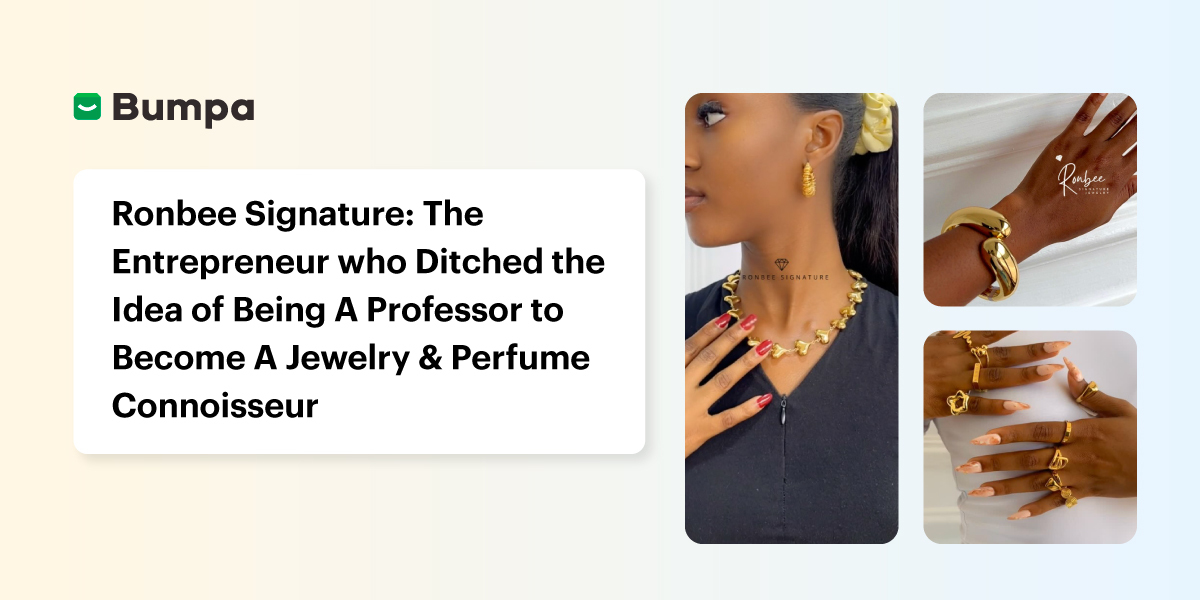
Ronbee Signature: The Entrepreneur who Ditched the Idea of Being A Professor to Become A Jewelry & Perfume Connoisseur.
Spotlight
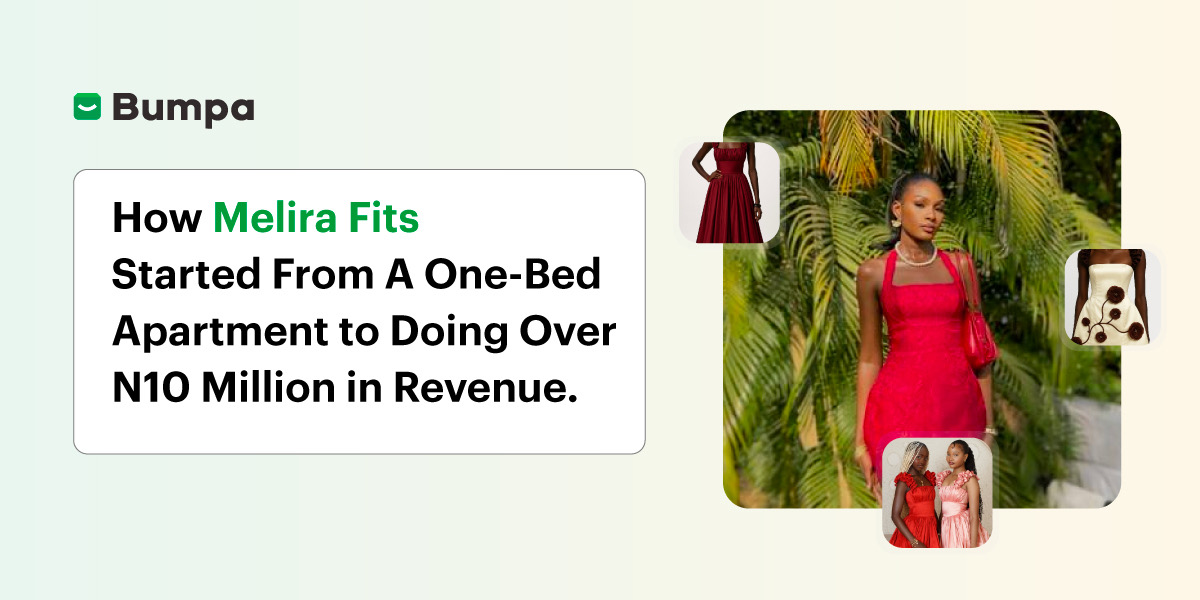
How Melira Fits Started From A One-Bed Apartment to Doing Up To 15 Million in Revenue.
Features
Get Amazon-Level Delivery for your Business with Bumpa’s New Shipping Automation

Tips
How Businesses (Small and Big) Are Making Big Money with AI in 2025! (Here's How)

Tips
How to Make Money on the Internet in 2025 (12 Easy E-commerce Hustles That Actually Pay)

Tips
These 7 Business Finance Mistakes May Cost You Millions !
Tips
6 Bumpa Websites Designed With New Themes to Inspire Your Online Store
Features
The Ultimate Guide to Managing Your Multiple Stores for Your Business with Bumpa
Features
How to Set Up Google Analytics for Your Bumpa Website
Tips
These 5 Urgent Fixes Will Save Your Dying Online Store!
Entrepreneurship
Be Part of Something Big: Join Our Partners' Program To Help Businesses Go Digital with Bumpa!
Tips
How to Write Product Descriptions that Convert Online Shoppers + Examples & Template
Features
Introducing Brand New Professional Website Themes & Templates For Your Bumpa Store!

Entrepreneurship
ShowUp #2: Love is in the Air! (And So Are Sales)
Tips
How to Turn your Products into Irresistible Valentine's Day Gifts
Features
How to Add Shipping Fees on Your Bumpa App
Features
How does Online Payment Work on Bumpa?
Entrepreneurship