Tips
8 Things To Do Before You Launch Your Online Store In 2026
Tips



There's nothing more frustrating than spending weeks building your online store in Nigeria. You’d spend days organising your products, setting up your pages, getting everything looking right, and then just when you’re about to have the biggest sales of the season, your store would suddenly malfunction.
Not on Bumpa yet? Start your free 14-day trial here and build your store the right way from day one.
If you're reading this article, there's a good chance you're in one of two situations. Either you're currently building your online store and you're not quite sure whether you should press the go-live button yet or you've already launched, something didn't go the way you expected, and you're trying to figure out what went wrong.
Either way, this article was written specifically for you.
Because what nobody tells you about launching an online store in Nigeria is that the launch itself is not the hard part. Infact, building the store, uploading the products, getting the link live is pretty much straightforward. The part that actually determines whether your store makes sales or just sits there looking good is everything that happens before you press that go live button.
Maybe the payment keeps failing and nobody tells you until you've already lost three sales, or your store just doesn't look the way it looks in your head when a real customer opens it on their phone.
This article is a checklist. Go through all eight points before you share your store link anywhere and only press go-live when you can honestly tick all of them off.
1. Sort Your Product Photos Before Anything Else
Your photos are your store's first impression and blurry photos do more damage than having no photos at all.
Think about it. Your customer can't touch your product, can't try it on, can't hold it up to see the colour properly. Your photos are doing all of that work. And if they're dark, blurry, or inconsistent, you're essentially telling your customer that your business isn't premium, even if your product absolutely is.
To fix this, natural light is your best friend here. A window on a bright day will do more for your photos than most ring lights. Use a clean background (white, cream, or neutral), something that doesn't compete with the product, and test out multiple angles so the customer can actually see what they're buying. You can also throw in at least one contextual shot, like what the dress looks like being worn, the skincare product being held, the bag styled with an outfit.
Consistency matters just as much. If half your photos look professional and the other half look like they were taken in a rush, it could communicate a lack of attention to detail, and branding should be very important to your business.
On Bumpa, you can actually add multiple photos per product and upload variations for different colours and sizes, so every version of your product looks exactly right. Here's how to set up your product listings properly.
2. Write Product Descriptions That Actually Sell
Most sellers treat product descriptions like a form but here's what most vendors don't realise is a well-written product description can drive more traffic to your store than your entire social media page, because it says exactly what a real customer would type into Google when they're looking for what you sell.
Let me paint a picture for you. Say you're selling a red midi dress in Lagos. A generic description would say something like "red midi dress, sizes 8 to 16."
A good one would say "elegant red midi dress perfect for church, owambe, and office events, all available in sizes 8 to 16 with a flattering A-line cut." Now, when someone types "red dress for church owambe Lagos" into Google, your product has a real chance of showing up because you wrote a functional product description.
Every description should answer the questions your customers already ask in DMs before they buy.What size is it? What does the fabric feel like? What occasion is it suitable for? Answer those questions in the description and you've removed the friction between browsing and buying, before the customer even has to ask.
Bumpa lets you write a full description for every product you upload. Here's how to get it right.
3. Set Up Every Payment Method Your Customers Actually Use


Often overlooked, but every payment method you don't enable is a customer you've already decided not to sell to, even if you didn't mean to.
Your customers are not all the same person. A young woman shopping your store at midnight wants to pay with her card and move on. A boutique owner placing a bulk order wants to do a direct bank transfer and get a receipt. A customer in Ibadan with bad network needs USSD just to complete the transaction. If your checkout only covers one or two of those scenarios, the rest of those people hit a wall and leave and they don't send you a message explaining why.
Before you go live, go into your payment settings and enable every method that's relevant to your customers. Amd if you’re setting up a Bumpa store, you get a host of payment methods, like card, bank transfer, USSD, bumpa terminal, paystack, fincra, nomba, pocket app, and more. And if you're also selling in person, make sure your Bumpa Terminal is active so in-store payments are confirmed instantly without having to deal with delay in payments due to network issues.
We wrote a full guide on choosing the right payment options for your store, it's worth going through before you launch.
4. Test Your Checkout Before You Share the Link
If there's one thing on this list that almost every merchant skips, it's this one. And it's also the one that causes the most damage after launch.
Before you share your link anywhere, place a real test order on your own store. Go through the entire experience the way your customer would from finding the product, adding it to cart, proceeding to checkout, complete the payment, and follow it all the way through. Does the order confirmation arrive on your end as the merchant? Does your inventory update correctly? Does the payment method actually work or does it throw an error?
Also remember, test the entire process on both web and most important, on mobile, because most of your customers in Nigeria are shopping on mobile, and a store that looks perfect on a desktop but breaks on a small screen is going to losing sales every single day without you knowing it.
Test it before your customers find the problems for you.
5. Set Your Product Costs So Profit Tracking Works From Day One
Most sellers launch their store, start making sales, and feel good about the numbers coming in without realising that revenue and profit are two completely different things. And if you haven't set your product costs before you launch, every sale that comes through will show up as revenue with no way of knowing what you're actually keeping after restock, logistics, and fees.
The mistake isn't intentional. Most sellers just don't think about it at the setup stage. But launching without your product costs configured means you're flying blind from day one and the longer you go without that data, the harder it becomes to make good decisions about pricing, restocking, and which products are actually worth your energy.
Before you go live, go into your Bumpa app and set the cost price for every product you're uploading. Once that's done, every sale automatically updates your profit figures without you lifting a finger. Here's exactly how profit tracking works and why it matters for your business.
6. Enable Abandoned Cart Recovery Before You Launch


The first wave of traffic that hits a new store is the most valuable traffic you'll ever get because those are people who were curious enough to click, browse, and consider buying. And a significant chunk of them will go all the way to checkout and not complete the order.
Without abandoned cart recovery, those people are just gone. They got close, something got in the way, maybe bad network, a distraction, a moment of hesitation and now they're gone with no way to bring them back.
What most sellers don't realise is that this feature exists specifically for that moment. Bumpa automatically follows up with customers who didn't complete their order and brings a meaningful percentage of them back without you doing anything manually. The problem is that most sellers discover this feature months after launching, which means they've already lost hundreds of potential sales that could have been recovered.
Turn it on before your first customer arrives. It costs you nothing, and it works from the moment your store goes live.
Read more: How To Recover More Sales With Bumpa’s New Automated Abandoned Order Reminders
7. Set Up Your Shipping Properly
Nothing kills a first purchase faster than a customer getting to checkout, ready to buy, and seeing no delivery options. Or worse, seeing a flat shipping fee that doesn't match their location, no estimated delivery timeframe, and no clarity on how their order is actually going to get to them.
Shipping is one of those things that feels like a back-end detail until a customer abandons their cart because of it. And in Nigeria specifically, where logistics is already a sensitive topic for online shoppers, any confusion at checkout about how delivery works is going to cost you sales.
Before you launch, set your shipping rates manually for the locations you deliver to. If you're using Bumpa for your online business, you can easily enable automated shipping through ShipBubble, connect that integration so delivery fees calculate accurately at checkout based on the customer's location. Set up your pickup locations if you offer that option. And make sure your delivery timeframe is clearly stated, customers want to know when to expect their order, not just that it's coming.
Sorted shipping is one of the quietest trust signals your store can have. Here's how to set up shipping on your Bumpa store.
8. Have Your Social Media and Your Store Talking to Each Other


A lot of Nigerian sellers build a beautiful store and then treat it like a completely separate thing from their social media. Different photos, different tone, different energy and a customer who discovers you on Instagram and then lands on your store feels like they've walked into a different business entirely.
The whole point of your social media is to warm someone up enough to buy and if your store doesn't match what they saw on Instagram, that warmth disappears the moment they click the link.
Before you launch, make sure your Bumpa store link is in your bio on every platform you're active on. Make sure the product photos on your store match the quality and aesthetic of what you post on social media.
Your social media and your store should feel like the same business, because they are. Here's how to use social media to drive consistent sales to your Bumpa store.
This Could Be The Best Thing You Do Today
Launching an online store in Nigeria in 2026 is genuinely one of the best business moves you can make right now. More Nigerians are shopping online than ever before, and the market is uniquely primed for you to get started today.
But the sellers who win are the ones who show up with a store that's actually ready for conversion from the very first day.
Go through all eight points on this list before you press go-live. A properly set up store converts better, loses fewer customers, and gives you real data from the very first day.
Start your free 14-day trial on Bumpa and launch your store the right way.
Frequently Asked Questions
1. What should I do before launching my online store in Nigeria?
Sort your product photos, write descriptions that answer the questions customers actually ask, enable every payment method your customers use, test your checkout end to end, set your product costs for profit tracking, turn on abandoned cart recovery, configure your shipping properly, and make sure your social media and your store are consistent. Do all eight of these before you share your link anywhere and you'll launch with a store that's actually ready to convert.
2. How do I know if my online store is ready to launch?
Go through this list and be honest. If you can tick off all eight points — your photos are clean and consistent, your descriptions are detailed, your checkout works on mobile, your payment options cover your customer base, and your systems are active — you're ready. If even two or three of these are missing, fix them first. A half-ready store does more damage than a store that hasn't launched yet.
3. Why is my online store not making sales after launch?
Most of the time it comes down to one of three things — the store doesn't look trustworthy enough for a first-time customer to buy, the checkout has friction that's making people drop off, or the store isn't getting the right traffic in the first place. Start by placing a test order yourself and going through the full experience as a customer. You'll usually find the problem faster than you expect.
4. How do I set up a Bumpa store before launching?
Sign up for the free 14-day trial, upload your products with proper photos and descriptions, set your product costs, enable your payment methods, configure your shipping, turn on abandoned cart recovery, and connect your Instagram DM integration. The whole setup can be done in a day if you have your product information ready. Here's a full guide to getting started on Bumpa.
Subscribe to our Blog
If you love tips & content like this that will help with your small business marketing and growth, then you’ll be excited to know we have more! We can send you notifications when they are published if you share your email address with us. We promise not to be a bother, and you can always unsubscribe at any time!
Want to Learn More about Bumpa & how to Grow Your Business with it?
You can sign up to Bumpa in 5 seconds as a small business owner and let us begin the journey of growing your business with you!
Related Articles
View Related Articles Here

Spotlight
The Extra Mile: Celebrating Customer Service Week 2026 at Bumpa

Features
8 Things You Can Automate on Bumpa So Your Business Runs While You Rest

Features
How to Set Up TikTok Pixel on Bumpa | Step-by-Step Guide

Features
Collect the Birthday & Gender Information of Your Customers Through Multiple Ways on Bumpa.

Entrepreneurship
How to Get Paid Faster: The Complete Guide to Business Payments in Nigeria & Kenya

Tips
How to Choose the Right Payment Options for Your Customers in 2026

Features
How to Set Up Facebook Pixel on Bumpa | Step-by-Step Guide

Entrepreneurship
How to Build a Good Inventory Management System (Step-by-Step)
Tips
How to Keep Daily Records of Sales for Your Business Easily
Tips
How to Detect, Deal with & Prevent Fake Bank Alerts for Your Business

Sales
How Gift Cards, Product Bundles, and Add-Ons Can Help You Make More Money Per Order on Bumpa

Entrepreneurship
Pezesha & Bumpa Partner to Empower Merchants with Digital Business Tools

Features
What Happens When My Bumpa Subscription Expires?

Entrepreneurship
How to Track Profit for Your Business in Nigeria in 2026

Tips
7 Signs You Need Inventory Management Software In 2026

Entrepreneurship
How to Prepare Your Business for Black Friday (2025): A Simple 10-Step Plan With Checklists and Templates

Entrepreneurship
Black Friday Marketing Strategy In 2026: 7-Day Plan for Small Businesses

Tips
When to Restock Inventory: Reorder Point Guide for Nigerian Businesses in 2026

Entrepreneurship
Inventory Management for Fashion & Clothing Business in Nigeria [2026]

Tips
6 Ways to Stop Staff From Stealing Your Stock (Without Losing Trust in Your Team)

Tips
Instagram Business Account Disabled? Here's Exactly What to Do in the Next 24 Hours (2026 Guide)

Entrepreneurship
From One Blender to 25 Branches and Counting: How FruityLife Manages Its Business with Bumpa

Features
New on Bumpa: The July Updates That Make Running Your Business Easier

Features
Create Emails That Drive Sales with Bumpa's Sales Email Template

Features
June Bumpa Product Update: Here's what's new!

Tips
8 Things To Do Before You Launch Your Online Store In 2026

Tips
10 Ways to Get more Customers & Increase Sales for your Business

Tips
Top 5 Online Selling Platforms & Sites in Nigeria (2026 Guide)
Tips
How to Optimise your Bumpa Website for more Visibility on Google in 2026!

Entrepreneurship
How To Start A Bag & Accessories Business In Nigeria In 2026

Tips
When to Upgrade Your Bumpa Plan And How to Know You're Ready

Entrepreneurship
10 Signs Your Business Needs Better Structure and Organization In 2026

Entrepreneurship
Bumpa vs WooCommerce: Is "Free and Powerful" Actually Free for Nigerian and Kenyan Businesses?

Entrepreneurship
Bumpa vs Shopify: Which Platform Actually Works Best For African Businesses?

Features
How to Improve SEO for Your Bumpa Website in 14 Steps

Features
Is the Bumpa App Free? (2026 Update: What’s Free, What’s Paid & What You Get)

Entrepreneurship
How to Use Social Media to Drive Sales to Your Bumpa Store In 2026

Entrepreneurship
25 Small Business Ideas in Kenya with Low Capital (2026 Guide)
Features
Every Physical Store You Add on your Bumpa Account Now Has Its Own Terminal Account. Here's Why It Matters

Features
Grow Your Business Faster with Loans: Say Hello to Bumpa Capital!

Features
How to Stop Staff Theft in Your DMs and Your Physical Store Using Bumpa
Tips
Business Name Ideas - How to Generate One + 42 Examples

Entrepreneurship
Bumpa vs Wix: A Guide for Nigerian Business Owners

Entrepreneurship
Bumpa vs Paystack Storefront: Which Is Right for Your Business?

Entrepreneurship
Bumpa vs Flutterwave Store: What Nigerian Sellers Actually Need to Know
Entrepreneurship
7 Marketing Tools You Can Use on Bumpa To 5x Sales. (Free & Paid 2026)

Spotlight
From a Mom's Shop Floor to 10K Orders: How Harjoke Fabrics Automated Sales with Bumpa
Features
Bumpa Wallet Is Here: A Faster Way to Get Paid Instantly, Grow Your Money & Stay in Control
Spotlight
For our One of One, Teejay…
Entrepreneurship
8 Best Paystack Storefront Alternatives Nigeria (2026)

Sales
How to Start an Online Business in Kenya (2026 Complete Guide)

Features
Bumpa POS: A Simple Point of Sale System for Businesses in Nigeria

Entrepreneurship
How Bumpa Helps Business Owners Adapt To Nigeria’s New Tax Laws in 2026

Sales
5 Reasons Why Your Business Isn't Making Money (And How To Fix It)
Features
Selling Internationally: Start Collecting Foreign Payments with Bumpa’s Multi-currency Feature!

Features
How to Get Started on Bumpa: An Onboarding Guide.
Tips
10 Small Business Ideas you can start with 20,000 in Nigeria in 2026
Tips
How to Collect Customer Reviews and Boost Sales With Them In 2026
Tips
How to File CAC Annual Returns Online in 2026 as a Business Owner

Entrepreneurship
Happening Live: 30 Days of Bumpa with Kelvin! (Plus 3M Up for Grabs)!
Features
What’s New This Month for Your Business (November 2025)

Entrepreneurship
Share Your Story, Win ₦500,000: Bumpa Business Story 2025
Features
Bumpa Product Updates: What’s New This Month for Your Business (October 2025)
Features
Your Store, Your Way: Introducing Bumpa Website Extensions
Tips
Black Friday Coupon Code Ideas (2025): 27 Proven Promos + How to Name, Cap, and Track Them

Communities
"We Don't Do Impossible" - Celebrating CX Week at Bumpa
Tips
How to Create Professional Invoices for Small Businesses with an Online Invoice Generator
Tips
How to Create & Start an Online Store in Nigeria in 2024
Features
How to Use the Bumpa App: The Ultimate Guide For Small Business Management
Features
Recover More Sales With Bumpa’s New Automated Abandoned Order Reminders
Tips
Black Friday 2025: The Business Guide to Deals That Triple Your Sales

Spotlight
Ronbee Signature: The Entrepreneur who Ditched the Idea of Being A Professor to Become A Jewelry & Perfume Connoisseur.
Spotlight
How Melira Fits Started From A One-Bed Apartment to Doing Up To 15 Million in Revenue.
Features
Get Amazon-Level Delivery for your Business with Bumpa’s New Shipping Automation
Tips
How Businesses (Small and Big) Are Making Big Money with AI in 2025! (Here's How)
Tips
How to Make Money on the Internet in 2025 (12 Easy E-commerce Hustles That Actually Pay)

Tips
These 7 Business Finance Mistakes May Cost You Millions !
Tips
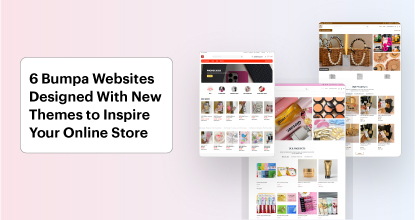
6 Bumpa Websites Designed With New Themes to Inspire Your Online Store
Features
The Ultimate Guide to Managing Your Multiple Stores for Your Business with Bumpa

Features
How to Set Up Google Analytics for Your Bumpa Website
Tips
These 5 Urgent Fixes Will Save Your Dying Online Store!
Entrepreneurship
Be Part of Something Big: Join Our Partners' Program To Help Businesses Go Digital with Bumpa!
Tips
How to Write Product Descriptions that Convert Online Shoppers + Examples & Template

Features
Introducing Brand New Professional Website Themes & Templates For Your Bumpa Store!

Entrepreneurship
ShowUp #2: Love is in the Air! (And So Are Sales)
Tips
How to Turn your Products into Irresistible Valentine's Day Gifts

Features
How to Add Shipping Fees on Your Bumpa App
Features
How does Online Payment Work on Bumpa?
Entrepreneurship
The Biggest Business Growth Event (BBGW) of 2025 Is Here!

Tips
Top 8 Trending Products to Launch a Successful Online Business in 2025

Tips
4 Secret Growth Strategies Smart Businesses Are Stealing in 2025

Entrepreneurship
ShowUp #1: Thank You for 2024 and Welcome to 2025! 🎉
Features
What to Know about Bumpa’s KYC Verification & Fraud Prevention

Entrepreneurship
Shape Your 2025: 50 Motivational and Inspirational Quotes Every Business Owner Needs
TipsFeatures
25 Marketing Strategies for Increasing Sales to Implement on Day One of 2025!

Entrepreneurship
The Season of Sales - Lessons, Tips & Giveaways

EntrepreneurshipFeatures
A Good Time For Gifts: Celebrating Our Super Sellers with WiiCreate! 🎁

Entrepreneurship
How Lagos's Top Parfait Brand, Melony Pine Fruit Hub Manages Its Growing Success with Bumpa
Features
Bumpa's Invoice Generator 2.0: Now with Custom Notes & Upgraded Shipping Slips
Features