Tips
When to Upgrade Your Bumpa Plan And How to Know You're Ready
Tips



The right Bumpa plan is the one that matches where your business actually is right now — not the most expensive one, and not the cheapest one. Upgrading too early means paying for features you're not ready to use. Staying too long on a lower plan means quietly losing more than the upgrade would have cost.
Not on Bumpa yet? Sign up for free today and join over 136,000 merchants doing business smarter.
If you're reading this, your free trial is probably ending soon. Or maybe you're already on a paid plan and something keeps nagging at you, perhaps a feature you wish you had, a limit you keep hitting, or just a feeling that your business has quietly outgrown what your current plan has to offer.
Whatever you're feeling about your business is probably accurate; you know your business better than anyone else. But that feeling is not automatically a sign to upgrade. And I'll tell you why.
The right Bumpa plan is not the most expensive one or the one with the most features. It's the one that matches where your business actually is right now. Knowing the difference between what you need and what you think you need is exactly what this article is about.
Upgrading too early means paying thousands of naira every month for a feature set you're just not ready to use yet. But staying too long on a lower plan has its own cost in terms of manual hours, missed sales, and features that would have paid for themselves twice over if you'd made the move sooner.
This article is not here to push you towards the most expensive plan. The goal is to help you know exactly when to upgrade, which plan actually makes sense for where your business is, and honestly, when staying put or even downgrading is the smarter call.
Not sure which plan you're on or what's available? See Bumpa's pricing here.
A Quick Look at What Each Bumpa Plan Actually Includes
Before we get into anything else, let's first understand what each plan is actually built for, because this will help you decide what plan you should purchase, or if you're already on Bumpa and looking to upgrade, what plan you should actually move to.
First, we have Bumpa Starter at ₦5,000/month: This is usually the starting point for most developing business owners who are trying to test the waters and figure out what works, either in terms of their business or in terms of what Bumpa has to offer. You get a business website, inventory management, basic analytics, and all the core tools you need to start selling and recording your orders properly. What you don't get yet are things like staff accounts, abandoned cart recovery, automated shipping, or Google Analytics integration. And that's fine, because at this point, the assumption is that you're a solo seller just getting your store off the ground and doing moderate volume. You just need to start selling and figure out what works.
Then we have Bumpa Pro at ₦10,000/month, and this is honestly where a lot of the interesting integrations and turning wheels start to happen. You get three staff accounts, abandoned cart recovery, automated shipping, coupon tracking, Google Analytics integration, and 20 customer segments, plus everything that comes with Starter. Pro is for a business that has moved past just figuring things out and is starting to build a real operation, with a small team, a growing customer base, and sales that actually need proper systems behind them. Maybe you need to track what each staff member brings in per month; Pro is where that becomes possible.
Next up is Bumpa Growth at ₦25,000/month, and this one is for a business that is genuinely scaling. Two locations, five staff accounts, advanced inventory with barcode scanning and bulk editing, loyalty rewards for your customers, and multi-currency payments in USD, Canadian dollars, and pounds. So if you're selling internationally, managing more than one location, or your team has grown past three people, this plan was built for exactly where you are.
Then we have Bumpa Scale, which is the highest standard plan on Bumpa and is built for high-volume businesses that need enterprise-level everything. We're talking ten staff accounts, three locations, 1,000 customer segments, priority support with a dedicated WhatsApp group, advanced analytics and reports, and assisted onboarding. At this stage, your business is already big enough that setting up on Bumpa properly is going to require some hands-on support, and that's exactly what Scale provides. Someone helps you onboard your products, your locations, your Terminal, and everything else.
And then there's Bumpa Premium, which is only available on request, for businesses that have grown past even Scale and need something fully customised. At that level, you're not picking from a plan menu. You're telling Bumpa what you need, and they build it around you.
Now, across all of these plans, some things come standard regardless of which one you're on, things like your Bumpa Terminal, Bumpa Wallet, transaction reconciliation, SMS and email campaigns, and the ability to record sales and manage orders. The foundation is always there.
Now that you know what each plan is actually built for, let's talk about how to know which one is right for where your business is today.
5 Signs You're Ready to Move Up From the Free Trial
The free trial gives you 14 days of full access to see what Bumpa can actually do for your business. But at some point, the trial ends and the question becomes whether paying for a plan actually makes sense right now.
Here's how to know it does:
You're processing more than 20 orders a week consistently: At that volume, manually tracking everything starts breaking down. Things fall through the cracks, inventory becomes unreliable, and the time you're spending managing the chaos is time you should be spending on your business. A paid plan could easily fix this.
You need to add staff but can't: If someone is helping you run your business right now and you have no way to give them proper access, track what they're doing, or hold them accountable for what they process, that's a real gap. Staff accounts start on Pro, and the moment you have someone working in your business, you need them.
Your inventory is becoming a guessing game: If you're finding out what products you don’t have in stock only when a customer tells you, or you're doing manual stock counts every weekend just to stay on top of things, the free plan has already shown you what it can't do.
Customers are asking about payment options you don't have enabled: If someone has tried to pay and couldn't, or asked about delivery options you can't offer yet, that counts as a lost sale for you. Automated shipping, for instance, only kicks in from Pro upwards.
You've already made back the subscription cost during the trial. This one is the simplest sign of all. If the 14 days showed you that Bumpa works for your business — orders came in, customers converted, things ran smoother than before — then the ₦5,000 or ₦10,000 monthly cost is not an expense. It's an investment that's already proven itself.
If two or more of these are true for you right now, staying on the free plan is actually costing you more than moving up would.
3 Signs You've Outgrown Your Current Plan
So you're already on a paid plan; that’s good. But something keeps nudging you. Maybe it's a feature you keep wishing you had, or a limit you keep hitting, or just a general feeling that your business has quietly grown past what your current plan was built for.
Here's how to know for sure:
1. If you're on Starter and wondering if it's time for Pro: The signs are usually pretty obvious. It could be any of the following:
You've got people helping you run the business but no way to give them proper access or track what they're doing.
You're losing customers who got to checkout and didn't complete their order and you have no way to follow up automatically because abandoned cart recovery isn't on your plan yet.
Your shipping is still manual, which means every order requires you to calculate and communicate delivery fees yourself.
And you're probably sitting on a growing customer base with no real way to segment them or send targeted campaigns.
If any of that sounds familiar, Pro is where those problems get solved.
2. If you're on Pro and wondering if it's time for Growth: The conversation usually starts with one of two things: either you've opened a second location and you're trying to manage payments and inventory across both of them without losing your mind, or you've started getting international orders and you have no clean way to collect payment in dollars or pounds. Growth gives you two locations, five staff accounts, multi-currency payments in USD, CAD, and GBP, advanced inventory with barcode scanning and bulk editing, and loyalty rewards for your customers. If your business has genuinely expanded beyond one location or one currency, Growth isn't a luxury. It's the plan that was built for exactly where you are.
3. If you're on Growth and wondering if it's time for Scale: Your business is already doing serious volume, and you probably already know it. You're hitting the five staff account limit. You need a third location. Your customer base has grown past 100 segments, and you need more granular control over how you communicate with different groups. And when something goes wrong, or you need help, you need more than email and live chat; you need someone on WhatsApp who knows your account and can sort things out fast. That's what Scale gives you. Ten staff accounts, three locations, 1,000 customer segments, and a dedicated support WhatsApp group. At this stage, the question isn't really whether you can afford to upgrade. It's whether you can afford not to.
4 Signs That You're NOT Ready to Upgrade
Not every nudge to upgrade is a sign that you should. Sometimes the honest answer is to stay where you are, and knowing that is just as important as knowing when to move up.
You're probably not ready to upgrade if:
You're still testing whether the business idea actually works
You're doing fewer than 20 orders a month consistently
You haven't used half the features on your current plan yet — if abandoned cart recovery is sitting there unused and you haven't set up your customer segments, the problem isn't your plan
The cost of the next plan isn't covered by what the new features would realistically generate for your business right now
Upgrading before you're ready doesn't accelerate your business. It just means paying for tools you're not ready to use. Get the most out of what you have first — then move up when the business is actually pulling you there.
How to Get the Most Out of Whatever Plan You're On
Before you even think about upgrading, there's one question worth asking first: “Are you actually using everything your current plan already gives you?”
Most merchants upgrade because they feel like they need more, when really what they need is to properly set up what they already have. So before you move up, run through this quickly:
Product costs are set up in the app so your profit tracking is actually working
Abandoned cart recovery turned on — if you're on Pro or above and this isn't active, you're leaving money on the table every single day
Staff accounts configured with the right permissions for each person
All relevant payment methods are enabled, so no customer hits a dead end at checkout
Instagram DM integration is active, so orders from your DMs are syncing with your inventory automatically
If even two of those aren't set up yet, that's where to start. A fully set-up Starter plan will outperform a half-configured Pro plan every single time.
One Last Thing
Go into your Bumpa account today and just audit what you're actually using. Which features are active? Which ones have been sitting there untouched since you signed up? And honestly — is what you're missing costing you more than the upgrade would?
Most of the time, the answer to that last question is yes. And once you can see that clearly, the decision makes itself.
Start your free 14-day trial on Bumpa and find out exactly what your business has been missing.
Frequently Asked Questions
1. Is Bumpa worth paying for?
If you're a product-based business doing consistent orders, yes and the free trial exists specifically so you can verify that before spending anything. The question isn't really whether Bumpa is worth it. It's whether your business is at the stage where the tools it offers will actually move the needle. If you're processing orders, managing inventory, and trying to grow a customer base, the answer is almost always yes.
2. What is the difference between Bumpa Starter and Growth?
Starter is for solo sellers just getting started — basic website, inventory management, and core selling tools. Growth is for a business that has already scaled past one location, needs advanced inventory features like barcode scanning and bulk editing, wants to sell internationally in multiple currencies, and needs loyalty rewards and more robust customer segmentation. The gap between them is significant — and it's designed that way because they serve completely different stages of business.
3. Can I downgrade my Bumpa plan if I upgrade and change my mind?
You can upgrade at any time, but Bumpa's subscription plans are billed quarterly, bi-annually, or annually, so timing matters. It's worth making sure the upgrade makes sense before committing to a billing cycle. If you're unsure, the free trial is the best way to test a plan before paying for it.
4. How long is the Bumpa free trial?
With the free trial, you get 14 days with full access to all features.
Subscribe to our Blog
If you love tips & content like this that will help with your small business marketing and growth, then you’ll be excited to know we have more! We can send you notifications when they are published if you share your email address with us. We promise not to be a bother, and you can always unsubscribe anytime!
Want to Learn More about Bumpa & How to Grow Your Business with it?
You can sign up to Bumpa in 5 seconds as a small business owner and let us begin the journey of growing your business with you!
Related Articles
View Related Articles Here

Features
How to Set Up Facebook Pixel on Bumpa | Step-by-Step Guide

Entrepreneurship
How to Build a Good Inventory Management System (Step-by-Step)
Tips
How to Keep Daily Records of Sales for Your Business Easily
Tips
How to Detect, Deal with & Prevent Fake Bank Alerts for Your Business

Sales
How Gift Cards, Product Bundles, and Add-Ons Can Help You Make More Money Per Order on Bumpa

Entrepreneurship
Pezesha & Bumpa Partner to Empower Merchants with Digital Business Tools

Features
What Happens When My Bumpa Subscription Expires?

Entrepreneurship
How to Track Profit for Your Business in Nigeria in 2026

Tips
7 Signs You Need Inventory Management Software In 2026

Entrepreneurship
How to Prepare Your Business for Black Friday (2025): A Simple 10-Step Plan With Checklists and Templates

Entrepreneurship
Black Friday Marketing Strategy In 2026: 7-Day Plan for Small Businesses

Tips
When to Restock Inventory: Reorder Point Guide for Nigerian Businesses in 2026

Entrepreneurship
Inventory Management for Fashion & Clothing Business in Nigeria [2026]

Tips
6 Ways to Stop Staff From Stealing Your Stock (Without Losing Trust in Your Team)

Tips
Instagram Business Account Disabled? Here's Exactly What to Do in the Next 24 Hours (2026 Guide)

Entrepreneurship
From One Blender to 25 Branches and Counting: How FruityLife Manages Its Business with Bumpa

Features
New on Bumpa: The July Updates That Make Running Your Business Easier

Features
Create Emails That Drive Sales with Bumpa's Sales Email Template

Features
June Bumpa Product Update: Here's what's new!

Tips
8 Things To Do Before You Launch Your Online Store In 2026

Tips
10 Ways to Get more Customers & Increase Sales for your Business

Tips
Top 5 Online Selling Platforms & Sites in Nigeria (2026 Guide)
Tips
How to Optimise your Bumpa Website for more Visibility on Google in 2026!

Entrepreneurship
How To Start A Bag & Accessories Business In Nigeria In 2026

Tips
When to Upgrade Your Bumpa Plan And How to Know You're Ready

Entrepreneurship
10 Signs Your Business Needs Better Structure and Organization In 2026

Tips
How to Choose the Right Payment Options for Your Customers in 2026

Entrepreneurship
Bumpa vs WooCommerce: Is "Free and Powerful" Actually Free for Nigerian and Kenyan Businesses?

Entrepreneurship
Bumpa vs Shopify: Which Platform Actually Works Best For African Businesses?

Features
How to Improve SEO for Your Bumpa Website in 14 Steps

Features
Is the Bumpa App Free? (2026 Update: What’s Free, What’s Paid & What You Get)

Entrepreneurship
How to Use Social Media to Drive Sales to Your Bumpa Store In 2026

Entrepreneurship
25 Small Business Ideas in Kenya with Low Capital (2026 Guide)
Features
Every Physical Store You Add on your Bumpa Account Now Has Its Own Terminal Account. Here's Why It Matters

Features
Grow Your Business Faster with Loans: Say Hello to Bumpa Capital!

Features
How to Stop Staff Theft in Your DMs and Your Physical Store Using Bumpa

Tips
Business Name Ideas - How to Generate One + 42 Examples

Entrepreneurship
Bumpa vs Wix: A Guide for Nigerian Business Owners

Entrepreneurship
Bumpa vs Paystack Storefront: Which Is Right for Your Business?

Entrepreneurship
Bumpa vs Flutterwave Store: What Nigerian Sellers Actually Need to Know
Entrepreneurship
7 Marketing Tools You Can Use on Bumpa To 5x Sales. (Free & Paid 2026)

Spotlight
From a Mom's Shop Floor to 10K Orders: How Harjoke Fabrics Automated Sales with Bumpa
Features
Bumpa Wallet Is Here: A Faster Way to Get Paid Instantly, Grow Your Money & Stay in Control

Spotlight
For our One of One, Teejay…
Entrepreneurship
8 Best Paystack Storefront Alternatives Nigeria (2026)

Sales
How to Start an Online Business in Kenya (2026 Complete Guide)

Features
Bumpa POS: A Simple Point of Sale System for Businesses in Nigeria

Entrepreneurship
How Bumpa Helps Business Owners Adapt To Nigeria’s New Tax Laws in 2026

Sales
5 Reasons Why Your Business Isn't Making Money (And How To Fix It)

Features
Selling Internationally: Start Collecting Foreign Payments with Bumpa’s Multi-currency Feature!

Features
How to Get Started on Bumpa: An Onboarding Guide.

Tips
10 Small Business Ideas you can start with 20,000 in Nigeria in 2026
Tips
How to Collect Customer Reviews and Boost Sales With Them In 2026

Tips
How to File CAC Annual Returns Online in 2026 as a Business Owner

Entrepreneurship
Happening Live: 30 Days of Bumpa with Kelvin! (Plus 3M Up for Grabs)!
Features
What’s New This Month for Your Business (November 2025)

Entrepreneurship
Share Your Story, Win ₦500,000: Bumpa Business Story 2025
Features
Bumpa Product Updates: What’s New This Month for Your Business (October 2025)
Features
Your Store, Your Way: Introducing Bumpa Website Extensions

Tips
Black Friday Coupon Code Ideas (2025): 27 Proven Promos + How to Name, Cap, and Track Them

Communities
"We Don't Do Impossible" - Celebrating CX Week at Bumpa

Tips
How to Create Professional Invoices for Small Businesses with an Online Invoice Generator
Tips
How to Create & Start an Online Store in Nigeria in 2024
Features
How to Use the Bumpa App: The Ultimate Guide For Small Business Management
Features
Recover More Sales With Bumpa’s New Automated Abandoned Order Reminders
Tips
Black Friday 2025: The Business Guide to Deals That Triple Your Sales

Spotlight
Ronbee Signature: The Entrepreneur who Ditched the Idea of Being A Professor to Become A Jewelry & Perfume Connoisseur.
Spotlight
How Melira Fits Started From A One-Bed Apartment to Doing Up To 15 Million in Revenue.
Features
Get Amazon-Level Delivery for your Business with Bumpa’s New Shipping Automation

Tips
How Businesses (Small and Big) Are Making Big Money with AI in 2025! (Here's How)

Tips
How to Make Money on the Internet in 2025 (12 Easy E-commerce Hustles That Actually Pay)

Tips
These 7 Business Finance Mistakes May Cost You Millions !
Tips
6 Bumpa Websites Designed With New Themes to Inspire Your Online Store
Features
The Ultimate Guide to Managing Your Multiple Stores for Your Business with Bumpa

Features
How to Set Up Google Analytics for Your Bumpa Website
Tips
These 5 Urgent Fixes Will Save Your Dying Online Store!

Entrepreneurship
Be Part of Something Big: Join Our Partners' Program To Help Businesses Go Digital with Bumpa!

Tips
How to Write Product Descriptions that Convert Online Shoppers + Examples & Template

Features
Introducing Brand New Professional Website Themes & Templates For Your Bumpa Store!

Entrepreneurship
ShowUp #2: Love is in the Air! (And So Are Sales)

Tips
How to Turn your Products into Irresistible Valentine's Day Gifts

Features
How to Add Shipping Fees on Your Bumpa App
Features
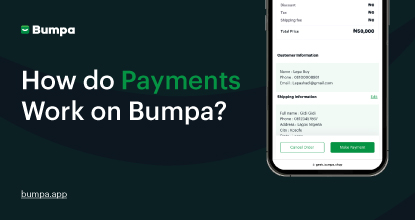
How does Online Payment Work on Bumpa?
Entrepreneurship
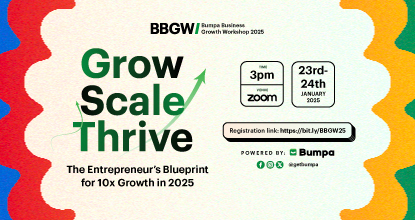
The Biggest Business Growth Event (BBGW) of 2025 Is Here!

Tips
Top 8 Trending Products to Launch a Successful Online Business in 2025

Tips
4 Secret Growth Strategies Smart Businesses Are Stealing in 2025

Entrepreneurship
ShowUp #1: Thank You for 2024 and Welcome to 2025! 🎉

Features
What to Know about Bumpa’s KYC Verification & Fraud Prevention

Entrepreneurship
Shape Your 2025: 50 Motivational and Inspirational Quotes Every Business Owner Needs

TipsFeatures
25 Marketing Strategies for Increasing Sales to Implement on Day One of 2025!

Entrepreneurship
The Season of Sales - Lessons, Tips & Giveaways

EntrepreneurshipFeatures
A Good Time For Gifts: Celebrating Our Super Sellers with WiiCreate! 🎁

Entrepreneurship
How Lagos's Top Parfait Brand, Melony Pine Fruit Hub Manages Its Growing Success with Bumpa
Features
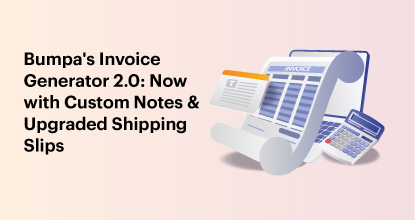
Bumpa's Invoice Generator 2.0: Now with Custom Notes & Upgraded Shipping Slips
Features
Planning Your Next Big Sales? 8 Bumpa Features You Can't Miss!
TipsFeatures
Bumpa Terminal: Now Available in the App!

Tips
Employee Theft: How to Protect Your Business from Staff Stealing
Entrepreneurship
Black Friday's Coming - And So Are Big Changes! 🚀
Tips
How to Create a Free Online Business Website for Your Small Business with No Code
Features