Entrepreneurship
How to Get Paid Faster: The Complete Guide to Business Payments in Nigeria & Kenya
Entrepreneurship



There's nothing more frustrating than losing a sale, not because your product wasn't good enough, but because your only payment option didn't work for that customer, or worse, releasing goods on an alert that turned out to be fake.
Not on Bumpa yet? Start your free 14-day trial here and get paid every way your customers actually want to pay, safely, from one place.
One of the biggest problems with running a business in either Nigeria or Kenya today is finding payment options that just work, regardless of whatever happens. Between network issues, connectivity problems, and payment provider hiccups, you're constantly stuck either not getting alerts when payments actually come through, or losing a customer because the payment path just wasn't working, or was simply inconvenient.
And on top of all that, you have to deal with the mini scams out there, people sending you fake alerts, hoping you release goods before you notice. We've seen this happen way too many times to just look past it.
So we're writing this article to walk you through exactly that, not just how to get paid, but how to get paid safely, without sacrificing the trust your customers have in you.
What payment methods should a small business accept?


There are a lot of popular payment options across Nigeria and Kenya, but we're going to focus on the ones most businesses, in either country, actually use day-to-day.
In short: most small businesses should accept at least two or three payment methods, not just one, because different customers pay differently, and forcing everyone into one option is one of the easiest ways to lose a sale.
Cash — still relevant for walk-in businesses, no fees, no network issues, but obviously doesn't work if you sell online or ship products.
Bank transfer — the default for a lot of Nigerian businesses. No card required from the customer; works for both online and in-person sales, though it depends on both parties' banking apps working properly at the time.
POS terminal — great for in-person sales, especially when a customer doesn't have cash or prefers to pay by card. Settles relatively fast, though it comes with a transaction fee.
Mobile money (M-Pesa, Airtel Money) — this is the backbone of how business gets done in Kenya, and increasingly relevant in Nigeria too. Fast, familiar to customers, and doesn't require a bank account.
Payment links and online checkout — best for businesses selling online or shipping nationwide, since the customer can pay without you both being in the same place.
USSD — a solid backup option for customers without smartphone banking apps, works on virtually any phone.
Most businesses end up using a mix of two or three of these, matched to how and where they actually sell, whether that's a fashion business tracking sizes and colours or a shop running multiple staff accounts.
Bank transfer vs POS vs mobile money: which is right for your business?

Now that you know the different payment methods out there, the real question becomes: which of these is actually right for your business? The honest answer is, it depends on how you sell, and often, the best move isn't picking one, it's having access to all of them from one place.
Bank transfer works well because it's familiar, requires no extra hardware, and customers already know how to do it. The advantage is you can receive payment whether you're selling in person or shipping nationwide. On Bumpa, you're not limited to just your personal bank account either, you get access to multiple options: Paystack, Bumpa Terminal, Fincra, and even the ability to plug in your own merchant account if you already have one. This means you're never stuck with just one route for a bank transfer to actually reach you.
POS tends to work best for businesses with a physical, walk-in presence, a shop, a boutique, a pop-up, anywhere a customer is standing in front of you ready to pay. If ease is what you're after, you're likely already using Bumpa POS, and if you're not, this is your sign to start. With Bumpa POS, you can list your products directly, receive payments instantly through Bumpa Terminal, and if you run more than one location, track payments separately across each one, so you always know which shop is actually performing.
Mobile money (M-Pesa, Airtel Money) is the clear favourite for a lot of Kenyan businesses, and it's catching on more in Nigeria too, mostly because it's fast and doesn't require either party to have a bank account or card at all. It's especially useful for smaller, everyday transactions where speed matters more than anything else.
If you're still unsure which combination fits your business specifically, we go deeper into choosing the right payment method for your business type here.
How to receive payments in Kenya (M-Pesa Till, Paybill, and Pochi)
As a growing business in Kenya, you'd be forgiven for thinking your payment options are limited compared to what's available elsewhere. But since Bumpa's expansion into Kenya, merchants have had a much easier time getting paid, regardless of which specific payment method they prefer.
Here are the main options available to you as a business in Kenya:
M-Pesa Till — best if you're running a walk-in business, a shop, a salon, a restaurant, where customers are paying you directly, in person, for a stated amount. It's the closest thing to a POS in the Kenyan market: fast, familiar, and something almost every customer already knows how to use.
Paybill — better suited if you need to know exactly who paid for what, since customers enter an account number alongside their payment. This works well if you're taking orders remotely, managing multiple customers at once, or need payments to reconcile cleanly against specific invoices.
Pochi la Biashara — the simplest option if you're just starting out and haven't formally registered your business yet. It lets you separate business money from personal money on the same line, without needing paperwork to get going.
If you're not sure which one actually fits your business? We break down exactly how to choose between a Till, Paybill, or Pochi here.
How to confirm a payment before releasing goods

One of the major problems affecting businesses across Africa, not just Nigeria or Kenya, is knowing how to actually confirm a payment before releasing goods. The most common ways people try to do this- requesting a screenshot for online payments or waiting on a bank alert are both individually unreliable, and worse, both can be faked.
Here's the rule, plainly: an SMS, a screenshot, or the customer's word is never proof. The only thing that counts is money actually reflecting in your own account. That's it, no exceptions, no matter how convincing the alert looks or how rushed the customer seems.
Speaking of rushed, that's a red flag on its own. If someone is pushing you to release goods quickly, "the money is processing," "it's pending, just check," "network is just slow," treat that pressure as a warning sign, not a reason to move faster. Genuine payments don't need you to hurry. One of the most trustworthy ways merchants confirm payment today is by using Bumpa Terminal.
What is Bumpa Terminal?
It's Bumpa's in-person payment solution, built specifically to remove the guesswork from confirming payments on the spot.
How does Bumpa Terminal work?
The moment a customer pays, you get an instant confirmation straight to your WhatsApp, no waiting on a bank app to refresh, no relying on what the customer shows you.
Why should you use Bumpa Terminal?
Because it closes the exact gap fake alerts rely on: the delay between "the customer says they've paid" and "you actually know they've paid." With instant confirmation, that gap disappears, the same gap that staff theft often hides inside when payments aren't verified consistently.
If fake alerts are something you deal with often, we go deeper into how to use Bumpa Terminal to spot and avoid them here.
How to accept every payment method from one place

Here's the real problem most merchants deal with, without even realizing it's a problem: you've got a bank app for transfers, a separate POS for card payments, a payment link from one provider for online sales, and mobile money running on a personal line. None of it talks to each other, and none of it connects to what you actually sold.
So you end up doing the maths in your head, or worse, in five different apps, trying to figure out what came in, what it was for, and whether your stock actually matches your sales.
Here's what changes when payments, orders, and stock all live in one system: a sale records itself the moment it happens, stock deducts automatically without you touching it, the payment is confirmed instantly, and your customer's details are captured for the next time they buy. You're not stitching anything together after the fact; it's just already there. This is exactly what Bumpa brings together in one place:
Bumpa Terminal — for in-person payments, with instant confirmation the moment a customer pays
Bumpa Wallet — where your money actually lands and settles, so you always know what's yours and where it is
Checkout and payment links — built directly into your storefront, for customers paying online or remotely
Partner gateways like Paystack, Nomba, Pocket App, Fincra, and more — for card payments and other online transactions, without needing a separate integration
It's not that Bumpa gives you another way to get paid; you likely already have enough of those. It's that every way you already get paid stops living in five different places and starts living in one.
How much do payment providers charge?

Most payment providers charge one of two ways: a percentage of the transaction, or a flat fee, sometimes with a cap so you're not paying a fortune on larger sales. Who actually bears the cost also varies; some providers pass the fee to the customer, others deduct it from what you receive.
Here's the important part: Bumpa doesn't add anything on top of what our payment partners already charge. You pay exactly what the provider charges, nothing more.
Bumpa Terminal — 1.5% per transaction, covering bank transfers, cards, USSD, QR code, and cash
Paystack and Nomba — both available as connected payment options if you already prefer one of them
Bumpa Wallet — settles instantly, earns 8% interest on your balance, and withdrawals cost a flat ₦50
International payments — USD and GBP accepted via Stripe on the Growth plan, for diaspora customers paying from abroad
A few things worth watching for with any provider, on or off Bumpa: how quickly funds actually settle into your account (some hold funds for a day or more), whether there's a minimum transaction size before fees kick in, and whether there are hidden charges for things like withdrawals or chargebacks. With Bumpa Wallet, settlement is instant and the only fee is the flat ₦50 withdrawal, so there's nothing hidden to watch for.
How to keep business payments separate from your personal money
If you're still receiving business payments into your personal bank account, or your personal M-Pesa line, it's worth stopping to fix that now, not later. Mixing the two hides your real profit, because you can't tell what's actually business income versus money that was already yours. It also makes it much harder to apply for a business loan later, since lenders want to see a clean, consistent record of business transactions, not a personal account with business payments scattered through it.
This is exactly why having a dedicated business wallet matters. With Bumpa Wallet, every payment you receive, across Terminal, checkout, or any connected payment method, lands in one place that's clearly your business's, separate from your personal money, and earning 8% interest while it sits there. You always know exactly what your business made, the same way keeping daily sales records does, without having to dig through your personal transactions to figure it out.
What to do when a payment fails
Sometimes a payment genuinely fails, and it's not a scam, just a network hiccup, a delayed settlement, or a reversal. It happens on both sides: your customer's bank might debit them without the money reaching you, or a payment might sit as "processing" longer than it should.
If a customer says they've been debited but you haven't received anything, don't panic, and don't assume they're lying. Ask them to check their own bank statement for the transaction status; sometimes it's still pending on their end too. While you wait, be upfront with them: "I haven't received it yet; let's give it a few minutes and check again," goes a long way in keeping trust intact.
If it's been more than a few hours and the money still hasn't reflected, it's time to escalate, reach out to your bank or payment provider directly with the transaction reference, rather than waiting it out indefinitely. Most delayed payments resolve within a day, but a genuine reversal or failed transaction needs to be confirmed by your provider, not assumed by you or the customer.
Conclusion
Getting paid shouldn't be the hardest part of running your business. Between choosing the right method, confirming it safely, and keeping your money separate from personal funds, it's a lot to manage on your own, especially across five different apps.
If you're ready to bring all of this into one place, start your 14-day free trial with Bumpa today.
Frequently Asked Questions
1. What is the best way to accept payments as a small business?
There isn't one single best method, the right approach is offering two or three options that match how your customers actually pay, bank transfer, POS, and mobile money being the most common combination across Nigeria and Kenya.
2. How do I know if a customer has really paid me?
Only trust money that's reflecting in your own account, checked through your own banking app, USSD, or payment dashboard. A screenshot, SMS, or the customer's word is never proof on its own.
3. Do I need a business account to accept payments?
It's not strictly required to get started, but it's strongly recommended. A dedicated business account, or a business wallet, keeps your income separate from personal funds and makes tracking your real profit far easier.
4. What's the difference between a Till number and a Paybill?
A Till number is built for over-the-counter payments of a stated amount, no account number needed. A Paybill requires the customer to enter an account number alongside their payment, which makes it better suited for reconciling payments against specific customers or invoices.
5. Can I accept payments without a website?
Yes. Bumpa Terminal, payment links, and mobile money all work without a website, so you can accept payments whether you're selling in person, on Instagram, or through WhatsApp.
6. Can I accept card payments on Bumpa?
Yes, through Bumpa Terminal and connected gateways like Paystack, Nomba, Fincra, or Pocketapp, so customers can pay by card whether they're checking out online or paying in person.
Related Articles
View Related Articles Here

Features
How to Set Up TikTok Pixel on Bumpa | Step-by-Step Guide

Features
Collect the Birthday & Gender Information of Your Customers Through Multiple Ways on Bumpa.

Entrepreneurship
How to Get Paid Faster: The Complete Guide to Business Payments in Nigeria & Kenya

Tips
How to Choose the Right Payment Options for Your Customers in 2026

Features
How to Set Up Facebook Pixel on Bumpa | Step-by-Step Guide

Entrepreneurship
How to Build a Good Inventory Management System (Step-by-Step)
Tips
How to Keep Daily Records of Sales for Your Business Easily
Tips
How to Detect, Deal with & Prevent Fake Bank Alerts for Your Business

Sales
How Gift Cards, Product Bundles, and Add-Ons Can Help You Make More Money Per Order on Bumpa

Entrepreneurship
Pezesha & Bumpa Partner to Empower Merchants with Digital Business Tools

Features
What Happens When My Bumpa Subscription Expires?

Entrepreneurship
How to Track Profit for Your Business in Nigeria in 2026

Tips
7 Signs You Need Inventory Management Software In 2026

Entrepreneurship
How to Prepare Your Business for Black Friday (2025): A Simple 10-Step Plan With Checklists and Templates

Entrepreneurship
Black Friday Marketing Strategy In 2026: 7-Day Plan for Small Businesses

Tips
When to Restock Inventory: Reorder Point Guide for Nigerian Businesses in 2026

Entrepreneurship
Inventory Management for Fashion & Clothing Business in Nigeria [2026]

Tips
6 Ways to Stop Staff From Stealing Your Stock (Without Losing Trust in Your Team)

Tips
Instagram Business Account Disabled? Here's Exactly What to Do in the Next 24 Hours (2026 Guide)

Entrepreneurship
From One Blender to 25 Branches and Counting: How FruityLife Manages Its Business with Bumpa

Features
New on Bumpa: The July Updates That Make Running Your Business Easier

Features
Create Emails That Drive Sales with Bumpa's Sales Email Template

Features
June Bumpa Product Update: Here's what's new!

Tips
8 Things To Do Before You Launch Your Online Store In 2026

Tips
10 Ways to Get more Customers & Increase Sales for your Business

Tips
Top 5 Online Selling Platforms & Sites in Nigeria (2026 Guide)
Tips
How to Optimise your Bumpa Website for more Visibility on Google in 2026!

Entrepreneurship
How To Start A Bag & Accessories Business In Nigeria In 2026

Tips
When to Upgrade Your Bumpa Plan And How to Know You're Ready

Entrepreneurship
10 Signs Your Business Needs Better Structure and Organization In 2026

Entrepreneurship
Bumpa vs WooCommerce: Is "Free and Powerful" Actually Free for Nigerian and Kenyan Businesses?

Entrepreneurship
Bumpa vs Shopify: Which Platform Actually Works Best For African Businesses?

Features
How to Improve SEO for Your Bumpa Website in 14 Steps

Features
Is the Bumpa App Free? (2026 Update: What’s Free, What’s Paid & What You Get)

Entrepreneurship
How to Use Social Media to Drive Sales to Your Bumpa Store In 2026

Entrepreneurship
25 Small Business Ideas in Kenya with Low Capital (2026 Guide)
Features
Every Physical Store You Add on your Bumpa Account Now Has Its Own Terminal Account. Here's Why It Matters

Features
Grow Your Business Faster with Loans: Say Hello to Bumpa Capital!

Features
How to Stop Staff Theft in Your DMs and Your Physical Store Using Bumpa
Tips
Business Name Ideas - How to Generate One + 42 Examples

Entrepreneurship
Bumpa vs Wix: A Guide for Nigerian Business Owners

Entrepreneurship
Bumpa vs Paystack Storefront: Which Is Right for Your Business?

Entrepreneurship
Bumpa vs Flutterwave Store: What Nigerian Sellers Actually Need to Know
Entrepreneurship
7 Marketing Tools You Can Use on Bumpa To 5x Sales. (Free & Paid 2026)

Spotlight
From a Mom's Shop Floor to 10K Orders: How Harjoke Fabrics Automated Sales with Bumpa
Features
Bumpa Wallet Is Here: A Faster Way to Get Paid Instantly, Grow Your Money & Stay in Control
Spotlight
For our One of One, Teejay…
Entrepreneurship
8 Best Paystack Storefront Alternatives Nigeria (2026)

Sales
How to Start an Online Business in Kenya (2026 Complete Guide)

Features
Bumpa POS: A Simple Point of Sale System for Businesses in Nigeria

Entrepreneurship
How Bumpa Helps Business Owners Adapt To Nigeria’s New Tax Laws in 2026
Sales
5 Reasons Why Your Business Isn't Making Money (And How To Fix It)
Features
Selling Internationally: Start Collecting Foreign Payments with Bumpa’s Multi-currency Feature!

Features
How to Get Started on Bumpa: An Onboarding Guide.
Tips
10 Small Business Ideas you can start with 20,000 in Nigeria in 2026
Tips
How to Collect Customer Reviews and Boost Sales With Them In 2026
Tips
How to File CAC Annual Returns Online in 2026 as a Business Owner

Entrepreneurship
Happening Live: 30 Days of Bumpa with Kelvin! (Plus 3M Up for Grabs)!
Features
What’s New This Month for Your Business (November 2025)

Entrepreneurship
Share Your Story, Win ₦500,000: Bumpa Business Story 2025
Features
Bumpa Product Updates: What’s New This Month for Your Business (October 2025)
Features
Your Store, Your Way: Introducing Bumpa Website Extensions
Tips
Black Friday Coupon Code Ideas (2025): 27 Proven Promos + How to Name, Cap, and Track Them

Communities
"We Don't Do Impossible" - Celebrating CX Week at Bumpa
Tips
How to Create Professional Invoices for Small Businesses with an Online Invoice Generator
Tips
How to Create & Start an Online Store in Nigeria in 2024
Features
How to Use the Bumpa App: The Ultimate Guide For Small Business Management
Features
Recover More Sales With Bumpa’s New Automated Abandoned Order Reminders
Tips
Black Friday 2025: The Business Guide to Deals That Triple Your Sales

Spotlight
Ronbee Signature: The Entrepreneur who Ditched the Idea of Being A Professor to Become A Jewelry & Perfume Connoisseur.
Spotlight
How Melira Fits Started From A One-Bed Apartment to Doing Up To 15 Million in Revenue.
Features
Get Amazon-Level Delivery for your Business with Bumpa’s New Shipping Automation
Tips
How Businesses (Small and Big) Are Making Big Money with AI in 2025! (Here's How)

Tips
How to Make Money on the Internet in 2025 (12 Easy E-commerce Hustles That Actually Pay)

Tips
These 7 Business Finance Mistakes May Cost You Millions !
Tips
6 Bumpa Websites Designed With New Themes to Inspire Your Online Store
Features
The Ultimate Guide to Managing Your Multiple Stores for Your Business with Bumpa

Features
How to Set Up Google Analytics for Your Bumpa Website
Tips
These 5 Urgent Fixes Will Save Your Dying Online Store!
Entrepreneurship
Be Part of Something Big: Join Our Partners' Program To Help Businesses Go Digital with Bumpa!
Tips
How to Write Product Descriptions that Convert Online Shoppers + Examples & Template

Features
Introducing Brand New Professional Website Themes & Templates For Your Bumpa Store!

Entrepreneurship
ShowUp #2: Love is in the Air! (And So Are Sales)

Tips
How to Turn your Products into Irresistible Valentine's Day Gifts

Features
How to Add Shipping Fees on Your Bumpa App
Features
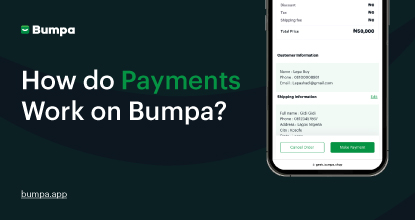
How does Online Payment Work on Bumpa?
Entrepreneurship
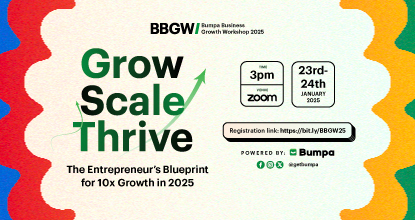
The Biggest Business Growth Event (BBGW) of 2025 Is Here!

Tips
Top 8 Trending Products to Launch a Successful Online Business in 2025

Tips
4 Secret Growth Strategies Smart Businesses Are Stealing in 2025

Entrepreneurship
ShowUp #1: Thank You for 2024 and Welcome to 2025! 🎉
Features
What to Know about Bumpa’s KYC Verification & Fraud Prevention

Entrepreneurship
Shape Your 2025: 50 Motivational and Inspirational Quotes Every Business Owner Needs

TipsFeatures
25 Marketing Strategies for Increasing Sales to Implement on Day One of 2025!
Entrepreneurship
The Season of Sales - Lessons, Tips & Giveaways

EntrepreneurshipFeatures
A Good Time For Gifts: Celebrating Our Super Sellers with WiiCreate! 🎁

Entrepreneurship
How Lagos's Top Parfait Brand, Melony Pine Fruit Hub Manages Its Growing Success with Bumpa
Features
Bumpa's Invoice Generator 2.0: Now with Custom Notes & Upgraded Shipping Slips
Features
Planning Your Next Big Sales? 8 Bumpa Features You Can't Miss!
TipsFeatures
Bumpa Terminal: Now Available in the App!
Tips