Features
Bumpa POS: A Simple Point of Sale System for Businesses in Nigeria
Features



If you run a physical business, you’ve probably heard the term POS before.
A POS system, short for Point of Sale, is simply what you use to record a sale when a customer buys from you, whether they’re paying with cash, transfer, or card.
In many Nigerian businesses, this still happens manually. Sales are written in notebooks, calculated in the head, or sometimes not recorded at all when the shop gets busy.
The problem is that when sales aren’t properly tracked, it becomes hard to know how much you’re really making, what products are moving fast, or what’s running out of stock.
And even if you sell online too, offline sales matter just as much. A business can’t grow properly when half of its income isn’t being accounted for.
This is exactly what Bumpa POS was created for.
Bumpa POS helps you easily record in-store sales, keep your inventory updated automatically, and see all your sales (both online and offline) in one place.
And once sales start feeling more organised, managing your business becomes a lot less stressful.
What Is Bumpa POS?
Bumpa POS is a simple point of sale feature inside the Bumpa app that helps you record your in-store sales.
Anytime a customer walks into your shop, buys from your stand, or makes a purchase at a pop-up, Bumpa POS lets you log that sale properly instead of writing it down somewhere or trying to remember it later.
It’s designed for everyday selling, especially for physical shops, kiosks, pop-ups, exhibitions, and walk-in customers.
The best part is that it doesn’t exist on its own. Bumpa POS works together with your Bumpa online store. So whether a customer buys from your website or from your physical space, all your sales show up in one place.
That way, you’re not running two separate systems for the same business. Everything stays connected and easy to follow.
How Does Bumpa POS Work?
This is one question we get from a lot of business owners like you. Let me walk you through it:.
First, you can access Bumpa POS in two ways. You can open it directly from your Bumpa dashboard, or you can download the dedicated Bumpa POS app if you prefer using it separately for in-store sales.
Once you’re in, the first thing you should do is upload your products. You can add as many products as you want, whether it’s five items or five hundred. For each product, you attach the price, and if you offer discounts or charge tax, you can set that too. This means your prices are already prepared before any customer walks in.
When a customer is ready to buy, you simply add the items to the cart. You can select them from your product list or scan them if needed. Everything shows clearly on the screen, so there’s no confusion about how much was purchased.
At checkout, you choose how the customer wants to pay. They can pay with cash, card, via a bank transfer, or they can pay online using a USSD code. Once payment is completed, you confirm the sale.
Immediately, that transaction reflects in your records. Your inventory updates automatically, and your sales total increases right away. There’s nothing else you need to do after that.


Everything stays recorded as your business runs. And when selling starts to feel this organised, it becomes much easier to focus on customers instead of paperwork.
Up next, we’ll look at what you can actually do with Bumpa POS day-to-day, beyond just checking out customers.
What You Can Do With Bumpa POS
Bumpa POS was built for real-life selling, especially for businesses that tend to be fast-paced and doesn’t always wait for perfect conditions.
You can use it alongside your Bumpa online store, or on its own if you just need something reliable for physical sales. It works especially well at pop-ups, busy shops, and events where things need to move quickly, and every product must be accounted for.
We know it’s one thing to talk about features and another to actually see them at work in a real Nigerian business.
That’s why we teamed up with Shop Bawsty, a fast-growing beauty and retail brand, to put Bumpa POS to the test in real time. During one of their recent pop-ups, their team used Bumpa POS to handle every walk-in sale, track inventory automatically, and keep things moving smoothly, even with hundreds of customers lining up.
Here’s a peek at how they used Bumpa POS on the ground:


<insert collage of Shop Bawsty images with captions like “Logging a sale at the pop-up” or “Staff using Bumpa POS to manage multiple orders”>
Here’s what you can do with it.
Record walk-in sales easily: Anytime a customer buys from you physically, you can log the sale instantly instead of writing it down or trying to remember later.
Accept multiple payment types: Cash, transfer, card, POS terminals, Bumpa Terminal, USSD, QR code, however your customer wants to pay, you can record it properly.
Create and manage orders across multiple stores from your phone: If you run more than one location, you don’t need separate systems. You can monitor everything from your mobile device.
Open multiple carts at once and serve customers faster: This is especially useful during rush hours when several people are buying at the same time.
Scan product barcodes using your phone camera: If you have product barcodes attached to your products, you can simply it using your phone camera, add items quickly, and update your inventory all in one go.
Record customer details: You can collect phone numbers and emails, and customers are automatically notified about their purchases.
Track staff and sales performance daily: See how each staff member or location is performing, all from one dashboard.
Automatically update inventory: Every sale adjusts your stock levels instantly, helping you avoid selling what’s already sold-out.
Get WhatsApp payment notifications with Bumpa Terminal: Both you and your staff can receive alerts when payments are made, so nothing slips through.
Run discounts and coupons easily: Set percentage or fixed discounts, choose start and expiry dates, and prices return to normal automatically when the sale ends.
Create orders and complete checkout offline: Even without internet, you can still serve customers and record sales.
Automatically sync sales when you’re back online: Once the connection returns, everything updates by itself — no manual work needed.
All of this helps you stay organised, even when your business gets busy. This brings up an important question most Nigerian business owners ask. What happens when the internet is unstable?
Does Bumpa POS Work Offline?
Yes it does, and this is one of the reasons many businesses rely on it daily.
When the internet is unstable or completely unavailable, Bumpa POS still allows you to create orders and complete checkouts offline.
Your sales are saved safely on your device.
Once your internet connection returns, Bumpa automatically syncs your sales and inventory in the background. You don’t need to re-enter anything or worry about missing records.
This matters a lot in Nigeria, where network issues can happen unexpectedly especially during busy periods when customers are waiting.
With Bumpa POS, sales don’t have to stop just because the internet is slow.
You can keep selling, keep serving customers, and trust that your records will update when connectivity returns.
Why Many Small Businesses in Nigeria Need a POS System
If we’re being honest, many small businesses don’t struggle because they’re not selling.
They struggle because keeping track of those sales becomes messy.
A lot of business owners still rely on notebooks or memory, especially during busy periods. And at first, it feels manageable, until it isn’t.
You forgot to write down one transaction. Then another. Then the day ends, and the numbers don’t add up.
By closing time, you’re trying to remember who paid, who didn’t, and what actually sold.
This often leads to:
Manual notebooks that get messy or misplaced
Transactions that aren’t recorded during rush hours
Confusion at the end of the day when money doesn’t balance
Stock mismatches because sales weren’t properly tracked
No clear picture of profit or loss
Over time, this makes it hard to grow and expand your business confidently. You may be working every day, yet still unsure whether the business is truly moving forward.
A POS system doesn’t change how you sell; it simply helps you keep proper records of what’s already happening.
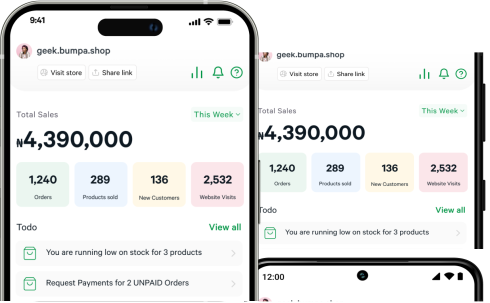
And if you’re curious what the app actually looks like when you're using it, Kelvin (our CEO) recorded a short demo to walk you through the experience step-by-step


See how simple it is to make a sale, update your inventory, and stay on top of your numbers — all from one screen.
Bumpa POS vs Traditional POS Systems
There are different ways businesses track sales. Some still use notebooks, some rely on basic POS machines, and others use more structured systems.
Here’s a simple comparison to help you see the difference.
Feature | Manual Notebooks | Basic POS Machines | Bumpa POS |
|---|---|---|---|
1. Speed | Slow and depends on writing | Moderate | Fast and mobile |
2. Inventory Tracking | Manual counting | Limited or Separate | Automatic updates |
3. Sales Reporting | End-of-day guesswork | Basic Summaries | Clear daily reports |
4. Flexibility | Very limited | Fixed Setup | Works in shops, pop-ups, and events |
5. Cost | Low upfront, high mistakes | Device-dependent | Runs from your phone |
6. Ease of Use | Familiar but stressful | Can feel very rigid | Simple and intuitive |
For many small businesses today, having something that combines simplicity with structure makes day-to-day selling far less stressful.
And once sales start feeling clearer, the next thing most business owners care about is knowing whether Bumpa POS actually fits their kind of business.
That’s what we’ll look at next.
Who Bumpa POS Is Best For?
Bumpa POS works best for businesses that sell in real life, where your customers can walk in, pick items, and pay quickly. Oftentimes, this tends to happen at pop-ups, exhibitions, tradeshows, and events where foot traffic is high.
It’s especially helpful if you fall into any of these categories:
Physical stores that handle daily walk-in customers
Retail shops selling multiple products at once
Boutiques where tracking sizes, colours, and stock matters
Supermarkets and mini-marts with frequent, fast-moving sales
Pop-ups and exhibitions where speed and accuracy are important
Businesses selling both online and offline
If you’ve ever sold online and in person at the same time, you already know how confusing it can get when those sales aren’t connected.
Bumpa POS helps bring everything into one place, so you’re not managing your business in bits and pieces.
5 Common Problems Bumpa POS Helps You Avoid


Many daily business problems don’t look serious at first until they keep happening.
Bumpa POS helps reduce a lot of those small issues that slowly add up over time.
Some of the most common ones include:
Selling out-of-stock items: When inventory isn’t updated properly, it’s easy to sell what’s already finished. Bumpa POS updates stock automatically with each sale.
Losing track of daily sales: Instead of trying to remember everything at closing time, your sales are already recorded as they happen.
Mixing personal and business money: Clear records make it easier to see what belongs to the business and what doesn’t.
Forgetting offline sales: Walk-in sales are logged immediately, so nothing is left out of your totals.
Manual reconciliation stress: No more sitting down at night trying to match cash, transfers, and notes from the day.
By removing these everyday frictions, running your business starts to feel calmer and more predictable.
Start Selling Smarter Today With Bumpa POS
Running a business is already a lot of work. Your sales system shouldn’t make it harder.
You don’t need complicated setups or multiple apps to keep track of what’s happening in your shop. And you don’t need to be “techy” to run your business properly either.
Sometimes, all you really need is one simple system that records your sales, updates your stock, and helps you see how your business is doing — without stress.
That’s what Bumpa POS is designed to do.
It fits into your daily routine quietly, whether you’re selling from a shop, a stand, or a pop-up. You make the sale, and everything stays organised in the background.
If you’re ready to stop guessing your numbers and start tracking your sales properly, Bumpa POS is a good place to begin.
Start using Bumpa POS Today. Track your sales better. Sell in-store with confidence.
Frequently Asked Questions About Bumpa POS
1. What is Bumpa POS used for?
Bumpa POS is used to record in-store sales, track inventory, and manage walk-in transactions easily.
2. Can I use Bumpa POS without internet?
Yes. You can create orders and complete checkouts offline, and everything syncs once internet returns.
3. Is Bumpa POS free?
Bumpa offers plans that allow you to access POS features depending on your subscription.
4. Can I use Bumpa POS with my online store?
Yes. Bumpa POS works alongside your Bumpa online store so all sales stay in one place.
5. Does Bumpa POS track inventory automatically?
Yes. Inventory updates automatically each time a sale is recorded.
6. Is Bumpa POS good for small shops?
Yes. It’s designed to be simple and works well for small and growing businesses.
7. Can I use Bumpa POS at pop-up events?
Yes. Many businesses use it at pop-ups, exhibitions, and temporary selling locations.
Related Articles
View Related Articles Here

Spotlight
The Extra Mile: Celebrating Customer Service Week 2026 at Bumpa

Features
8 Things You Can Automate on Bumpa So Your Business Runs While You Rest

Features
How to Set Up TikTok Pixel on Bumpa | Step-by-Step Guide

Features
Collect the Birthday & Gender Information of Your Customers Through Multiple Ways on Bumpa.

Entrepreneurship
How to Get Paid Faster: The Complete Guide to Business Payments in Nigeria & Kenya

Tips
How to Choose the Right Payment Options for Your Customers in 2026

Features
How to Set Up Facebook Pixel on Bumpa | Step-by-Step Guide

Entrepreneurship
How to Build a Good Inventory Management System (Step-by-Step)
Tips
How to Keep Daily Records of Sales for Your Business Easily
Tips
How to Detect, Deal with & Prevent Fake Bank Alerts for Your Business

Sales
How Gift Cards, Product Bundles, and Add-Ons Can Help You Make More Money Per Order on Bumpa

Entrepreneurship
Pezesha & Bumpa Partner to Empower Merchants with Digital Business Tools

Features
What Happens When My Bumpa Subscription Expires?

Entrepreneurship
How to Track Profit for Your Business in Nigeria in 2026

Tips
7 Signs You Need Inventory Management Software In 2026

Entrepreneurship
How to Prepare Your Business for Black Friday (2025): A Simple 10-Step Plan With Checklists and Templates

Entrepreneurship
Black Friday Marketing Strategy In 2026: 7-Day Plan for Small Businesses

Tips
When to Restock Inventory: Reorder Point Guide for Nigerian Businesses in 2026

Entrepreneurship
Inventory Management for Fashion & Clothing Business in Nigeria [2026]

Tips
6 Ways to Stop Staff From Stealing Your Stock (Without Losing Trust in Your Team)

Tips
Instagram Business Account Disabled? Here's Exactly What to Do in the Next 24 Hours (2026 Guide)

Entrepreneurship
From One Blender to 25 Branches and Counting: How FruityLife Manages Its Business with Bumpa

Features
New on Bumpa: The July Updates That Make Running Your Business Easier

Features
Create Emails That Drive Sales with Bumpa's Sales Email Template

Features
June Bumpa Product Update: Here's what's new!

Tips
8 Things To Do Before You Launch Your Online Store In 2026

Tips
10 Ways to Get more Customers & Increase Sales for your Business

Tips
Top 5 Online Selling Platforms & Sites in Nigeria (2026 Guide)

Tips
How to Optimise your Bumpa Website for more Visibility on Google in 2026!

Entrepreneurship
How To Start A Bag & Accessories Business In Nigeria In 2026

Tips
When to Upgrade Your Bumpa Plan And How to Know You're Ready

Entrepreneurship
10 Signs Your Business Needs Better Structure and Organization In 2026

Entrepreneurship
Bumpa vs WooCommerce: Is "Free and Powerful" Actually Free for Nigerian and Kenyan Businesses?

Entrepreneurship
Bumpa vs Shopify: Which Platform Actually Works Best For African Businesses?

Features
How to Improve SEO for Your Bumpa Website in 14 Steps

Features
Is the Bumpa App Free? (2026 Update: What’s Free, What’s Paid & What You Get)

Entrepreneurship
How to Use Social Media to Drive Sales to Your Bumpa Store In 2026

Entrepreneurship
25 Small Business Ideas in Kenya with Low Capital (2026 Guide)
Features
Every Physical Store You Add on your Bumpa Account Now Has Its Own Terminal Account. Here's Why It Matters

Features
Grow Your Business Faster with Loans: Say Hello to Bumpa Capital!

Features
How to Stop Staff Theft in Your DMs and Your Physical Store Using Bumpa

Tips
Business Name Ideas - How to Generate One + 42 Examples

Entrepreneurship
Bumpa vs Wix: A Guide for Nigerian Business Owners

Entrepreneurship
Bumpa vs Paystack Storefront: Which Is Right for Your Business?

Entrepreneurship
Bumpa vs Flutterwave Store: What Nigerian Sellers Actually Need to Know
Entrepreneurship
7 Marketing Tools You Can Use on Bumpa To 5x Sales. (Free & Paid 2026)

Spotlight
From a Mom's Shop Floor to 10K Orders: How Harjoke Fabrics Automated Sales with Bumpa
Features
Bumpa Wallet Is Here: A Faster Way to Get Paid Instantly, Grow Your Money & Stay in Control

Spotlight
For our One of One, Teejay…

Entrepreneurship
8 Best Paystack Storefront Alternatives Nigeria (2026)

Sales
How to Start an Online Business in Kenya (2026 Complete Guide)

Features
Bumpa POS: A Simple Point of Sale System for Businesses in Nigeria

Entrepreneurship
How Bumpa Helps Business Owners Adapt To Nigeria’s New Tax Laws in 2026

Sales
5 Reasons Why Your Business Isn't Making Money (And How To Fix It)
Features
Selling Internationally: Start Collecting Foreign Payments with Bumpa’s Multi-currency Feature!

Features
How to Get Started on Bumpa: An Onboarding Guide.

Tips
10 Small Business Ideas you can start with 20,000 in Nigeria in 2026

Tips
How to Collect Customer Reviews and Boost Sales With Them In 2026

Tips
How to File CAC Annual Returns Online in 2026 as a Business Owner

Entrepreneurship
Happening Live: 30 Days of Bumpa with Kelvin! (Plus 3M Up for Grabs)!
Features
What’s New This Month for Your Business (November 2025)

Entrepreneurship
Share Your Story, Win ₦500,000: Bumpa Business Story 2025
Features
Bumpa Product Updates: What’s New This Month for Your Business (October 2025)
Features
Your Store, Your Way: Introducing Bumpa Website Extensions

Tips
Black Friday Coupon Code Ideas (2025): 27 Proven Promos + How to Name, Cap, and Track Them

Communities
"We Don't Do Impossible" - Celebrating CX Week at Bumpa

Tips
How to Create Professional Invoices for Small Businesses with an Online Invoice Generator

Tips
How to Create & Start an Online Store in Nigeria in 2024
Features
How to Use the Bumpa App: The Ultimate Guide For Small Business Management
Features
Recover More Sales With Bumpa’s New Automated Abandoned Order Reminders
Tips
Black Friday 2025: The Business Guide to Deals That Triple Your Sales

Spotlight
Ronbee Signature: The Entrepreneur who Ditched the Idea of Being A Professor to Become A Jewelry & Perfume Connoisseur.

Spotlight
How Melira Fits Started From A One-Bed Apartment to Doing Up To 15 Million in Revenue.
Features
Get Amazon-Level Delivery for your Business with Bumpa’s New Shipping Automation

Tips
How Businesses (Small and Big) Are Making Big Money with AI in 2025! (Here's How)

Tips
How to Make Money on the Internet in 2025 (12 Easy E-commerce Hustles That Actually Pay)

Tips
These 7 Business Finance Mistakes May Cost You Millions !
Tips
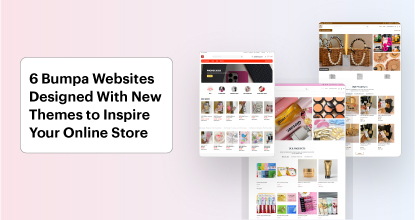
6 Bumpa Websites Designed With New Themes to Inspire Your Online Store
Features
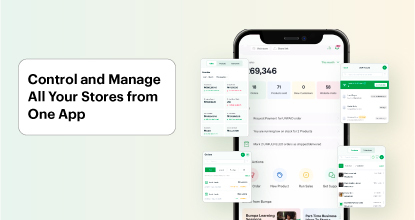
The Ultimate Guide to Managing Your Multiple Stores for Your Business with Bumpa

Features
How to Set Up Google Analytics for Your Bumpa Website

Tips
These 5 Urgent Fixes Will Save Your Dying Online Store!
Entrepreneurship
Be Part of Something Big: Join Our Partners' Program To Help Businesses Go Digital with Bumpa!

Tips
How to Write Product Descriptions that Convert Online Shoppers + Examples & Template

Features
Introducing Brand New Professional Website Themes & Templates For Your Bumpa Store!

Entrepreneurship
ShowUp #2: Love is in the Air! (And So Are Sales)

Tips
How to Turn your Products into Irresistible Valentine's Day Gifts

Features
How to Add Shipping Fees on Your Bumpa App
Features
How does Online Payment Work on Bumpa?

Entrepreneurship
The Biggest Business Growth Event (BBGW) of 2025 Is Here!

Tips
Top 8 Trending Products to Launch a Successful Online Business in 2025

Tips
4 Secret Growth Strategies Smart Businesses Are Stealing in 2025

Entrepreneurship
ShowUp #1: Thank You for 2024 and Welcome to 2025! 🎉
Features
What to Know about Bumpa’s KYC Verification & Fraud Prevention

Entrepreneurship
Shape Your 2025: 50 Motivational and Inspirational Quotes Every Business Owner Needs

TipsFeatures
25 Marketing Strategies for Increasing Sales to Implement on Day One of 2025!

Entrepreneurship
The Season of Sales - Lessons, Tips & Giveaways

EntrepreneurshipFeatures
A Good Time For Gifts: Celebrating Our Super Sellers with WiiCreate! 🎁

Entrepreneurship
How Lagos's Top Parfait Brand, Melony Pine Fruit Hub Manages Its Growing Success with Bumpa
Features
Bumpa's Invoice Generator 2.0: Now with Custom Notes & Upgraded Shipping Slips
Features