Features
Is the Bumpa App Free? (2026 Update: What’s Free, What’s Paid & What You Get)
Features



You can explore everything Bumpa has to offer before spending a single naira. The 14-day free trial gives you full access to create your store, add products, collect payments, and manage orders — no card required, no commitment.
Not on Bumpa yet? Sign up for free today and see what your business has been missing.
So, your friend has told you that you need to use the Bumpa app if you are serious about your business, but you want to know if you can get started for free or what you get if you pay for a subscription plan.
You’re in the right place. This article will list everything you need to know.
The costs of getting started, what Bumpa’s free trial offers you and everything else in between.
So… Is the Bumpa App Free? (Short Answer)
No. Bumpa is not a free app.
Bumpa has a free trial that runs for 14 days. No card, no extra commitment. Explore the app for 14 days before deciding what plan to upgrade to.
Bumpa has free services: Paperless by Bumpa, Bumpa Terminal & Bumpa Academy.
At the point of signup, you can choose to activate a 14-day free trial or pay for a subscription plan. Check out our pricing page for more info.
Let’s Start With Bumpa’s Free Trial.
For ₦0, you can access most of Bumpa’s Growth features for free for 14 days. Here are the things you can do on Bumpa’s free trial:
Create a Bumpa account
Add products & manage inventory
Create and customise your website.
Collect payments
Record orders, expenses & share invoices/receipts.
View analytics..
Explore delivery integrations and much more.
All before choosing & paying for a plan. The goal is simple. We want you to be able to explore the app, see how it works for your business, before you make any financial commitment.
Limitations of Bumpa Free Trial.
You cannot purchase or connect a custom domain name.
You cannot access same-day settlements for online orders.
You do not have access to the Bumpa POS app for mobile or web.
You cannot integrate a chatbot on your website during the free trial period.
You are limited to only Naira payment & settlements during the free trial period.
When the 14-day free trial period expires, the store will be deactivated unless you subscribe to a plan.
Bumpa’s Paid Plans: Which One Is Right for You?


One of the things we say over here at Bumpa is that we have a plan for any stage of business you may fall into.
We currently have 5 plans suitable for different types of entrepreneurs and stages of business growth, and I’ll explain them here.
1. Starter Plan
This plan is specifically designed for studentpreneurs, solopreneurs, side hustlers, part-time sellers, or anyone still testing their business out.
It’s the most affordable plan, and it gives you just enough to get started while you’re figuring things out.
For some business owners, it's also a launch plan. This means that some entrepreneurs start with this and then upgrade to bigger plans like Pro, Growth, etc.
With Starter, you get:
Business Website: Create & customize your website & easily get online orders.
Discounts & Coupons: Run simple promos, offer percentage or amount-based discounts, and share coupon codes with customers.
Invoices & Receipts: Generate clean, professional invoices and receipts for your customers and track payments easily.
Business Analytics: Access basic insights about your store’s performance so you can see what’s working and where to improve.
Bookkeeping: Record sales that happen outside your website so your inventory and reports stay accurate.
Bumpa POS on Web, Mobile & Tab: Sell in person using any device while keeping everything synced to your main store.
Record & Engage Customers: Tools like automated follow-ups and customer records help you stay connected with buyers and encourage repeat sales.
Multiple Payment Options: Accept payments through different channels so your customers can pay however they prefer.
Setup Manual Shipping: Define your own shipping fees and methods, especially helpful for deliveries you fulfil yourself or through third-party riders.
View more features available on the Starter Plan here.
2. Pro Plan
This plan was crafted specially for small business owners with growing sales and a small team, who want a bit more control over their branding, online sales, and overall business management.
With Pro, you get everything in Starter, plus:
Product Quantity Management (MoQ & MaxoQ): Lets you set minimum and maximum order quantities for your products. This is perfect for wholesalers who want to manage bulk orders, prevent under- or over-ordering.
Staff Account: Add a team member to manage your store with varying permission levels, where you can decide if you want to give them full access to your dashboard or not.
Automated Shipping: Get access to integrated delivery services so your customer orders can have calculated delivery fees before checkout.
Advanced Analytics: You get more detailed reporting, helping you understand what’s selling, how your business is performing, and where to adjust.
Create Customer Groups: Segment your customers into categories (e.g., VIPs, wholesalers, repeat buyers) to organise communication and manage targeted offers.
Giftbox/Upsell at Checkout: Add small add-ons or recommended products at checkout to increase average order value without extra effort.
Customise Invoices & Receipts: Personalise your documents with branding elements like your logo, business details, and layout preferences for a more professional look.
Abandoned Cart Automation: Automatically follow up with customers who added items to their cart but didn’t complete checkout, helping you recover lost sales.
Free .com.ng domain on 1 Year Pro Plan: When you subscribe to the annual Pro plan, you get a free .com.ng domain to strengthen your online identity and make your store look more credible.
🔗 View more features available on Pro and compare it with Starter features here.
3. Growth Plan
This is perfect for active businesses with growing needs, a sizeable team, and are looking to scale their operations.
If you’re at the point where you have multiple staff members handling more orders than you can physically manage easily, you should consider getting this plan.
This plan gives you structure for expansion and space to grow into the next level.
With Growth, you get everything in Pro, plus:
Multiple Locations Management: Manage multi location stores(2 branches) from one dashboard where you can track inventory, assign up to 5 staff members and track expenses without confusion
Staff Accounts Limit staff access to certain features and assign permission level based on staff roles.
International Payments: Accept payments from customers outside your country, making it easier to sell globally without needing additional payment gateways.
Delivery Tracker on Website: Give customers the ability to track their orders directly from your store. This reduces the constant “where’s my order?” messages and improves customer experience.
Barcode Generator & Scanner Software: Generate barcodes for your products and scan them to record sales or update inventory faster. This removes manual errors and speeds up in-store operations.
Import Products: Upload large product lists in bulk instead of adding items one by one. Perfect for stores with hundreds or thousands of SKUs.
Download Products, Orders & Customer CSV: Export your product data, customer database, and order history for reporting, backups, or integrations with other tools.
Product Bundles: Group multiple products together and sell them as a bundle (e.g., gift sets, starter kits, promo packages). Great for boosting average order value.
Order Customisation: Allow customers to input details, preferences, notes, or specifications when placing an order. This is essential for brands that do personalised or made-to-order items.
Blog: Publish content directly on your website to educate customers, share updates, and improve your SEO.
View more features available on Growth here and compare it with Starter and Pro plans here.
4. Scale & Premium Plan
Large-scale businesses and enterprises that need custom solutions, have unique business models/problems, need more robust staff management, and have multiple store locations with international orders, this is the plan for you.
With Scale, you get everything in the Growth plan plus:
Business Specific Customisations: You can request white-label customized solutions specifically for whatever type of business you have.
Account Manager: Direct support from someone who understands your business and its needs inside-out.
High Traffic Website: A stronger, more scalable infrastructure that stays stable during massive traffic surges (launch days, sales events, influencer pushes).
Chatbot Integration: Automate responses, guide customers through products, assist with orders, and offer 24/7 frontline support in a seamless chat interface.
Custom Checkout: Tailor the checkout process to match your sales journey. Add or remove steps, collect the right customer information, control upsell placements, and create a checkout flow that boosts conversions.
10 Staff Accounts: Assign roles, track activity, manage permissions, and keep operations for up to 10 staff members, all organised even with multiple people working at once.
3 Store Locations: Perfect for multi-branch businesses. Sync inventory, manage orders from different outlets, and unify all sales data under one store so nothing falls through the cracks.
Wholesale pricing: Create custom pricing tiers for bulk buyers, distributors, or VIP customers. Let your big clients shop seamlessly without manual negotiation each time.
Extra Website Pages: Go beyond the standard website. Add pages for FAQs, company information, brand stories, catalogues, promotions, galleries, or anything else your brand needs to express itself fully.
Gallery: Showcase high-quality visuals of your products, collections, events, or brand moments. A dedicated space for storytelling through imagery.
Free Advanced Website Template: A premium, professionally designed template that gives your brand an elevated, modern look without hiring a designer.
Advanced Inventory Settings: Perfect for complex product setups. Manage multi-variant stock, bundle rules, low-stock alerts, location-based stock tracking, and advanced supply controls across your entire business.
Fall under Scale or Premium? Book a demo session with us.
Still not sure which one fits your business?
Take our quiz to figure out the best plan for you or send us an email at [email protected].
We’ll be glad to help.
So, what is Free On Bumpa?
A couple of things:
1. Paperless by Bumpa: Your Free Invoice Generator & Expense Tracking App

If you’re a freelancer, contractor, makeup artist, side-hustler, or you run a small business and simply need a clean, reliable way to generate invoices, track expenses, and manage clients, Paperless is your toolkit.
What You Get With Paperless
Paperless gives you a full suite of business-admin essentials:
Create & share professional invoices: Add your logo, business details, tax/discounts, multiple items, and send invoices via link, email, WhatsApp, or as a downloadable PDF.
Issue receipts and track payments: Record payments, track partial payments, and keep an eye on outstanding balances for each client.
Record & categorise expenses: Track business or personal expenses, choose from preset categories, and see your spending patterns at a glance.
Client management (Client Folders): Save customer information, view their invoice history, notes, and organise your contacts properly.
Unified search across everything: Quickly find any invoice, client, note, or expense from one search bar.
Business summaries & insights See monthly income, top customers, best-selling items, and profit snapshots to understand how your business is performing.
Works on any device (even offline) Access Paperless on iOS, Android, or web. You can still work offline, and your data syncs when you reconnect.
Paperless keeps your entire business brain in one place. It keeps your business data organised and always accessible.
How to Get Started With Paperless
Getting started takes less than a minute:
Visit: www.usepaperless.com or download the app on your Apple Store or Google Play Store.
Sign up and create your account.
Add your business details (name, logo, contact).
Create your first invoice or log your first expense. You can start using all features immediately.
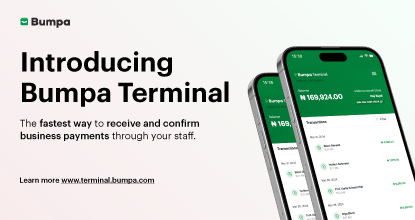
2. Bumpa Terminal
If you have a physical store and you have staff, this is the payment solution for you.
With a terminal account, your staff do not have to call you whenever someone makes a payment in your store, and you’re not there.
You and up to 3 other staff members will get alert confirmations on WhatsApp for easy order fulfillment and sales processing.
Transfers are the most common way people pay in Nigeria, but they also come with issues: fake alerts, “I sent it,” and plenty of back-and-forth.
Bumpa Terminal is fast easy, great for payment reconciliation, and reduces staff theft pr payment diversions.
You get a unique business account number that works for both your website and your physical store. So when someone transfers money, you get a real-time alert via WhatsApp.
You can even match the payment to an order in your Bumpa dashboard.
How to Get a Bumpa Terminal Account/How to use it
Sign up on https://terminal.bumpa.com/ to get a Bumpa Terminal account.
Wait for your confirmation email with your Bumpa Terminal account details.
Log into your Terminal dashboard.
Add the staff you want to receive payment alerts on your Bumpa Terminal dashboard.
Put up your Terminal account number in your physical store and start receiving payments notifications for you and your staff seamlessly!
3. Bumpa Academy
There isn’t a real handbook for running a business in Nigeria. Every day feels like a new puzzle, a new fire drill, a new chapter.
That’s exactly why we built Bumpa Academy, a free learning hub filled with short, practical courses that sharpen your selling skills, streamline your processes, and help you grow with confidence.
Each lesson is designed for business owners who want real knowledge they can put to work the same day. Most courses on Bumpa Academy take just 10–20 minutes, and they cover the exact things entrepreneurs need help with.
Here are some of our top-enrolled courses:
How to Create, Run, and Promote Instagram & Facebook (Meta) Ads
How to Build a Successful Affiliate Program for Your Ecommerce Business
Introduction to Ecommerce Shipping for Nigerian Entrepreneurs
We have many more courses on automations, customer engagement, content, selling online, and business operations. And guess what? They’re all free.
Click here to start your learning journey with Bumpa Academy.
4. Bumpa POS – In-Store Checkout Made Easy

If you run a physical store, Bumpa POS is how you keep everything running smoothly—sales, payments, customers, staff, all in one place.
It works on both your phone and your laptop, online or offline. So even when the internet is acting up, your business doesn’t have to.
What You Get With Bumpa POS
Checkout from your cart in seconds: Add products, apply discounts, scan barcodes, and serve multiple customers at once. You can even open several carts at the same time.
Multiple payment options: Whether it’s cash, card, transfer, USSD, QR, or online—Bumpa POS handles it all. And if you use Bumpa Terminal, you and your staff get instant WhatsApp alerts when a payment comes in.
Collect & sort customer details: Collect names, numbers, addresses, and email with each order. See their full order history and even how much they’ve spent with you over time.
Staff performance tracking: Keep tabs on how much each staff member is selling, store by store. No more guesswork.
Smart discounts without the stress: Run promos by percentage or fixed amount, and set start/end dates. Once it’s over, your prices revert automatically.
Works offline, syncs when back online: Still completing sales and updating stock even when you’re offline? Yes, you can. Everything syncs the moment your internet is back.
Simple sales dashboard: See total sales, unpaid orders, best-selling products, and top customers—all in one view.
Bumpa POS helps you sell faster, serve better, and stay in control—even when you’re not in the store.
👉 Get Bumpa POS on Mobile or Web
Your Business Best Friend at Any Business Stage.
At the end of the day, Bumpa has a solution that works for your business, no matter the stage you’re at or the size of your pockets.
You can start with any of the offerings in the Bumpaverse today if you want to take your business to the next level.
NB: If you want to sign up on Bumpa, you can use this code: UPGARDE to get 30% off
If you’d also like to get more information about Bumpa. Kindly send an email to [email protected] or reach out to us on Twitter or Instagram, we’ll be more than happy to help.
Subscribe to our Blog
If you love tips & content like this that will help with your small business marketing and growth, then you’ll be excited to know we have more! We can send you notifications when they are published if you share your email address with us. We promise not to be a bother, and you can always unsubscribe anytime!
Want to Learn More about Bumpa & How to Grow Your Business with it?
You can sign up to Bumpa in 5 seconds as a small business owner and let us begin the journey of growing your business with you!
Frequently Asked Questions
1. Can I use Bumpa without paying?
No, you can’t. You can, however, use Paperless by Bumpa for free to create invoices and track your expenses.
2. How much is Bumpa’s subscription plans?
Bumpa has 5 different plans with different prices. To view the plans and their prices, please click here.
3. Can I pay a monthly subscription fee for Bumpa?
No. Bumpa’s billing cycle is 3 months (quarterly), 6 months (biannually) & 12 months (yearly)
4. How long is Bumpa’s free trial period?
14 days.
5. Can I upgrade or downgrade anytime?
You can switch or upgrade between plans whenever your business needs change, but you cannot downgrade to a smaller plan.
6. If I don't subscribe after my free trial, what happens to my account?
Your website & account will be deactivated and flagged for deletion within 3 months. Your business data remains intact whenever you subscribe within the 3-month timeframe.
7. Can I get website orders on Bumpa’s free trial?
Yes. Your store is fully active during the free trial, and you can sell as normal.
8. Do I have to sign up on Bumpa to use Bumpa Terminal for my business?
No. You can use Bumpa Terminal without using the main Bumpa app.
Related Articles
View Related Articles Here

Spotlight
The Extra Mile: Celebrating Customer Service Week 2026 at Bumpa

Features
8 Things You Can Automate on Bumpa So Your Business Runs While You Rest

Features
How to Set Up TikTok Pixel on Bumpa | Step-by-Step Guide

Features
Collect the Birthday & Gender Information of Your Customers Through Multiple Ways on Bumpa.

Entrepreneurship
How to Get Paid Faster: The Complete Guide to Business Payments in Nigeria & Kenya

Tips
How to Choose the Right Payment Options for Your Customers in 2026

Features
How to Set Up Facebook Pixel on Bumpa | Step-by-Step Guide

Entrepreneurship
How to Build a Good Inventory Management System (Step-by-Step)
Tips
How to Keep Daily Records of Sales for Your Business Easily
Tips
How to Detect, Deal with & Prevent Fake Bank Alerts for Your Business

Sales
How Gift Cards, Product Bundles, and Add-Ons Can Help You Make More Money Per Order on Bumpa

Entrepreneurship
Pezesha & Bumpa Partner to Empower Merchants with Digital Business Tools

Features
What Happens When My Bumpa Subscription Expires?

Entrepreneurship
How to Track Profit for Your Business in Nigeria in 2026

Tips
7 Signs You Need Inventory Management Software In 2026

Entrepreneurship
How to Prepare Your Business for Black Friday (2025): A Simple 10-Step Plan With Checklists and Templates

Entrepreneurship
Black Friday Marketing Strategy In 2026: 7-Day Plan for Small Businesses

Tips
When to Restock Inventory: Reorder Point Guide for Nigerian Businesses in 2026

Entrepreneurship
Inventory Management for Fashion & Clothing Business in Nigeria [2026]

Tips
6 Ways to Stop Staff From Stealing Your Stock (Without Losing Trust in Your Team)

Tips
Instagram Business Account Disabled? Here's Exactly What to Do in the Next 24 Hours (2026 Guide)

Entrepreneurship
From One Blender to 25 Branches and Counting: How FruityLife Manages Its Business with Bumpa

Features
New on Bumpa: The July Updates That Make Running Your Business Easier

Features
Create Emails That Drive Sales with Bumpa's Sales Email Template

Features
June Bumpa Product Update: Here's what's new!

Tips
8 Things To Do Before You Launch Your Online Store In 2026

Tips
10 Ways to Get more Customers & Increase Sales for your Business

Tips
Top 5 Online Selling Platforms & Sites in Nigeria (2026 Guide)
Tips
How to Optimise your Bumpa Website for more Visibility on Google in 2026!

Entrepreneurship
How To Start A Bag & Accessories Business In Nigeria In 2026

Tips
When to Upgrade Your Bumpa Plan And How to Know You're Ready

Entrepreneurship
10 Signs Your Business Needs Better Structure and Organization In 2026

Entrepreneurship
Bumpa vs WooCommerce: Is "Free and Powerful" Actually Free for Nigerian and Kenyan Businesses?

Entrepreneurship
Bumpa vs Shopify: Which Platform Actually Works Best For African Businesses?

Features
How to Improve SEO for Your Bumpa Website in 14 Steps

Features
Is the Bumpa App Free? (2026 Update: What’s Free, What’s Paid & What You Get)

Entrepreneurship
How to Use Social Media to Drive Sales to Your Bumpa Store In 2026

Entrepreneurship
25 Small Business Ideas in Kenya with Low Capital (2026 Guide)
Features
Every Physical Store You Add on your Bumpa Account Now Has Its Own Terminal Account. Here's Why It Matters

Features
Grow Your Business Faster with Loans: Say Hello to Bumpa Capital!

Features
How to Stop Staff Theft in Your DMs and Your Physical Store Using Bumpa
Tips
Business Name Ideas - How to Generate One + 42 Examples

Entrepreneurship
Bumpa vs Wix: A Guide for Nigerian Business Owners

Entrepreneurship
Bumpa vs Paystack Storefront: Which Is Right for Your Business?

Entrepreneurship
Bumpa vs Flutterwave Store: What Nigerian Sellers Actually Need to Know
Entrepreneurship
7 Marketing Tools You Can Use on Bumpa To 5x Sales. (Free & Paid 2026)

Spotlight
From a Mom's Shop Floor to 10K Orders: How Harjoke Fabrics Automated Sales with Bumpa
Features
Bumpa Wallet Is Here: A Faster Way to Get Paid Instantly, Grow Your Money & Stay in Control

Spotlight
For our One of One, Teejay…
Entrepreneurship
8 Best Paystack Storefront Alternatives Nigeria (2026)

Sales
How to Start an Online Business in Kenya (2026 Complete Guide)

Features
Bumpa POS: A Simple Point of Sale System for Businesses in Nigeria

Entrepreneurship
How Bumpa Helps Business Owners Adapt To Nigeria’s New Tax Laws in 2026

Sales
5 Reasons Why Your Business Isn't Making Money (And How To Fix It)
Features
Selling Internationally: Start Collecting Foreign Payments with Bumpa’s Multi-currency Feature!

Features
How to Get Started on Bumpa: An Onboarding Guide.
Tips
10 Small Business Ideas you can start with 20,000 in Nigeria in 2026
Tips
How to Collect Customer Reviews and Boost Sales With Them In 2026

Tips
How to File CAC Annual Returns Online in 2026 as a Business Owner

Entrepreneurship
Happening Live: 30 Days of Bumpa with Kelvin! (Plus 3M Up for Grabs)!
Features
What’s New This Month for Your Business (November 2025)

Entrepreneurship
Share Your Story, Win ₦500,000: Bumpa Business Story 2025
Features
Bumpa Product Updates: What’s New This Month for Your Business (October 2025)
Features
Your Store, Your Way: Introducing Bumpa Website Extensions
Tips
Black Friday Coupon Code Ideas (2025): 27 Proven Promos + How to Name, Cap, and Track Them

Communities
"We Don't Do Impossible" - Celebrating CX Week at Bumpa
Tips
How to Create Professional Invoices for Small Businesses with an Online Invoice Generator
Tips
How to Create & Start an Online Store in Nigeria in 2024
Features
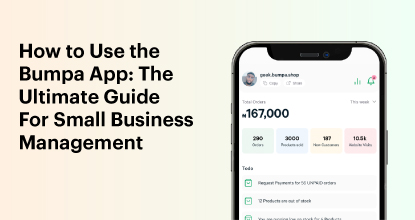
How to Use the Bumpa App: The Ultimate Guide For Small Business Management
Features
Recover More Sales With Bumpa’s New Automated Abandoned Order Reminders
Tips
Black Friday 2025: The Business Guide to Deals That Triple Your Sales

Spotlight
Ronbee Signature: The Entrepreneur who Ditched the Idea of Being A Professor to Become A Jewelry & Perfume Connoisseur.
Spotlight
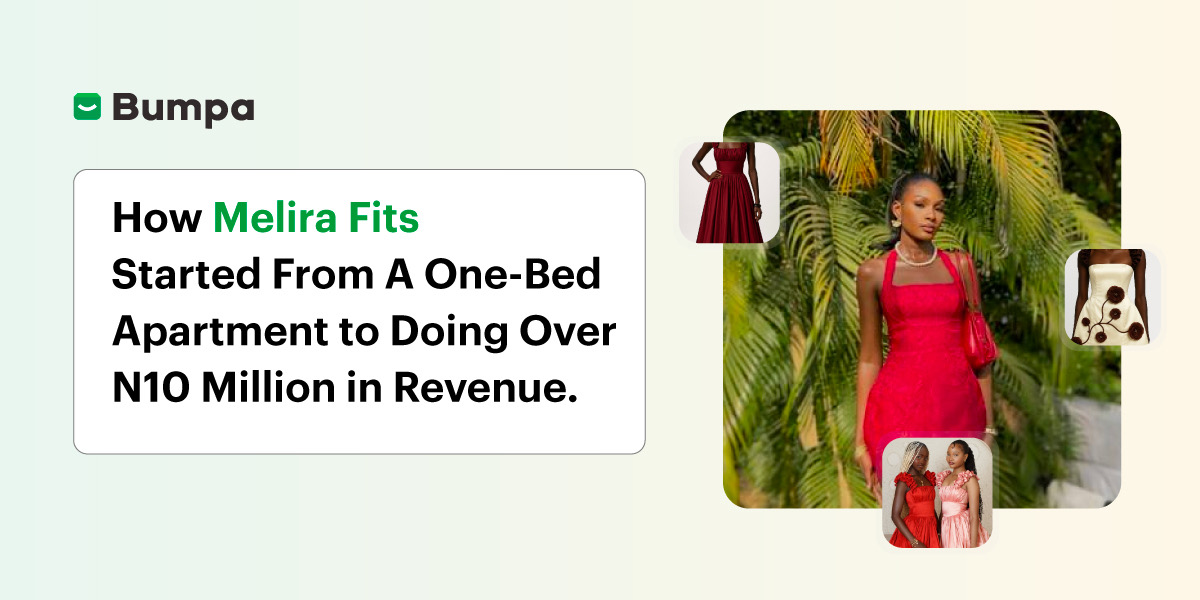
How Melira Fits Started From A One-Bed Apartment to Doing Up To 15 Million in Revenue.
Features
Get Amazon-Level Delivery for your Business with Bumpa’s New Shipping Automation
Tips
How Businesses (Small and Big) Are Making Big Money with AI in 2025! (Here's How)

Tips
How to Make Money on the Internet in 2025 (12 Easy E-commerce Hustles That Actually Pay)

Tips
These 7 Business Finance Mistakes May Cost You Millions !
Tips
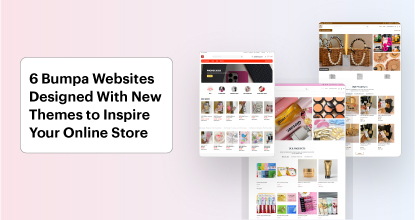
6 Bumpa Websites Designed With New Themes to Inspire Your Online Store
Features
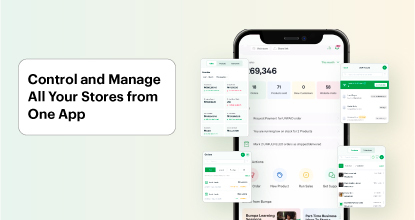
The Ultimate Guide to Managing Your Multiple Stores for Your Business with Bumpa
Features
How to Set Up Google Analytics for Your Bumpa Website
Tips
These 5 Urgent Fixes Will Save Your Dying Online Store!
Entrepreneurship
Be Part of Something Big: Join Our Partners' Program To Help Businesses Go Digital with Bumpa!
Tips
How to Write Product Descriptions that Convert Online Shoppers + Examples & Template
Features
Introducing Brand New Professional Website Themes & Templates For Your Bumpa Store!

Entrepreneurship
ShowUp #2: Love is in the Air! (And So Are Sales)

Tips
How to Turn your Products into Irresistible Valentine's Day Gifts

Features
How to Add Shipping Fees on Your Bumpa App
Features
How does Online Payment Work on Bumpa?
Entrepreneurship
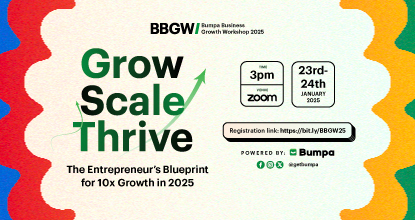
The Biggest Business Growth Event (BBGW) of 2025 Is Here!

Tips
Top 8 Trending Products to Launch a Successful Online Business in 2025

Tips
4 Secret Growth Strategies Smart Businesses Are Stealing in 2025
Entrepreneurship
ShowUp #1: Thank You for 2024 and Welcome to 2025! 🎉
Features
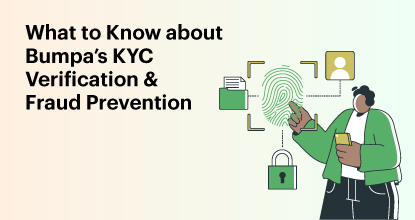
What to Know about Bumpa’s KYC Verification & Fraud Prevention

Entrepreneurship
Shape Your 2025: 50 Motivational and Inspirational Quotes Every Business Owner Needs

TipsFeatures
25 Marketing Strategies for Increasing Sales to Implement on Day One of 2025!
Entrepreneurship
The Season of Sales - Lessons, Tips & Giveaways

EntrepreneurshipFeatures
A Good Time For Gifts: Celebrating Our Super Sellers with WiiCreate! 🎁

Entrepreneurship
How Lagos's Top Parfait Brand, Melony Pine Fruit Hub Manages Its Growing Success with Bumpa
Features
Bumpa's Invoice Generator 2.0: Now with Custom Notes & Upgraded Shipping Slips
Features